80 EN
After Use
1 Turn off the camcorder.
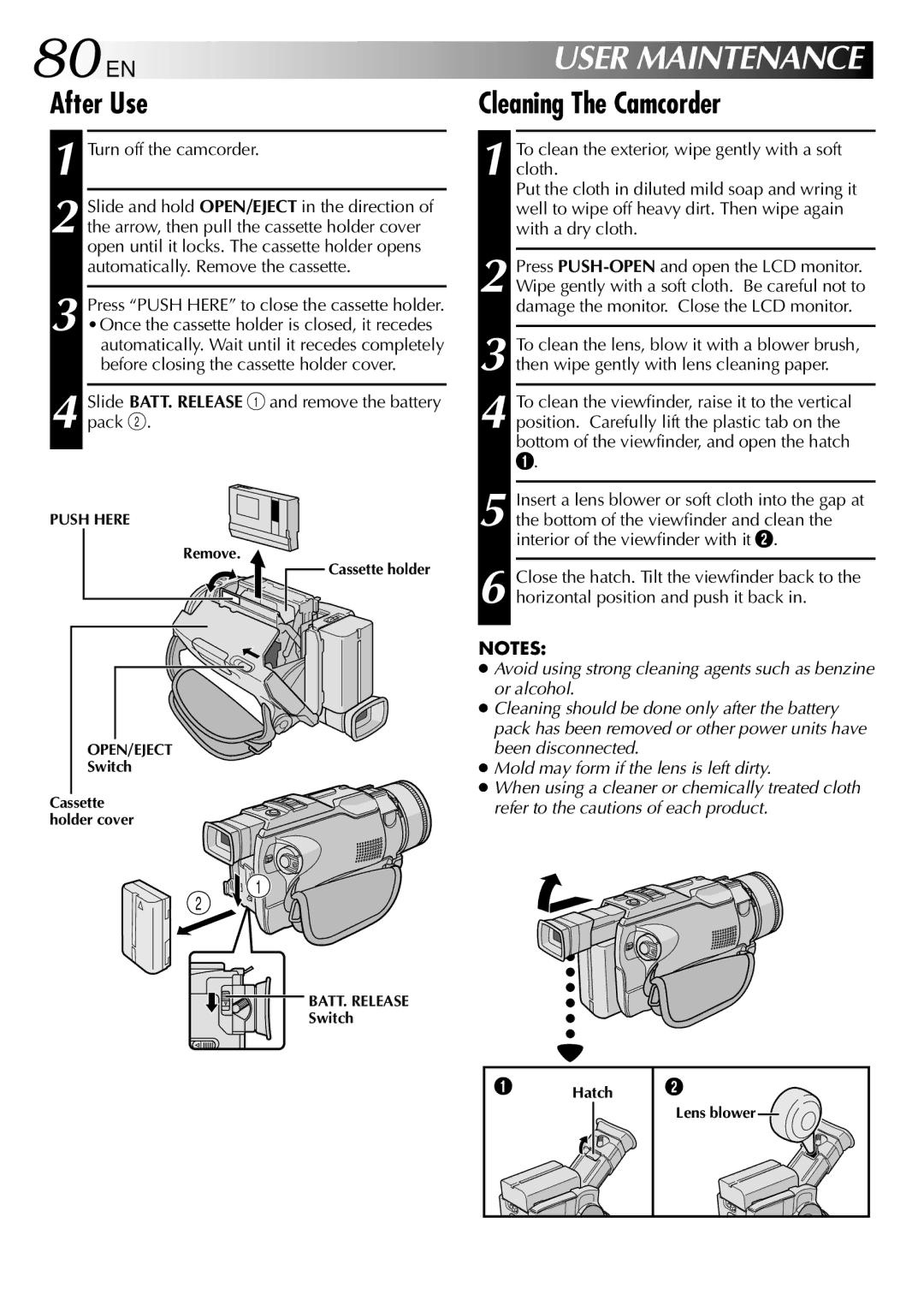
2 Slide and hold OPEN/EJECT in the direction of the arrow, then pull the cassette holder cover open until it locks. The cassette holder opens automatically. Remove the cassette.
3 Press “PUSH HERE” to close the cassette holder.
•Once the cassette holder is closed, it recedes automatically. Wait until it recedes completely before closing the cassette holder cover.
4 Slide BATT. RELEASE 1 and remove the battery pack 2.
PUSH HERE
Remove.
 Cassette holder
OPEN/EJECT
Switch
Cassette holder cover

 2
2  1
1
BATT. RELEASE
Switch
USER MAINTENANCE
Cleaning The Camcorder
1 To clean the exterior, wipe gently with a soft cloth.
Put the cloth in diluted mild soap and wring it well to wipe off heavy dirt. Then wipe again with a dry cloth.
2 Press
3
4 To clean the viewfinder, raise it to the vertical position. Carefully lift the plastic tab on the bottom of the viewfinder, and open the hatch
1.
5 Insert a lens blower or soft cloth into the gap at the bottom of the viewfinder and clean the interior of the viewfinder with it 2.
6 Close the hatch. Tilt the viewfinder back to the horizontal position and push it back in.
NOTES:
●Avoid using strong cleaning agents such as benzine or alcohol.
●Cleaning should be done only after the battery pack has been removed or other power units have been disconnected.
●Mold may form if the lens is left dirty.
●When using a cleaner or chemically treated cloth refer to the cautions of each product.
1 | Hatch 2 |
Lens blower