About This User Guide
This user manual covers the DataTraveler® Locker+ G3 (referred to simply as DTL+ G3 from this point forward) based on the factory image with no implemented customizations.
System Requirements
PC Platform | PC Operating System Support |
∙Pentium III (or faster) processor equivalent
∙15MB free disk space
∙USB 2.0 / 3.0 port
∙Two consecutive drive letters after the last physical drive*
∙Windows® 7
∙Windows® Vista SP2
∙Windows® XP SP3
∙Windows 8 / 8.1 (RT not supported)
Mac Platform | Operating System Support | |
∙ | 15MB free disk space | ∙ Mac OS X 10.6.x – 10.9x |
∙ | USB 2.0 / 3.0 port |
|
Recommendations
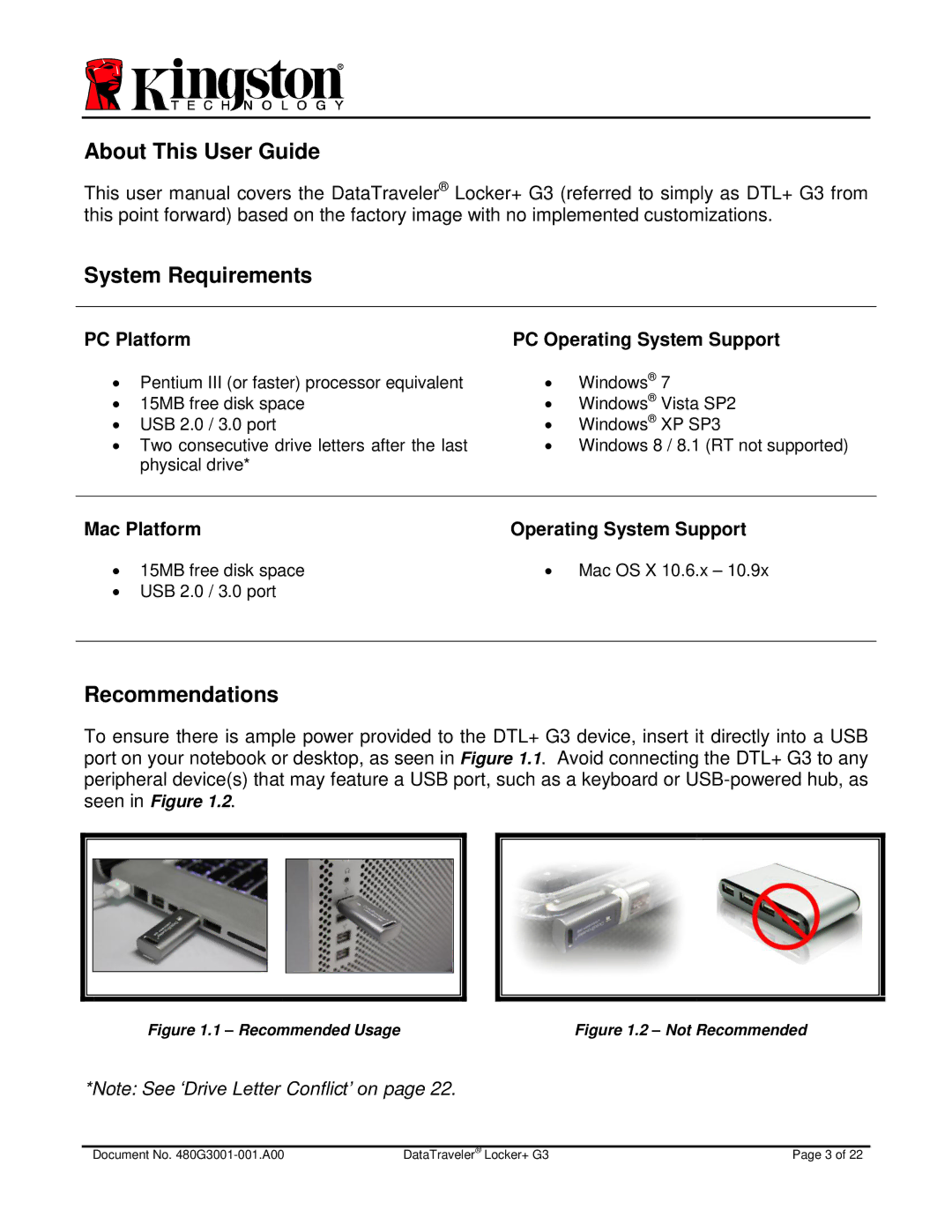
To ensure there is ample power provided to the DTL+ G3 device, insert it directly into a USB port on your notebook or desktop, as seen in Figure 1.1. Avoid connecting the DTL+ G3 to any peripheral device(s) that may feature a USB port, such as a keyboard or
Figure 1.1 – Recommended Usage | Figure 1.2 – Not Recommended |
*Note: See ‘Drive Letter Conflict’ on page 22.
Document No. | DataTraveler® Locker+ G3 | Page 3 of 22 |