Xperia E3 Dual
Contents
Typing text
FM radio
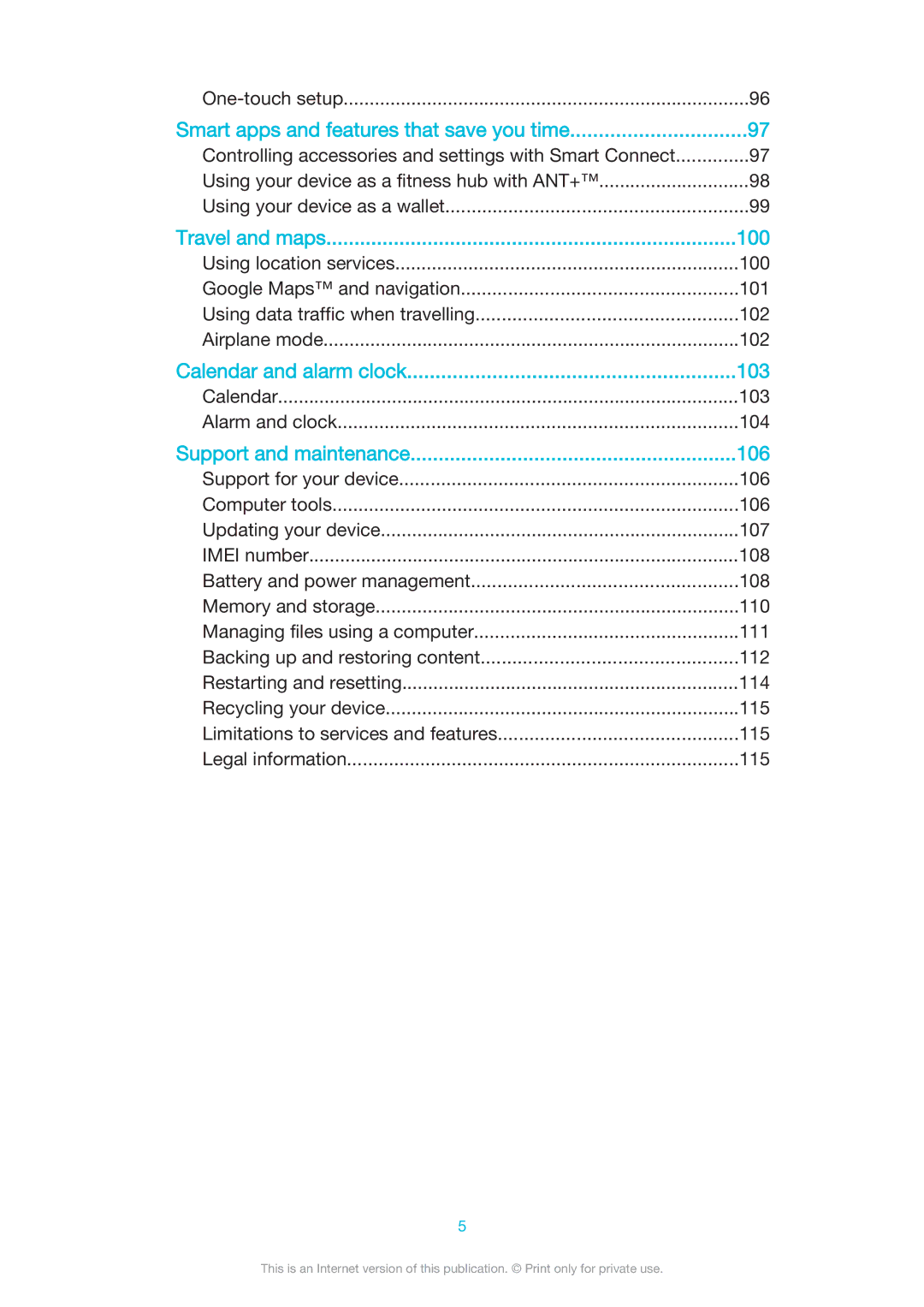
Calendar 103 Alarm and clock 104
One-touch setup
Getting started
Find and tap Settings About phone Android version
About this User guide
Overview
Assembly
To insert a memory card
Starting your device for the first time
To turn on the device
To turn off the device
To set up a Google account on your device
Why do I need a Google account?
Find and tap Settings Add account Google
Charging your device
Battery notification light status
Learning the basics
Using the touchscreen
Tapping
Touching and holding
Zoom in or out on a web page, a photo or a map
Pinching and spreading
Swiping
Flicking
Locking and unlocking the screen
To activate the screen
To unlock the screen
Home screen panes
Home screen
To go to the Home screen
To browse the Home screen
Application screen
Tap Search apps
Navigating applications
Shaking your device to open an application
Small apps
Widgets
Shortcuts and folders
Background and themes
Find and tap Settings Personalisation Lock screen
Taking a screenshot
Status and notifications
Notification light
Icons in the status bar
Status icons
To dismiss a notification from the Notification panel
Notification icons
Application overview
Download and install new applications and updates
Downloading applications
Find and tap Settings Security
Downloading applications from Google Play
Downloading applications from other sources
Internet and networks
Internet and MMS settings
Browsing the web
To browse with Google Chrome
Find and tap Settings More… Internet settings
Wi-Fi
Find and tap Settings More… Mobile networks
Tap Access Point Names
Drag the slider beside to the right to turn on the function
Increasing signal strength
Find and tap Settings
Sharing your mobile data connection
Find and tap Settings More… Tethering & portable hotspot
Controlling data usage
Tap Advanced Mark the Network notification checkbox
Mark the Restrict background data checkbox
Find and tap Settings Data usage
Selecting networks for data traffic
Tap Network operators Tap Search mode Manual
Tap Network Mode
Tap Network operators Tap Search mode Automatic
Selecting mobile networks
To connect to a virtual private network
To add a virtual private network
Tap Connect
To disconnect from a virtual private network
Synchronising with Microsoft Exchange ActiveSync
Synchronising data on your device
Synchronising with online accounts
Tap Settings Add account Exchange ActiveSync
Synchronising with Outlook using a computer
To synchronise with your Outlook calendar using a computer
Sound, ringtone and volume
Basic settings
Accessing settings
SIM card protection
Screen settings
Find and tap Settings Security Screen lock Pattern
Find and tap Settings Display Sleep
Find and tap Settings Security Screen lock
Screen lock
Date and time
Language settings
Using xLOUD technology
Using Clear Phase technology
Enhancing the sound output
Tap Select time zone
On-screen keyboard
Typing text
Application bar
Entering text using voice input
Editing text
Tap , then tap Keyboard settings Symbols and smileys
Keyboard settings
Calling
To make a call using smart dial
Making calls
To make a call by dialling
Showing or hiding your phone number
Using the answering machine
Receiving calls
Reject with Answering Machine
Rejecting a call with a text message
Tap Pick up after
Tap Answering Machine Messages
Ongoing calls
Using the call log
Tap Missed call
Tap Hide call log
Restricting calls
Forwarding calls
Multiple calls
Tap Additional settings
Conference calls
Tap Fixed dialling numbers Change PIN2
Emergency calls
Tap Voicemail Voicemail settings Voicemail number
Voicemail
Transferring contacts using an online account
Transferring contacts using a computer
Contacts
Transferring contacts
Searching and viewing contacts
To import contacts using Bluetooth technology
To import contacts from a SIM card
To search for a contact
Tap Set ringtone
Adding and editing contacts
To edit contact information about yourself
Adding medical and emergency contact information
To create a new contact from a text message
Tap ICE In Case of Emergency
Favourites and groups
Mark the Enable calling in ICE checkbox
Tap ICE In Case of Emergency, then tap
Mark the ICE in lock screen checkbox
Backing up contacts
Sending contact information
Avoiding duplicate entries in the Contacts application
Tap Export
To export contacts to a SIM card
To create and send a message
Messaging and chat
Reading and sending messages
Download message
Organising your messages
Delete
Tap , then tap Delete conversations
Instant messaging and video chat
Messaging settings
Calling from a message
To start an instant message or a video call
When the Hangouts application is open, tap , then tap Help
To reply to a chat message or join a video call
To learn more about Hangouts
To set up an email account
Setting up email
To set an email account as your default account
Sending and receiving email messages
Email preview pane
Tap Delete
Organising your email messages
Tap General Split view
Gmail
Email account settings
Tap Delete account OK
Tap Out of office
Listening to music
Music
Transferring music to your device
Walkman home screen
Walkman home screen menu
To enable the SensMe channels application
To update your music with the latest information
To open the Walkman home screen menu
To return to the Walkman home screen
Sharing music on Facebook
Playlists
Sharing music
Recognising music with TrackID
Enhancing the sound
Visualiser
To view TrackID charts
To identify music using TrackID technology
To view TrackID charts from another region
To buy a track recognised by the TrackID application
To get started with Music Unlimited
Music Unlimited online service
To delete a track from the track history
Listening to the radio
FM radio
To listen to the FM radio
To move between radio channels
Favourite radio channels
Sound settings
Taking photos and recording videos
Camera
Adding the geographical position to your photos
Using Smile Shutter to capture smiling faces
Tap Settings Location
General camera settings
Still camera settings overview Resolution
Still camera settings
Touch capture
Data storage
Focus mode
Self-timer
Smile Shutter
Preview
Video camera settings overview Video resolution
Video camera settings
To adjust the video camera settings
Adjust the video resolution for different formats
Metering
Smile Shuttervideo
Video stabiliser
Microphone
Viewing photos and videos
Photos and videos in Album
SensMe slideshow
Sharing and managing photos and videos
Tap Movies Just once
Use as Contact picture
Analysing photos with faces in Album
Editing photos with the Photo editor application
Tap Add name
Tap Apply Crop
To adjust the light settings for a photo
To improve a photo using advanced settings
Album home screen menu
To apply special effects to a photo
To Like a photo or video on Facebook
To view and add comments to online album content
Viewing your photos on a map
To view geotagged photos on a map
To add a geotag to a photo
To view geotagged photos on a globe
To change the geotag of a photo
Videos
To change settings in Movies
Watching videos in the Movies application
To play a video in Movies
Managing video content
Transferring video content to your device
To get started with Video Unlimited
Video Unlimited service
Connectivity
Sharing content with Dlna Certified devices
Playing files from Dlna Certified devices on your device
Playing files from your device on Dlna Certified devices
Playing files on a Digital Media Renderer device
To play a music track from your device on a DMR device
To view photos or videos from your device on a DMR device
Pairing with another Bluetooth device
Bluetooth wireless technology
Find and tap Settings Bluetooth
Naming your device
Tap Unpair
Sending and receiving items using Bluetooth technology
Select Bluetooth
To receive items using Bluetooth
One-touch setup
To view files you have received using Bluetooth
To start One-touch setup on your device
Controlling accessories and settings with Smart Connect
Smart apps and features that save you time
Delete event
Using your device as a fitness hub with ANT+
Managing devices
Using your device as a wallet
Find and tap Settings Location
Using location services
Find and tap Settings Google Location
Travel and maps
Google Maps and navigation
Airplane mode
Using data traffic when travelling
Calendar
Calendar and alarm clock
Tap Weather forecast
Alarm and clock
Tap National holidays
Tap Repeat
Tap Snooze
Computer tools
Support and maintenance
Support for your device
Updating your device using a computer
Updating your device wirelessly
Find and tap Update Centre System
Updating your device
Find and tap Settings About phone Status
Battery and power management
Find and tap Settings Power management Battery usage
Imei number
Find and tap Settings Power management
Improving battery time using Stamina mode
Improving battery time using Low battery mode
Improving memory performance
Improving battery time using Location-based
Memory and storage
Transferring files using Media transfer mode via Wi-Fi
Managing files using a computer
Find and tap Settings Xperia Connectivity USB Connectivity
Backing up and restoring content
Backing up data to a computer
Tap Disconnect
Tap Back up now
Backing up with the Backup and restore application
Find and tap Backup & restore
Find and tap Backup & restore Tap Restore
Restarting and resetting
Find and tap Settings Backup & reset Factory data reset
Tap Reset phone
Legal information
Recycling your device Limitations to services and features
Sony D2212
115