Setup
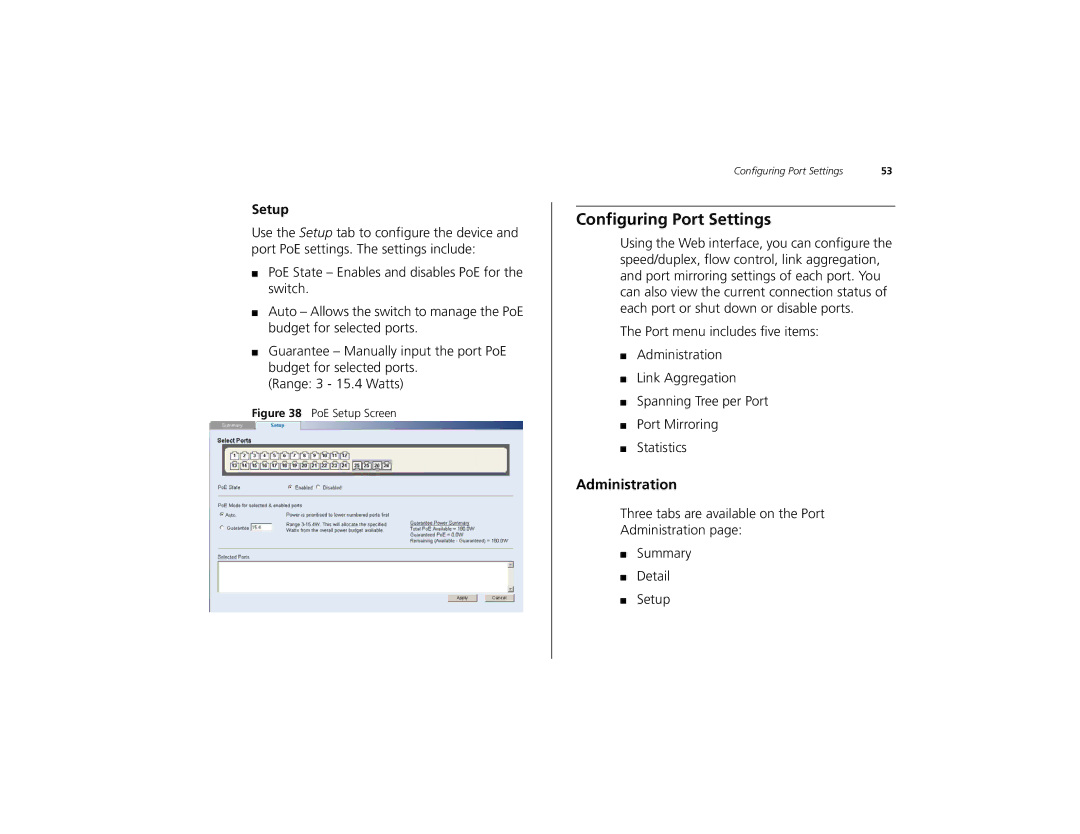
Use the Setup tab to configure the device and port PoE settings. The settings include:
■PoE State – Enables and disables PoE for the switch.
■Auto – Allows the switch to manage the PoE budget for selected ports.
■Guarantee – Manually input the port PoE budget for selected ports.
(Range: 3 - 15.4 Watts)
Figure 38 PoE Setup Screen
Configuring Port Settings | 53 |
Configuring Port Settings
Using the Web interface, you can configure the speed/duplex, flow control, link aggregation, and port mirroring settings of each port. You can also view the current connection status of each port or shut down or disable ports.
The Port menu includes five items:
■Administration
■Link Aggregation
■Spanning Tree per Port
■Port Mirroring
■Statistics
Administration
Three tabs are available on the Port
Administration page:
■Summary
■Detail
■Setup