Manuals
/
Acer
/
Computer Equipment
/
Projector
Acer
specifications
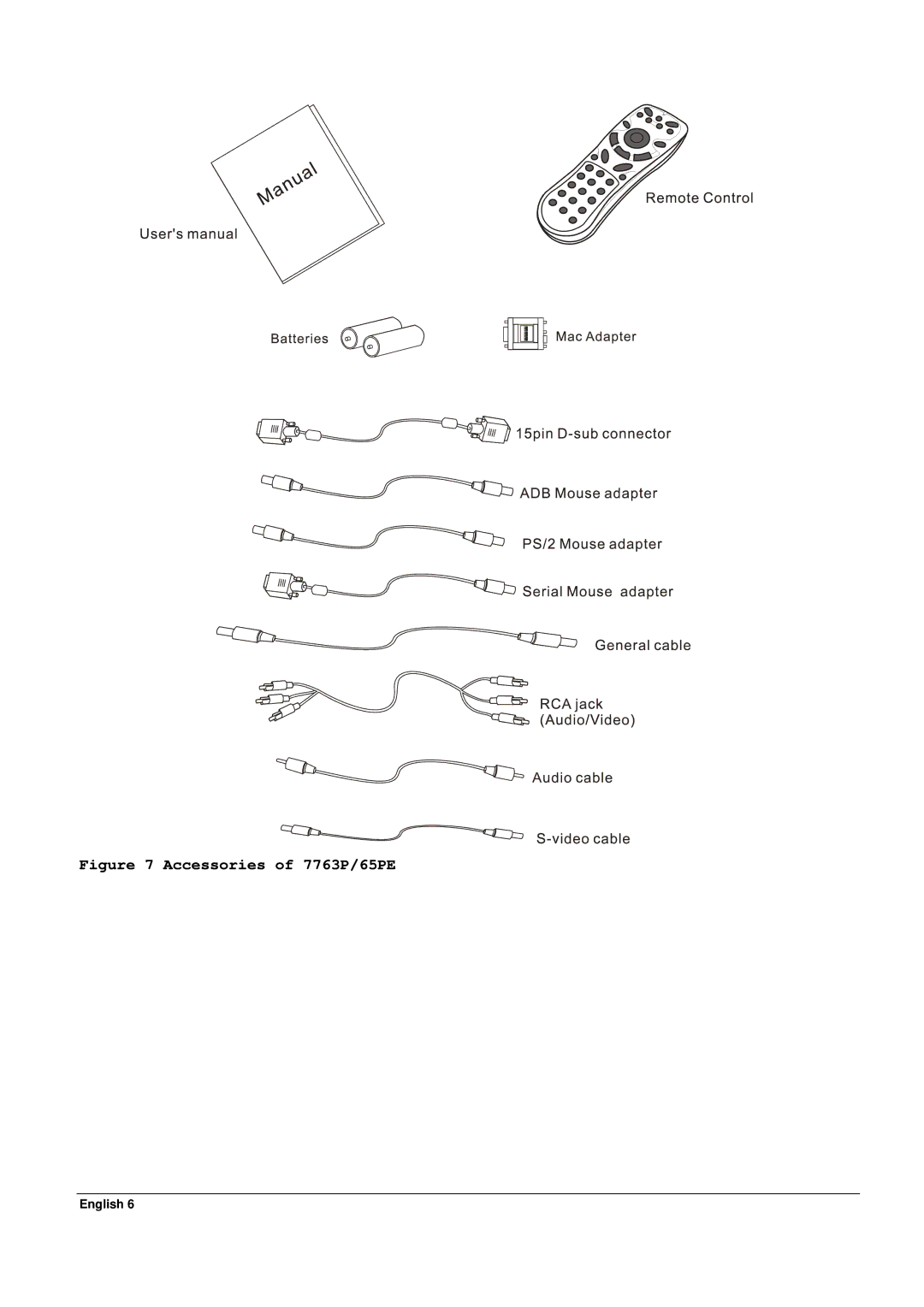
Accessories of 7763P/65PE
Models:
65PE
1
10
33
33
Download
33 pages
36.55 Kb
7
8
9
10
11
12
13
14
Troubleshooting
Specs
Install
Indicator Status
Connecting the Box
Resetting Lamp Timer
Accessories
Adjustable Feet
Temperature is too high
Remote Control
Page 10
Image 10
Figure 7 Accessories of 7763P/65PE
English 6
Page 9
Page 11
Page 10
Image 10
Page 9
Page 11
Contents
PalmPro 7763P/65PE
Fill this
English
Table of Contents
Introduction
Description
Ceiling Mount and Rear Screen Projection
AV box
Front figure
Bottom figure
Installation
Positioning
Adjustable Feet
Moving the Projector
Accessories
Moving the projector
Accessories of 7763P/65PE
Connecting the Projector to Computer/Notebook
Connection
Connecting the Projector to Macintosh/Power Book
Connection to Macintosh
Standby
Power on
Operation
Control Pad
Menu
Indicator Status
Indicator
Exit
Remote Control
Usage and Replacement of Lamp
Light source lamp has a limited service life
Lamp/temperature Status LED Indicator
Lamp in excess of service hours
Lamp is not well attached
Temperature is too high
Replacing the Lamp
Normal status
English
Lamp Replacement Procedure
Step
Resetting Lamp Timer
Main OSD Menu
Display
Image
Image Ratio
Control
Tint
Blank Auto Off Reset
Source
Other Correspondent Remote Functions and Messages
English
Cleaning the Lens
Maintenance Troubleshooting
Lamp Replacement
Troubleshooting
Stand within 4 meters 13 feet of the unit
Adjust audio source
Press Volume + button
Make sure nothing is blocking the receiver on
Electrical
Specifications5
Optical
Mechanical
Preset Display Resolution Table
70.1
Appendix
Volume up
Volume Down
AV Connection Port
Connecting the Box
Please follow the instruction here to place the AV box
Top
Page
Image
Contents