| AXIS 243SA - Product description 9 |
Note: | • If the video source is to be connected in parallel with other equipment, disable the |
| input termination by turning the corresponding DIP switch to the up position (OFF). Failure |
| to do so may cause reduced image quality. |
•The AXIS 243SA supports conversion between composite video and Y/C
Control Button - Press this button to restore the factory default settings, as described in Resetting to the factory default settings, on page 59, or to install the video server using AXIS Internet Dynamic DNS Service (See the Axis Video Server Installation Guide).
Video Input - The video input is connected using a coax/BNC connector. Physical connections made using 75 ohm coaxial video cable have a recommended maximum length of 800 feet (250 meters).
Video Output -
Line Out - Mono audio output (line level), which can be connected to a public address (PA) system or an active speaker with a
Line/Mic In - Single 3.5 mm input for a mono microphone, or line level mono signal (only the left channel is used from a stereo signal).
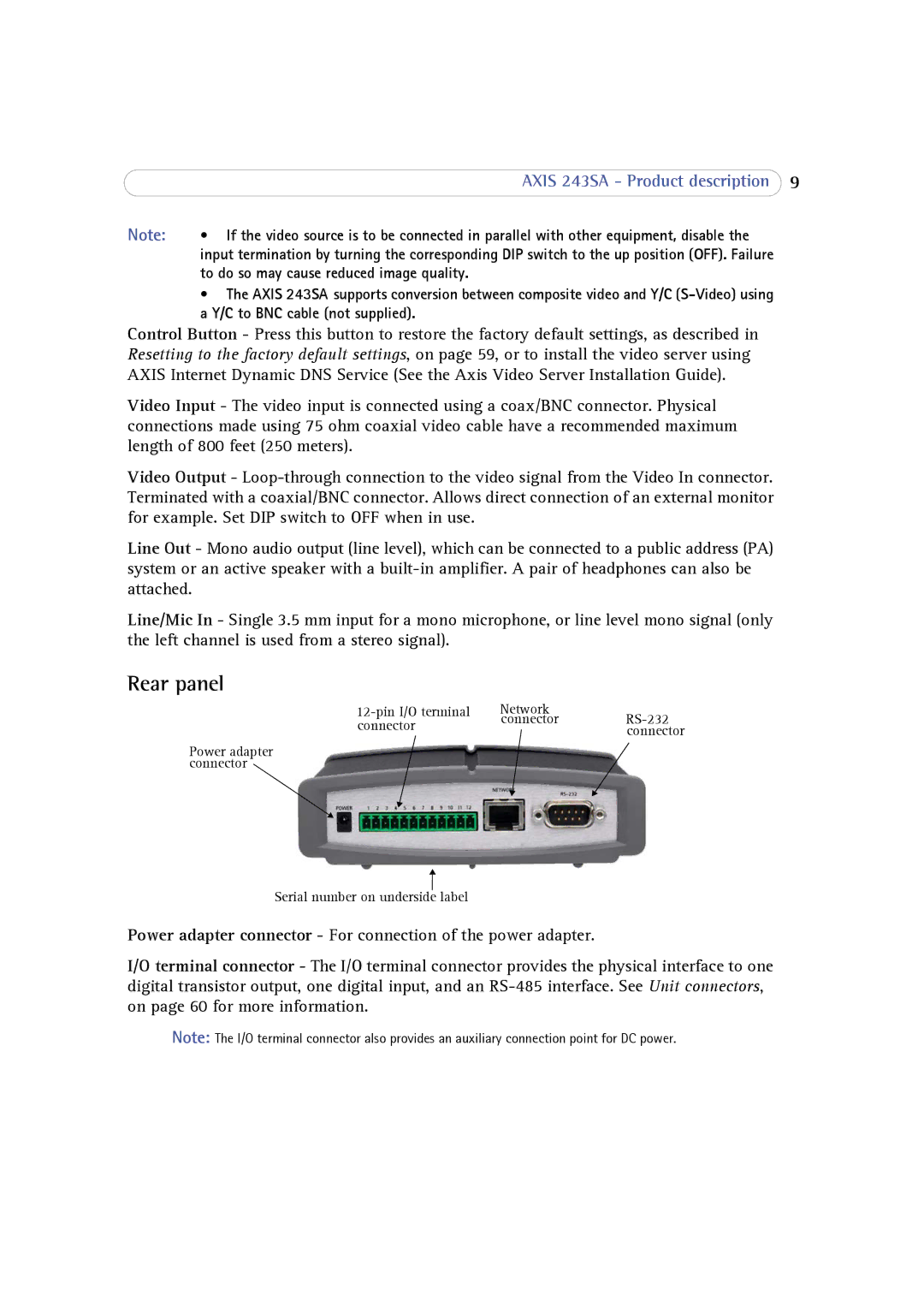
Rear panel
Network | ||
connector | connector | |
| connector | |
|
|
Power adapter connector
Serial number on underside label
Power adapter connector - For connection of the power adapter.
I/O terminal connector - The I/O terminal connector provides the physical interface to one digital transistor output, one digital input, and an
Note: The I/O terminal connector also provides an auxiliary connection point for DC power.