4Reviewing images and video clips
You can review and manipulate images and video clips in | Playback as described |
here. |
|
1.Slide to .
to .
2.Use to scroll through your images and video clips.
Press to view video clips; press
 to pause a clip. When paused, use
 to scroll through the individual frames; press
 to resume playing the video.
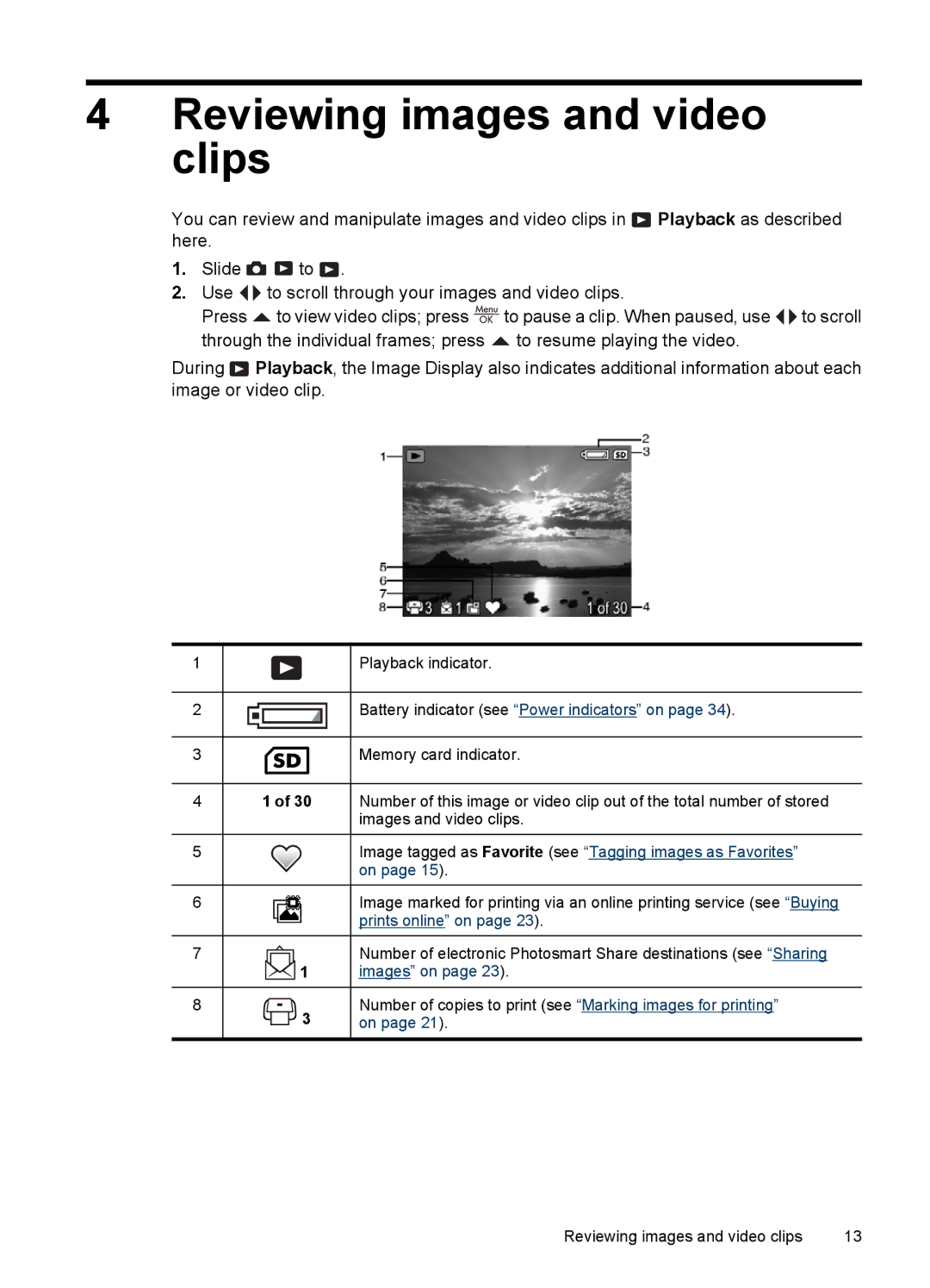
During Playback, the Image Display also indicates additional information about each image or video clip.
1
2
3
4
5
6
7
8
|
|
|
|
|
|
|
|
|
| Playback indicator. |
|
|
|
|
|
|
|
|
|
| Battery indicator (see “Power indicators” on page 34). |
|
|
|
|
|
|
|
|
|
| |
|
|
|
|
|
|
|
|
|
| Memory card indicator. |
|
|
|
|
|
|
|
|
|
| |
|
|
|
|
|
|
|
|
|
| |
|
| 1 of 30 |
| Number of this image or video clip out of the total number of stored | ||||||
|
|
|
|
|
|
|
|
|
| images and video clips. |
|
|
|
|
|
|
|
|
|
| Image tagged as Favorite (see “Tagging images as Favorites” |
|
|
|
|
|
|
|
|
|
| on page 15). |
|
|
|
|
|
|
|
|
|
| Image marked for printing via an online printing service (see “Buying |
|
|
|
|
|
|
|
|
| ||
|
|
|
|
|
|
|
|
| ||
|
|
|
|
|
|
|
|
|
| prints online” on page 23). |
|
|
|
|
|
|
|
|
|
|
|
|
|
|
|
|
|
|
|
|
| Number of electronic Photosmart Share destinations (see “Sharing |
|
|
|
|
|
| 1 |
| images” on page 23). | ||
|
|
|
|
|
|
|
|
|
|
|
|
|
|
|
|
| 3 |
| Number of copies to print (see “Marking images for printing” | ||
|
|
|
|
| on page 21). | |||||
|
|
|
| |||||||
|
|
|
|
|
|
|
|
|
|
|
Reviewing images and video clips | 13 |