Calibrating the Printer
Error Message | Description or Cause |
| Possible Solution |
|
|
| |
|
|
| |
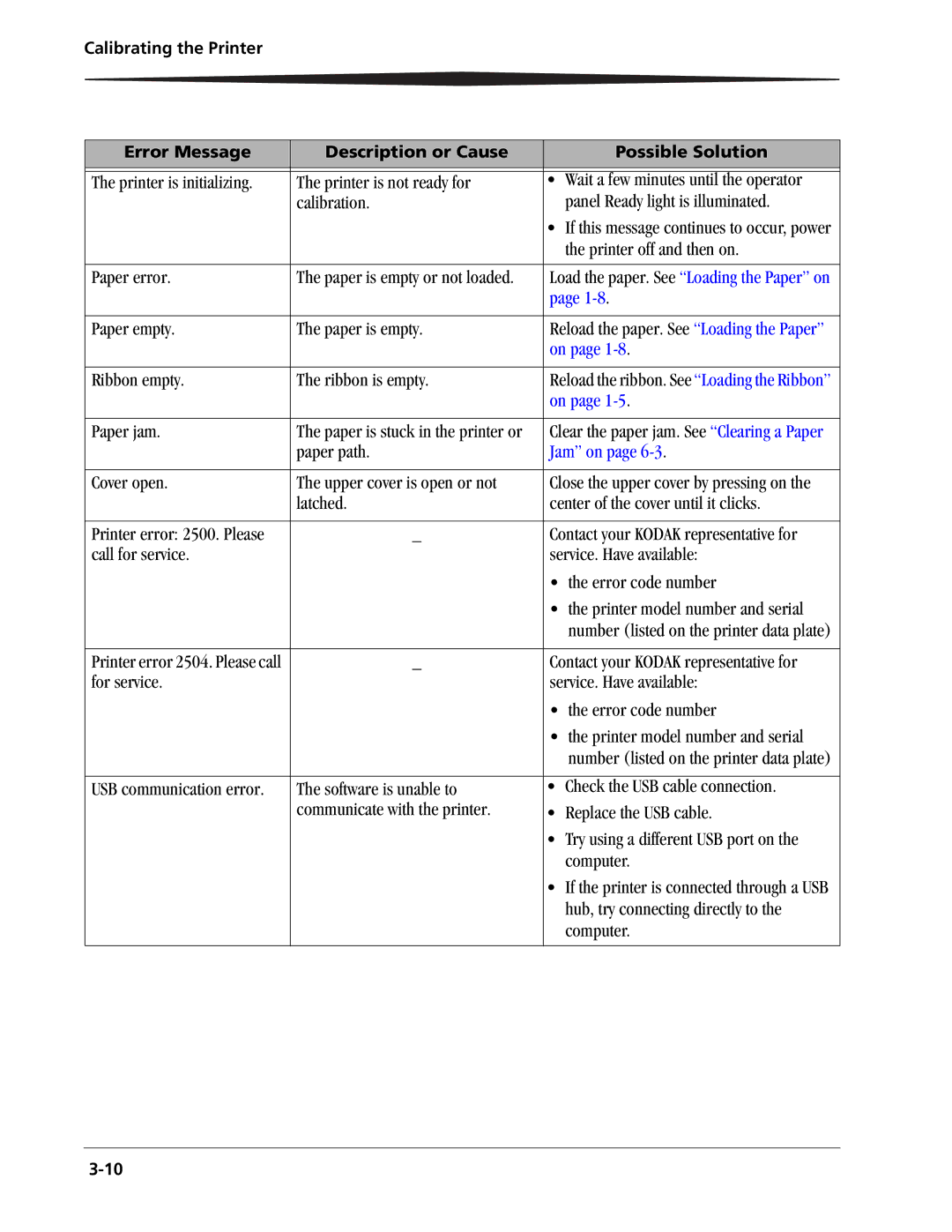
The printer is initializing. | The printer is not ready for | • Wait a few minutes until the operator | |
| calibration. |
| panel Ready light is illuminated. |
|
| • | If this message continues to occur, power |
|
|
| the printer off and then on. |
|
|
| |
Paper error. | The paper is empty or not loaded. | Load the paper. See “Loading the Paper” on | |
|
| page | |
|
|
| |
Paper empty. | The paper is empty. | Reload the paper. See “Loading the Paper” | |
|
| on page | |
|
|
| |
Ribbon empty. | The ribbon is empty. | Reload the ribbon. See “Loading the Ribbon” | |
|
| on page | |
|
|
| |
Paper jam. | The paper is stuck in the printer or | Clear the paper jam. See “Clearing a Paper | |
| paper path. | Jam” on page | |
|
|
| |
Cover open. | The upper cover is open or not | Close the upper cover by pressing on the | |
| latched. | center of the cover until it clicks. | |
|
|
| |
Printer error: 2500. Please | _ | Contact your KODAK representative for | |
call for service. |
| service. Have available: | |
|
| • | the error code number |
|
| • | the printer model number and serial |
|
|
| number (listed on the printer data plate) |
|
|
| |
Printer error 2504. Please call | _ | Contact your KODAK representative for | |
for service. |
| service. Have available: | |
|
| • | the error code number |
|
| • | the printer model number and serial |
|
|
| number (listed on the printer data plate) |
|
|
| |
USB communication error. | The software is unable to | • Check the USB cable connection. | |
| communicate with the printer. | • Replace the USB cable. | |
|
| • | Try using a different USB port on the |
|
|
| computer. |
|
| • | If the printer is connected through a USB |
|
|
| hub, try connecting directly to the |
|
|
| computer. |
|
|
|
|