Nokia Lumia 2520: Device management & connectivity
Memory and storage
Learn how to manage your photos, apps, and other stuff on your tablet.
Check available memory
Want to check how much memory you have available? You can also set where to save your files in the future.
1.Swipe in from the right of the screen, and tap Settings > Change PC settings > Search and apps > App sizes.
2.Under App sizes, you can see the amount of available memory.
If you’re running out of space, first check for and remove things you no longer need:
•Text, multimedia, and mail messages
•Contact entries and details
•Apps
•Music, photos, videos, or other files
 Tip:
Tip:
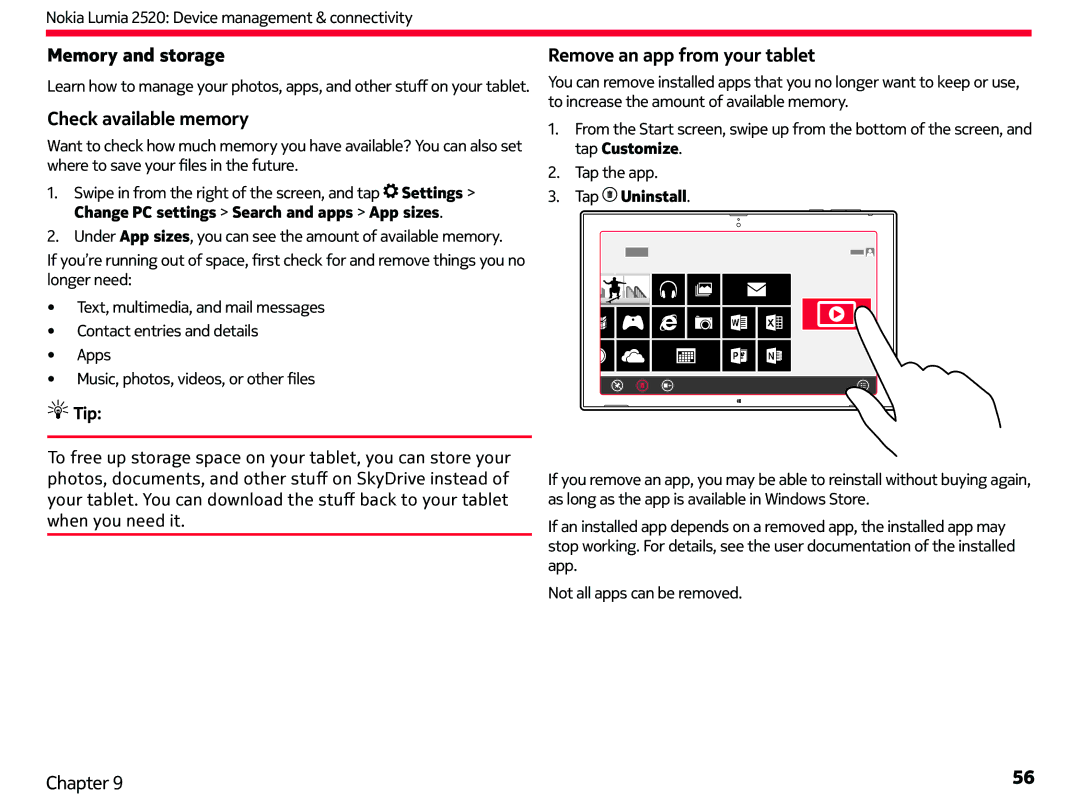
Remove an app from your tablet
You can remove installed apps that you no longer want to keep or use, to increase the amount of available memory.
1.From the Start screen, swipe up from the bottom of the screen, and tap Customize.
2.Tap the app.
3. | Tap | Uninstall. |
To free up storage space on your tablet, you can store your photos, documents, and other stuff on SkyDrive instead of your tablet. You can download the stuff back to your tablet when you need it.
If you remove an app, you may be able to reinstall without buying again, as long as the app is available in Windows Store.
If an installed app depends on a removed app, the installed app may stop working. For details, see the user documentation of the installed app.
Not all apps can be removed.
Chapter 9 | 56 |