e03_kb341_028_078_41e.qk 03.2.14 4:06 PM Page 70
z
Using the Remote Control Unit (optional)
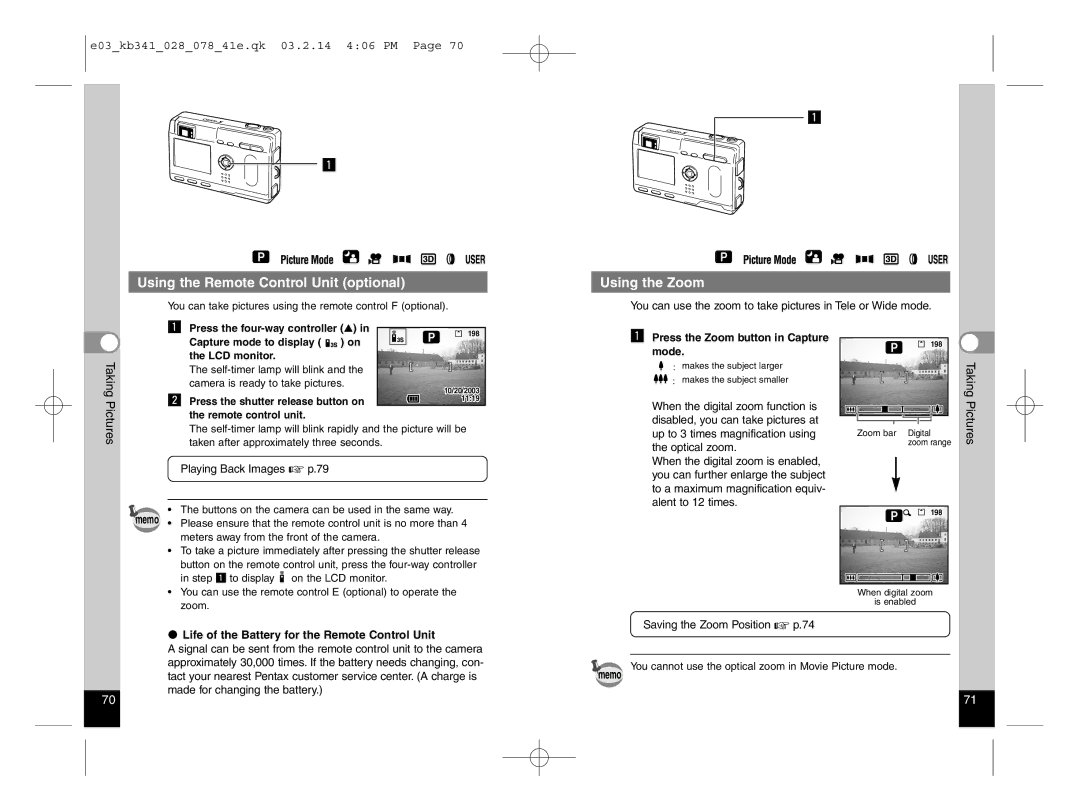
You can take pictures using the remote control F (optional). |
z Press the |
z
Using the Zoom
You can use the zoom to take pictures in Tele or Wide mode.
| Capture mode to display ( | ) on | 198 | |||
|
|
|
| |||
|
|
|
| |||
Taking | the LCD monitor. |
|
|
|
| |
The |
|
|
| |||
camera is ready to take pictures. | 10/20/2003 | |||||
x Press the shutter release button on | ||||||
11:19 | ||||||
Pictures | ||||||
the remote control unit. |
|
|
|
| ||
|
|
|
|
| ||
The
Playing Back Images ☞ p.79
•The buttons on the camera can be used in the same way. memo • Please ensure that the remote control unit is no more than 4
meters away from the front of the camera.
•To take a picture immediately after pressing the shutter release button on the remote control unit, press the
in step z to display  on the LCD monitor.
zPress the Zoom button in Capture mode.
 : makes the subject larger


 : makes the subject smaller
When the digital zoom function is disabled, you can take pictures at up to 3 times magnification using the optical zoom.
When the digital zoom is enabled, you can further enlarge the subject to a maximum magnification equiv- alent to 12 times.
198 |
Zoom bar Digital zoom range
198 |
Taking Pictures
•You can use the remote control E (optional) to operate the zoom.
Life of the Battery for the Remote Control Unit
A signal can be sent from the remote control unit to the camera approximately 30,000 times. If the battery needs changing, con- tact your nearest Pentax customer service center. (A charge is made for changing the battery.)
memo
When digital zoom
is enabled
Saving the Zoom Position ☞ p.74
You cannot use the optical zoom in Movie Picture mode.
70 | 71 |