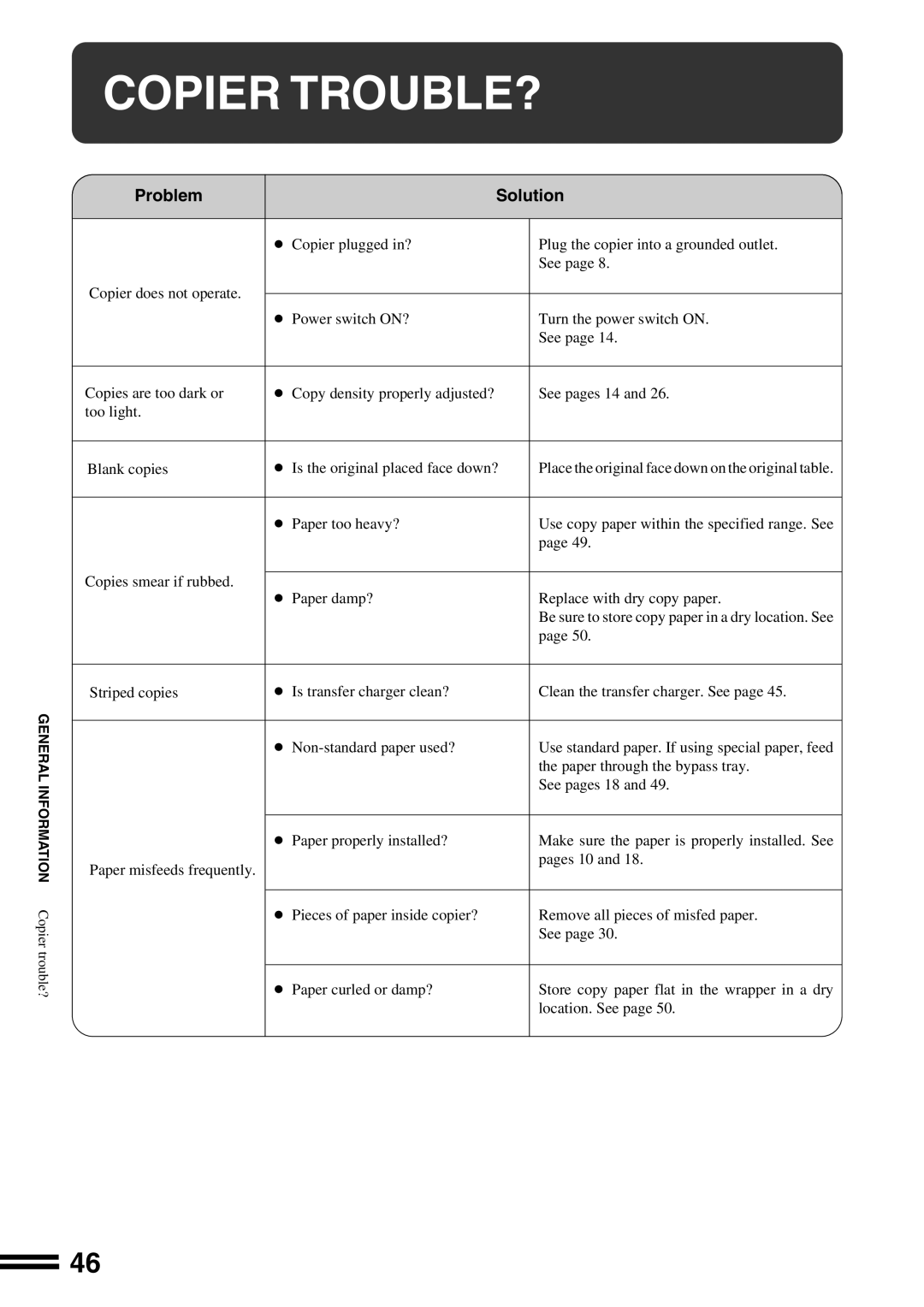
COPIER TROUBLE?
GENERAL INFORMATION Copier trouble?
Problem | Solution | ||
|
|
| |
| ● Copier plugged in? | Plug the copier into a grounded outlet. | |
|
| See page 8. | |
Copier does not operate. |
|
| |
● Power switch ON? | Turn the power switch ON. | ||
| |||
|
| See page 14. | |
|
|
| |
Copies are too dark or | ● Copy density properly adjusted? | See pages 14 and 26. | |
too light. |
|
| |
|
|
| |
Blank copies | ● Is the original placed face down? | Place the original face down on the original table. | |
|
|
| |
| ● Paper too heavy? | Use copy paper within the specified range. See | |
|
| page 49. | |
Copies smear if rubbed. |
|
| |
● Paper damp? | Replace with dry copy paper. | ||
| |||
|
| Be sure to store copy paper in a dry location. See | |
|
| page 50. | |
|
|
| |
Striped copies | ● Is transfer charger clean? | Clean the transfer charger. See page 45. | |
|
|
| |
| ● | Use standard paper. If using special paper, feed | |
|
| the paper through the bypass tray. | |
|
| See pages 18 and 49. | |
|
|
| |
| ● Paper properly installed? | Make sure the paper is properly installed. See | |
Paper misfeeds frequently. |
| pages 10 and 18. | |
|
| ||
|
|
| |
| ● Pieces of paper inside copier? | Remove all pieces of misfed paper. | |
|
| See page 30. | |
|
|
| |
| ● Paper curled or damp? | Store copy paper flat in the wrapper in a dry | |
|
| location. See page 50. | |
|
|
| |
46