KEY OPERATOR PROGRAMS
KEY OPERATOR PROGRAMS |
|
COPIER MODE | OK |
OTHER FUNCTION | TIMER SETTINGS | |
SETTINGS | ||
| ||
ENABLE/DISABLE | ACCOUNT CONTROL | |
SETTINGS | ||
| ||
AUTO COLOR CALIBRATION | ||
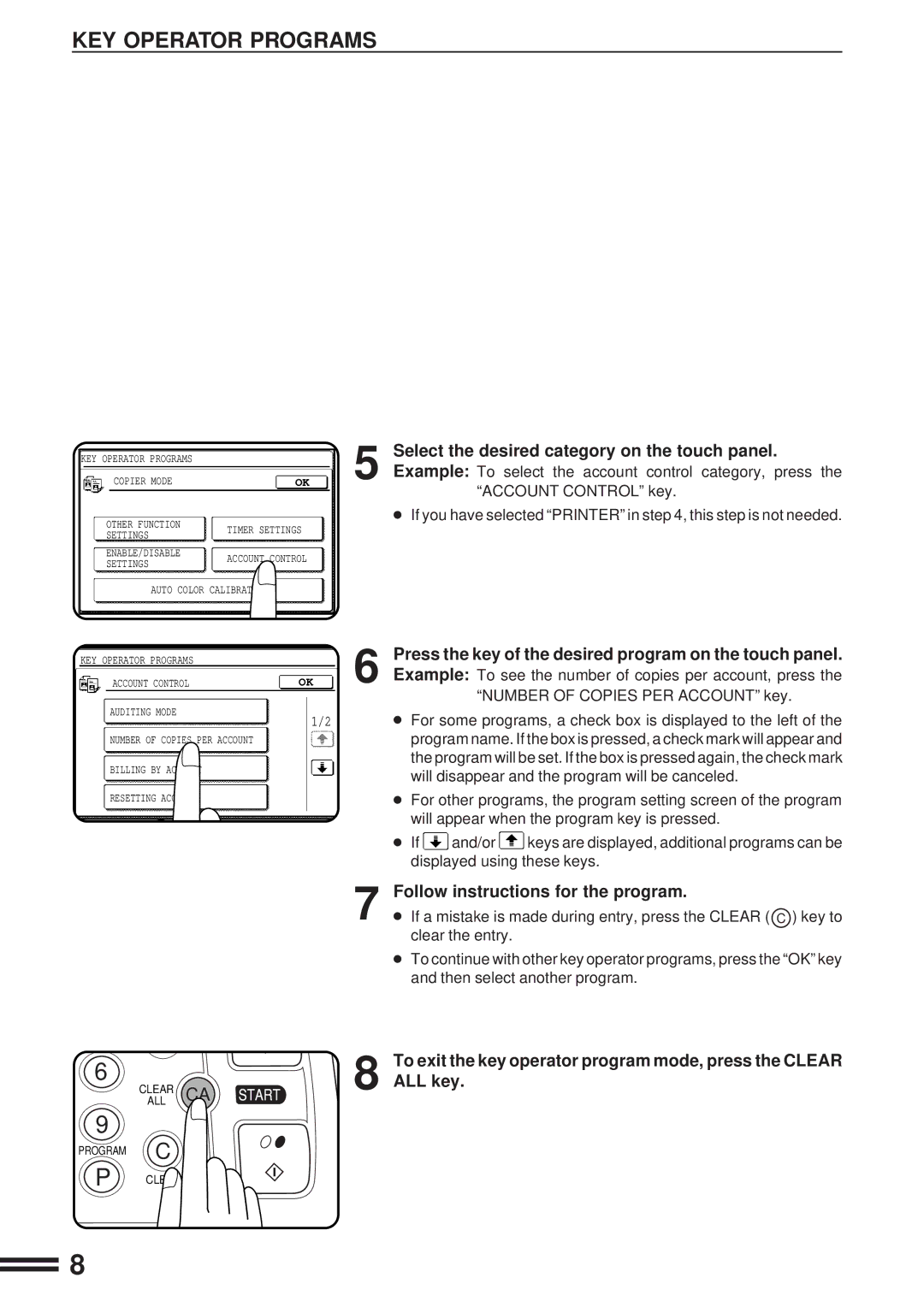
Select the desired category on the touch panel.
5 Example: To select the account control category, press the “ACCOUNT CONTROL” key.
●If you have selected “PRINTER” in step 4, this step is not needed.
KEY OPERATOR PROGRAMS
ACCOUNT CONTROL | OK |
AUDITING MODE
1/2
NUMBER OF COPIES PER ACCOUNT
BILLING BY ACCOUNT
RESETTING ACCOUNT
Press the key of the desired program on the touch panel.
6 Example: To see the number of copies per account, press the “NUMBER OF COPIES PER ACCOUNT” key.
●For some programs, a check box is displayed to the left of the program name. If the box is pressed, a check mark will appear and the program will be set. If the box is pressed again, the check mark will disappear and the program will be canceled.
●For other programs, the program setting screen of the program will appear when the program key is pressed.
●If  and/or
  keys are displayed, additional programs can be displayed using these keys.
6
CLEAR CA
ALL
9
PROGRAM C
P CLEAR
7
8
Follow instructions for the program.
●If a mistake is made during entry, press the CLEAR ( C ) key to clear the entry.
●To continue with other key operator programs, press the “OK” key and then select another program.
To exit the key operator program mode, press the CLEAR ALL key.
8