Installation of the PCI extension cards
14 Remove the PCI card screws
Plug in the PCI card to the corresponding PCI slot
17 Remove the drive bay screws
Lift & Separate Push
IDE Cable Power Cable
22 Fix the CD ROM module into the drive bay
Power connected IDE Connected
25 Connect the USB cable to the Card Reader
USB Connected
Connecting Power
Award Bios Setup
Entering Setup
Cmos RAM Auto-backup and Restore
Standard Cmos Setup
Award Bios Setup initial screen
Advanced Bios Features
Standard Cmos features screen
Boot UP Floppy Seek
Quick Power On Self Test
First/Second/Third/Other Boot Device
Virus Warning
Typematic Delay msec
Boot Up NumLock Status
Typematic Rate Setting
Apic Mode
Dram Timing Selectable
Advanced Chipset Features
MPS Version Control For OS
CAS Latency Time
Dram Data Integrity Mode
Active to Precharge Delay
Dram RAS# to CAS# Delay
System Bios Cacheable
AGP Aperture Size MB
Boot Display
Panel Resolution
On-Chip VGA
IDE Master/Slave PIO/UDMA Mode
Integrated Peripherals
IDE HDD Block Mode
On-Chip Primary/Secondary PCI IDE
USB Keyboard/Mouse Support
USB Controller
USB 2.0 Controller
7 AC97 Audio
Onboard FDC Controller
Uart Mode Select
IR Transmission Delay
Onboard Serial Port
EPP Mode Select
14 UR2 Duplex Mode
Parallel Port Mode
ECP Mode Use DMA
Acpi function
Power Management Setup
Power Management
Acpi Suspend Type
Video Off In Suspend
Suspend Mode
Video Off In Method
Suspend type
Resume By Alarm
HDD Power Down
Power On By Ring
Soft-Off by PWR-BTTN
PCI Pirq A-D#
PnP/PCI Configurations
Reset Configuration Data
Resources controlled by
Shutdown Temperature
CPU Warning Temperature
Temperatures/Voltages
PC Health Status
Password Setting
Frequency/Voltage Control
Save & Exit Setup
Exit Without Saving
Page
PCI SVGA/LCD Setup
Cmos setting for panel type
Bios Screen of Boot Display
Display type
Dual Independent Display
Installation of the Svga Driver
Installation of Windows 2000/XP
Directory Graphics
Intel extreme Graphics Driver Installation screen
Intel Driver License Agreement
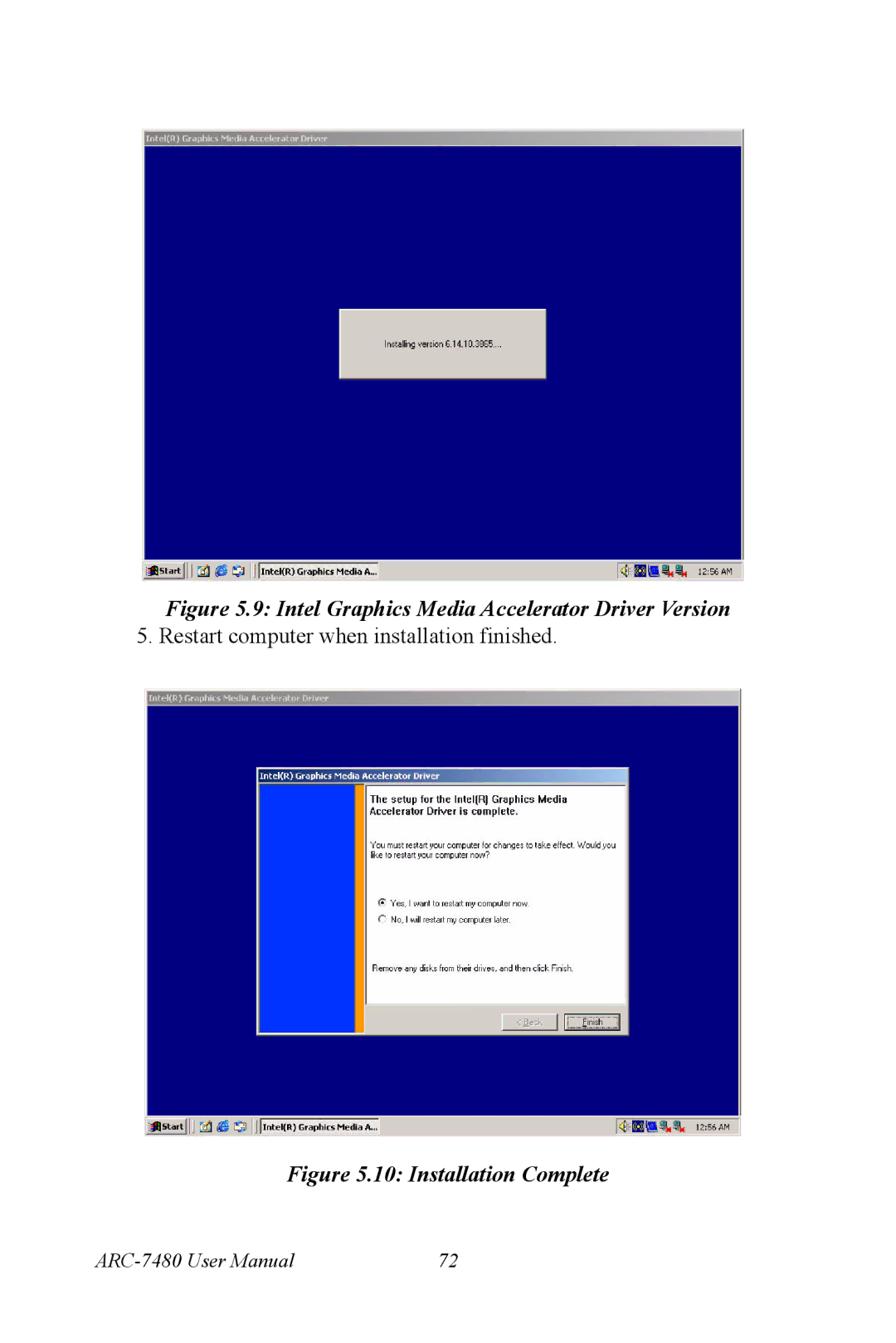
Intel Graphics Media Accelerator Driver Version
Further Information
Page
Audio Setup
Driver installation
Before you begin
Windows 2000/XP drivers
Installation Complete of AC97 Audio Driver
Page
Ethernet Interface
Installation of Ethernet driver
Installation for Windows 2000/XP
Add/Remove Hardware Wizard
Choose a Hardware Device