Take Apart | Rear Housing - 8 | |
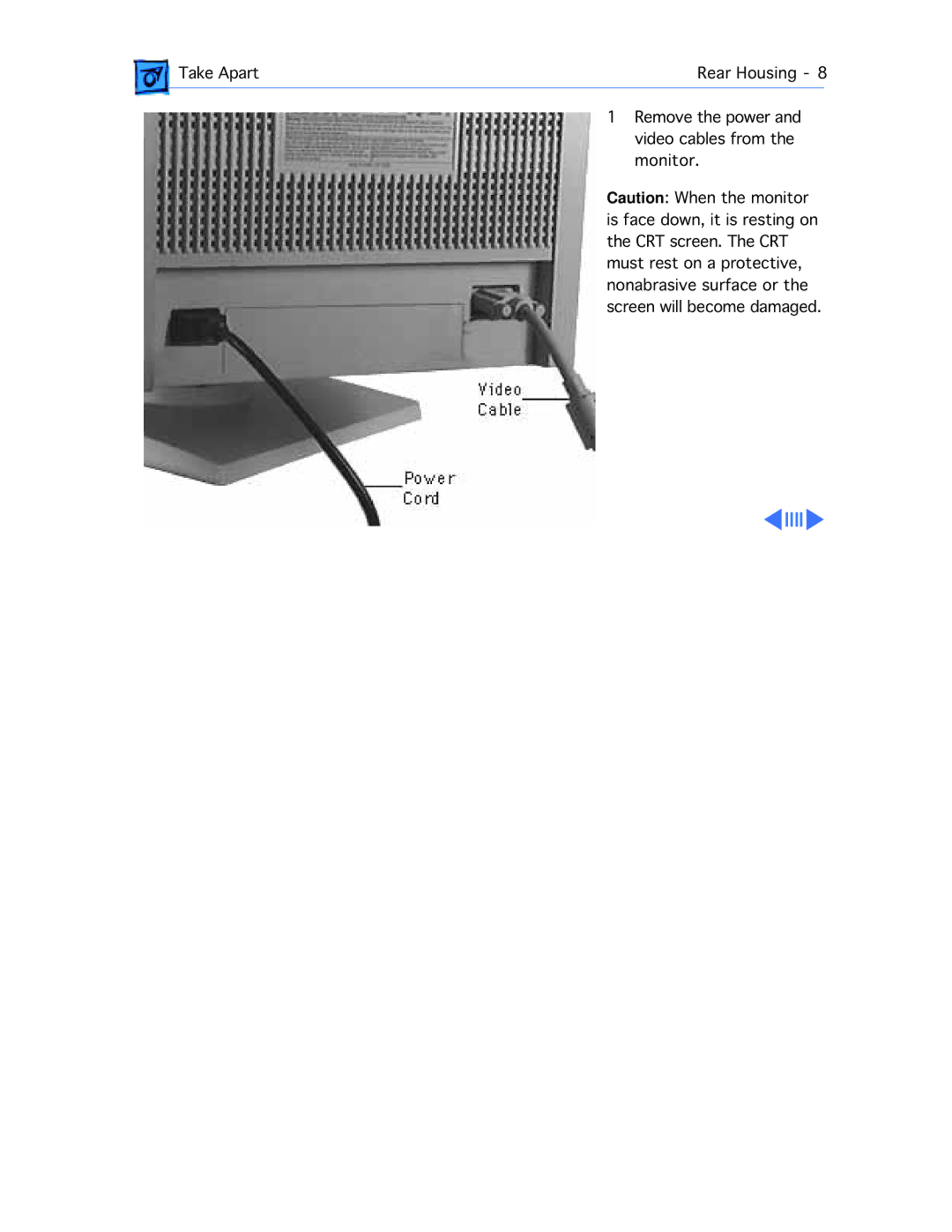
| 1 Remove the power and |
|
| video cables from the | |
| monitor. | |
| Caution: When the monitor | |
| is face down, it is resting on | |
| the CRT screen. The CRT | |
| must rest on a protective, | |
| nonabrasive surface or the | |
| screen will become damaged. | |
Take Apart | Rear Housing - 8 | |
| 1 Remove the power and |
|
| video cables from the | |
| monitor. | |
| Caution: When the monitor | |
| is face down, it is resting on | |
| the CRT screen. The CRT | |
| must rest on a protective, | |
| nonabrasive surface or the | |
| screen will become damaged. | |