Svenska | Nederlands | FrançaisItliano | DeutschEspañol |
English
REFERENCE
Troubleshooting
System issues |
| What to do |
|
|
|
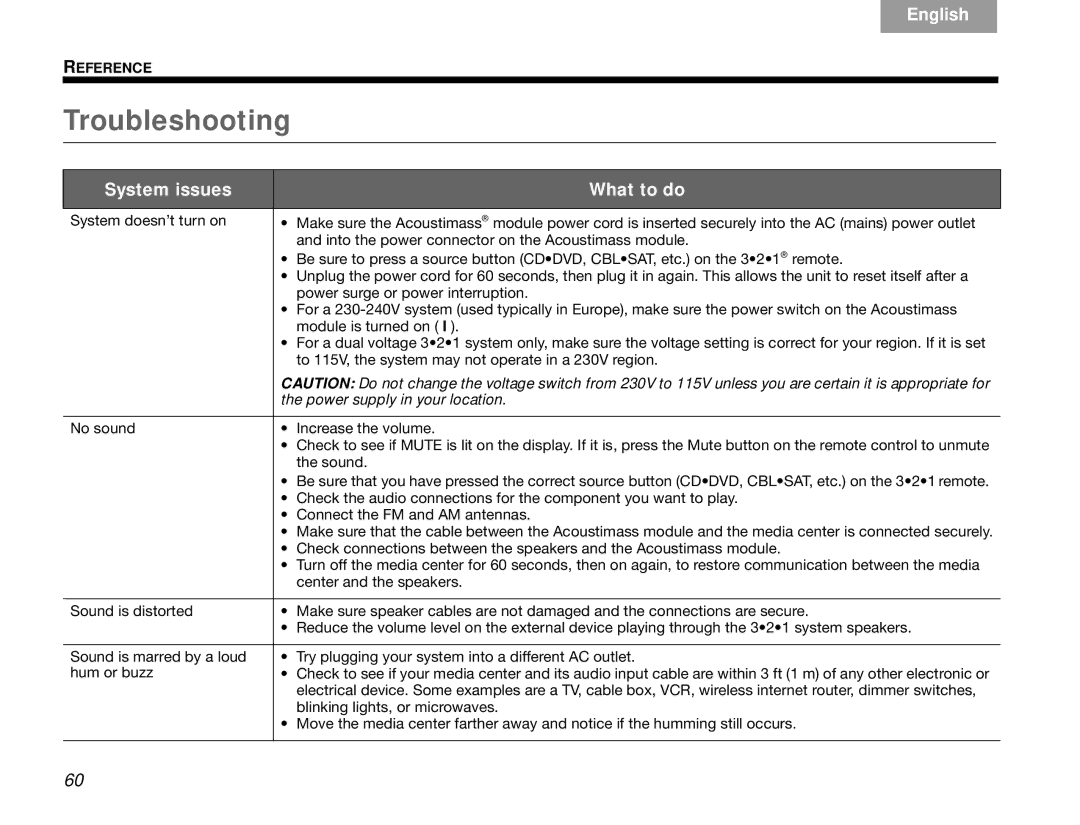
System doesn’t turn on | • | Make sure the Acoustimass® module power cord is inserted securely into the AC (mains) power outlet |
|
| and into the power connector on the Acoustimass module. |
| • | Be sure to press a source button (CD•DVD, CBL•SAT, etc.) on the 3•2•1® remote. |
| • | Unplug the power cord for 60 seconds, then plug it in again. This allows the unit to reset itself after a |
|
| power surge or power interruption. |
| • | For a |
|
| module is turned on ( I ). |
| • | For a dual voltage 3•2•1 system only, make sure the voltage setting is correct for your region. If it is set |
|
| to 115V, the system may not operate in a 230V region. |
| CAUTION: Do not change the voltage switch from 230V to 115V unless you are certain it is appropriate for | |
| the power supply in your location. | |
|
| |
No sound | • Increase the volume. | |
| • | Check to see if MUTE is lit on the display. If it is, press the Mute button on the remote control to unmute |
|
| the sound. |
| • Be sure that you have pressed the correct source button (CD•DVD, CBL•SAT, etc.) on the 3•2•1 remote. | |
| • | Check the audio connections for the component you want to play. |
| • Connect the FM and AM antennas. | |
| • | Make sure that the cable between the Acoustimass module and the media center is connected securely. |
| • Check connections between the speakers and the Acoustimass module. | |
| • | Turn off the media center for 60 seconds, then on again, to restore communication between the media |
|
| center and the speakers. |
|
|
|
Sound is distorted | • | Make sure speaker cables are not damaged and the connections are secure. |
| • | Reduce the volume level on the external device playing through the 3•2•1 system speakers. |
|
|
|
Sound is marred by a loud | • | Try plugging your system into a different AC outlet. |
hum or buzz | • | Check to see if your media center and its audio input cable are within 3 ft (1 m) of any other electronic or |
|
| electrical device. Some examples are a TV, cable box, VCR, wireless internet router, dimmer switches, |
|
| blinking lights, or microwaves. |
| • | Move the media center farther away and notice if the humming still occurs. |
|
|
|
60