NOTE: For the location of server LEDs and information on their statuses, refer to the server documentation.
Possible causes:
•Improperly seated or faulty power supply
•Loose or faulty power cord
•Power source problem
•Power on circuit problem
•Improperly seated component or interlock problem
•Faulty internal component
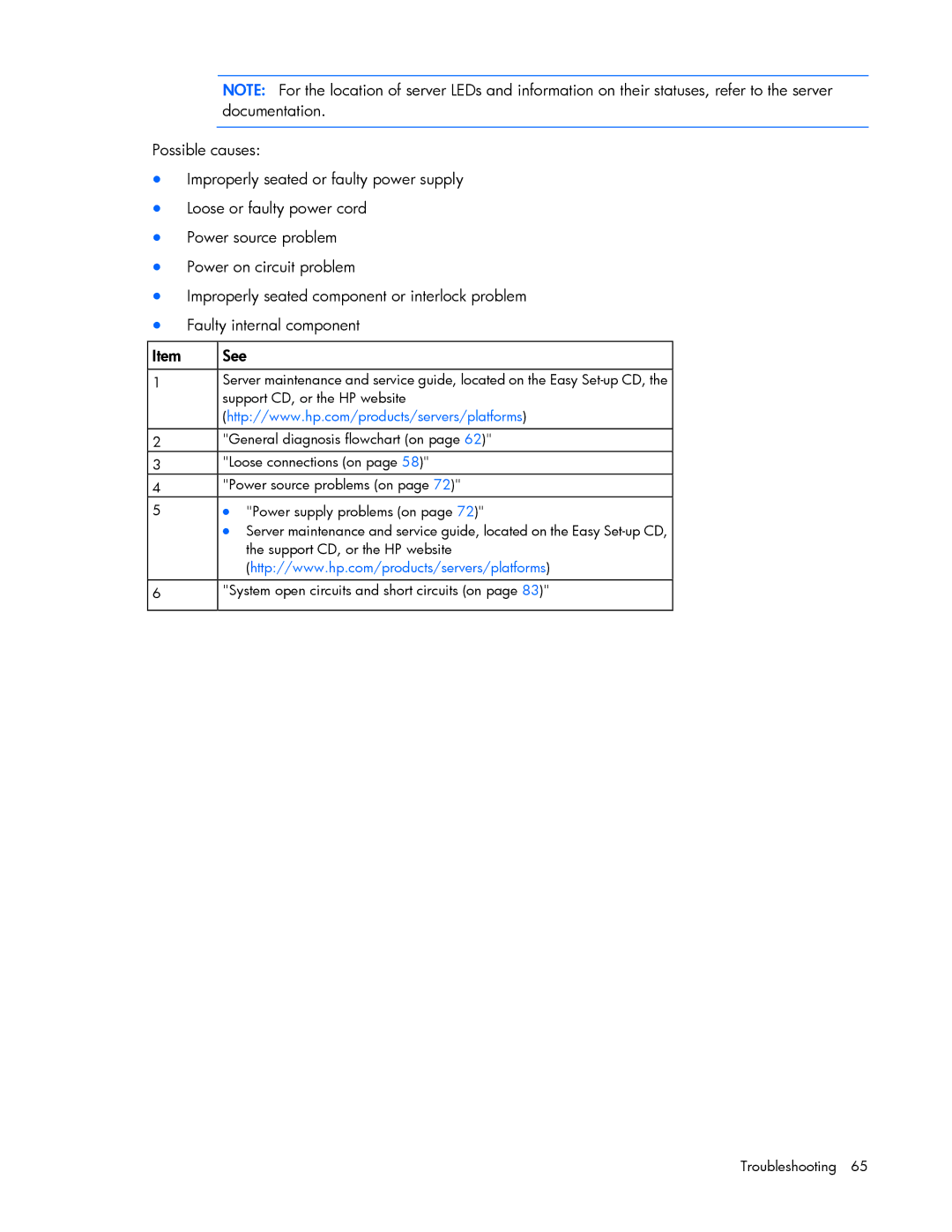
Item | See |
|
|
1 | Server maintenance and service guide, located on the Easy |
| support CD, or the HP website |
| (http://www.hp.com/products/servers/platforms) |
|
|
2 | "General diagnosis flowchart (on page 62)" |
3 | "Loose connections (on page 58)" |
4 | "Power source problems (on page 72)" |
5 | • "Power supply problems (on page 72)" |
| • Server maintenance and service guide, located on the Easy |
| the support CD, or the HP website |
| (http://www.hp.com/products/servers/platforms) |
|
|
6 | "System open circuits and short circuits (on page 83)" |
|
|