Section 5
Setting Your Camcorder
Options in Menu
Operation | Display Screen |
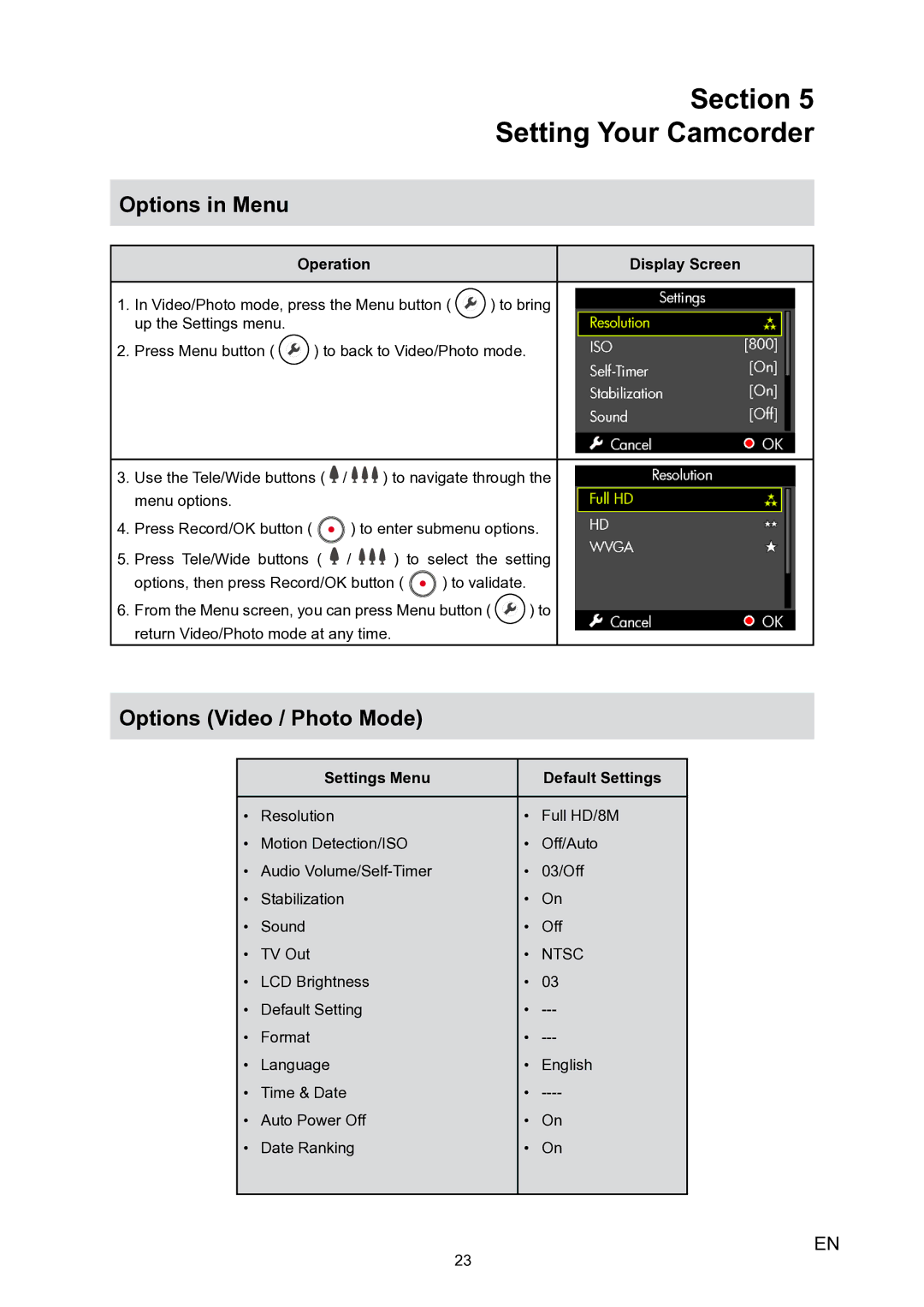
1.In Video/Photo mode, press the Menu button (  ) to bring up the Settings menu.
2.Press Menu button (  ) to back to Video/Photo mode.
3.Use the Tele/Wide buttons (  /
/ 

 ) to navigate through the menu options.
4.Press Record/OK button (  ) to enter submenu options.
5.Press Tele/Wide buttons (  /
/ 

 ) to select the setting
options, then press Record/OK button (  ) to validate.
6.From the Menu screen, you can press Menu button (  ) to return Video/Photo mode at any time.
Options (Video / Photo Mode)
| Settings Menu |
| Default Settings |
|
|
|
|
• | Resolution | • | Full HD/8M |
• | Motion Detection/ISO | • | Off/Auto |
• | Audio | • | 03/Off |
• | Stabilization | • | On |
• | Sound | • | Off |
• | TV Out | • | NTSC |
• | LCD Brightness | • | 03 |
• | Default Setting | • | |
• | Format | • | |
• | Language | • | English |
• | Time & Date | • | |
• | Auto Power Off | • | On |
• | Date Ranking | • | On |
|
|
|
|
23
EN