< xs l:tem plate m atch= "C us tom er"> |
|
|
< h1> Input X M L Form </h1> |
|
|
< form ac tion= "/Travel/C ustom erX S LS ervlet" m ethod= "pos t"> | X S LT | |
< table b order= "0" c ellpadding="2" c ells pacing= "0"> | ||
< xs |
| styleshe et |
< /table> |
| |
|
| |
< /form > |
|
|
< /xsl:tem plate> |
|
|
C o m p ile r |
|
|
JV M | transA .cla ss |
|
b yteco d e | O utput | |
|
| |
X M L inp ut |
| XM L, |
| H T M L, etc | |
file |
| |
|
| |
tra n slet ru nn ing |
|
|
on J V M |
|
|
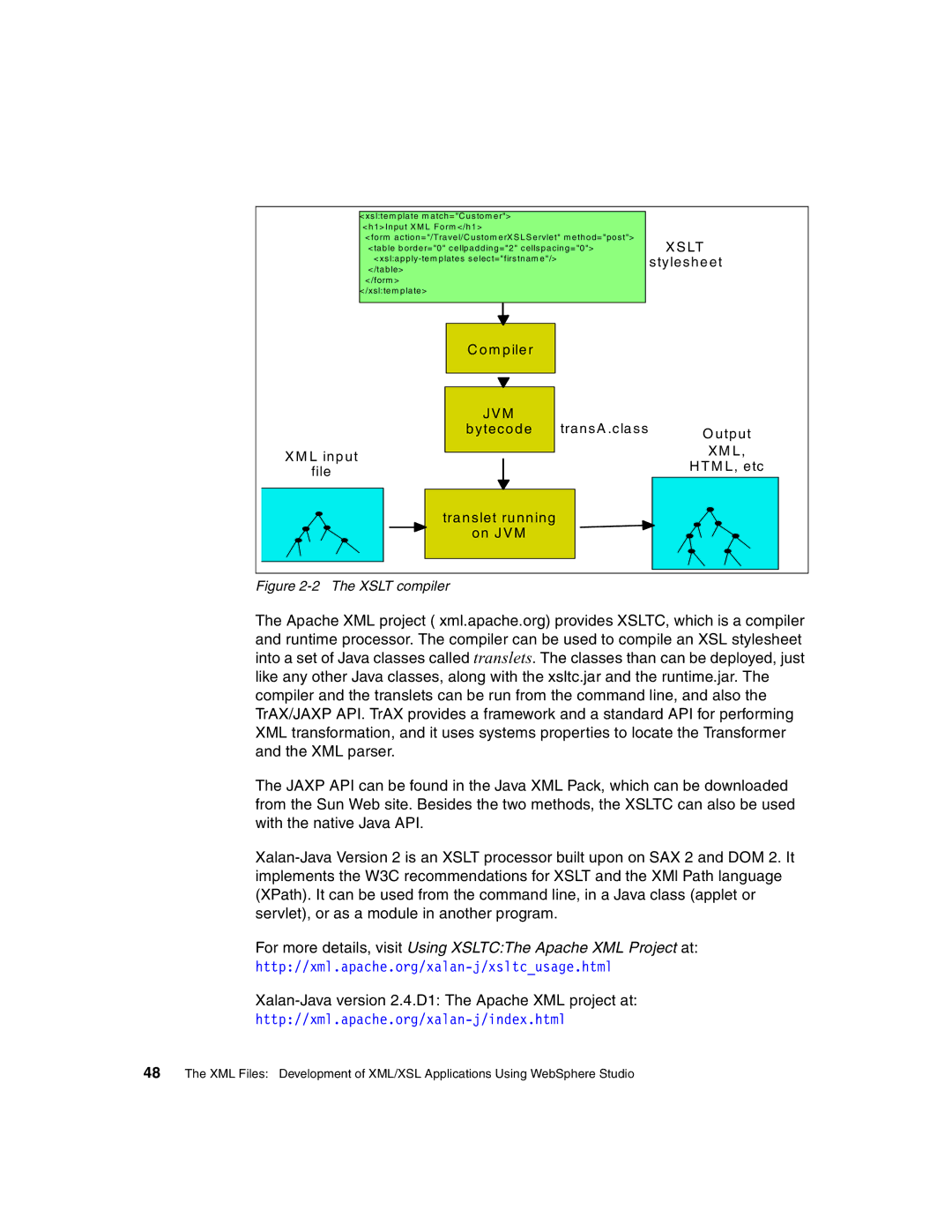
Figure 2-2 The XSLT compiler
The Apache XML project ( xml.apache.org) provides XSLTC, which is a compiler and runtime processor. The compiler can be used to compile an XSL stylesheet into a set of Java classes called translets. The classes than can be deployed, just like any other Java classes, along with the xsltc.jar and the runtime.jar. The compiler and the translets can be run from the command line, and also the TrAX/JAXP API. TrAX provides a framework and a standard API for performing XML transformation, and it uses systems properties to locate the Transformer and the XML parser.
The JAXP API can be found in the Java XML Pack, which can be downloaded from the Sun Web site. Besides the two methods, the XSLTC can also be used with the native Java API.
For more details, visit Using XSLTC:The Apache XML Project at:
Xalan-Java version 2.4.D1: The Apache XML project at:
48 The XML Files: Development of XML/XSL Applications Using WebSphere Studio