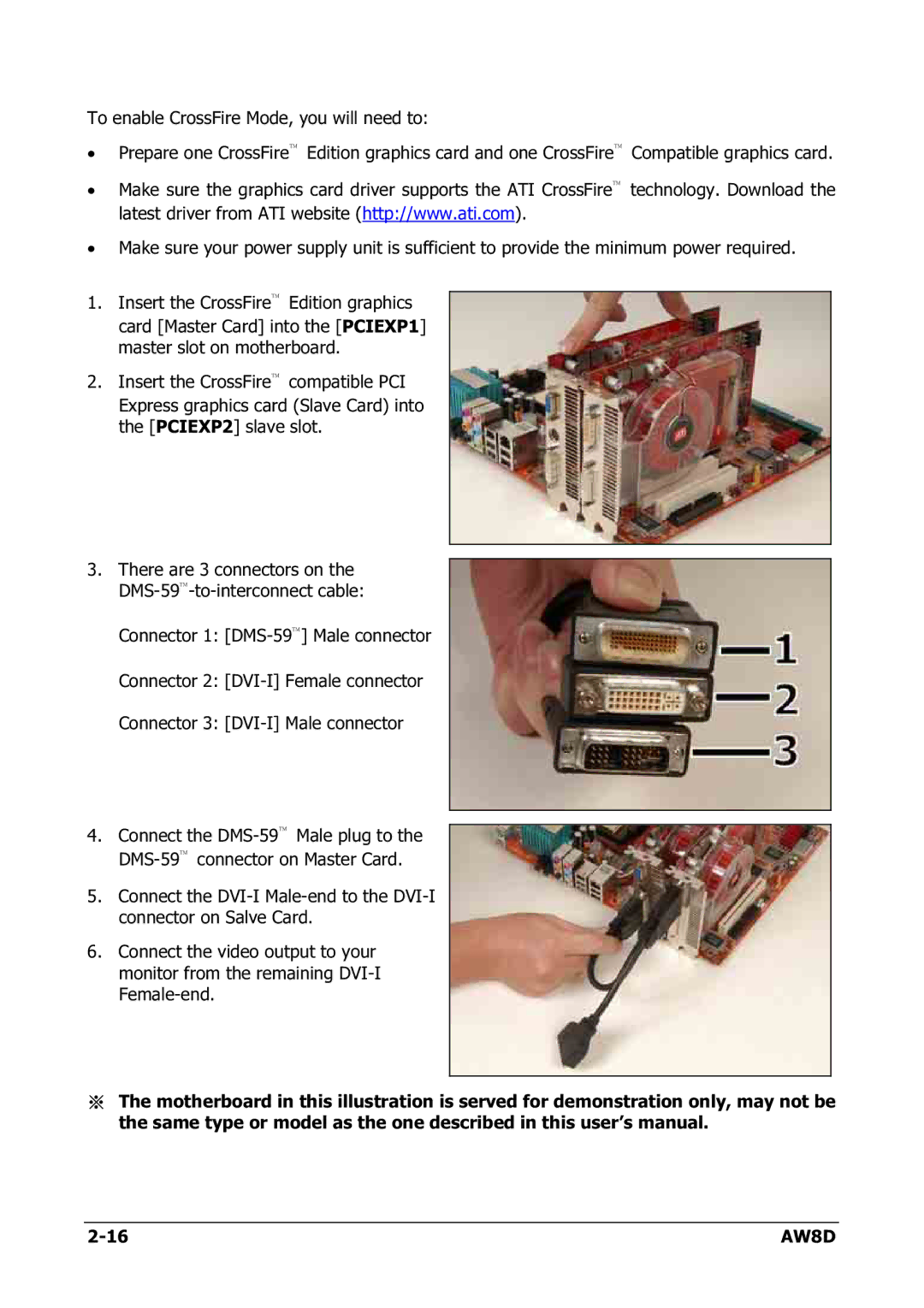
To enable CrossFire Mode, you will need to:
•Prepare one CrossFire™ Edition graphics card and one CrossFire™ Compatible graphics card.
•Make sure the graphics card driver supports the ATI CrossFire™ technology. Download the latest driver from ATI website (http://www.ati.com).
•Make sure your power supply unit is sufficient to provide the minimum power required.
1.Insert the CrossFire™ Edition graphics card [Master Card] into the [PCIEXP1] master slot on motherboard.
2.Insert the CrossFire™ compatible PCI Express graphics card (Slave Card) into the [PCIEXP2] slave slot.
3.There are 3 connectors on the
Connector 1:
Connector 2:
Connector 3:
4.Connect the
5.Connect the
6.Connect the video output to your monitor from the remaining
※The motherboard in this illustration is served for demonstration only, may not be the same type or model as the one described in this user’s manual.
AW8D |