Security
Other filter attributes
There are three other attributes to each filter:
■The filter’s order (i.e., priority) in the filter set
■Whether the filter is currently active
■Whether the filter is set to forward packets or to block (discard) packets
Putting the parts together
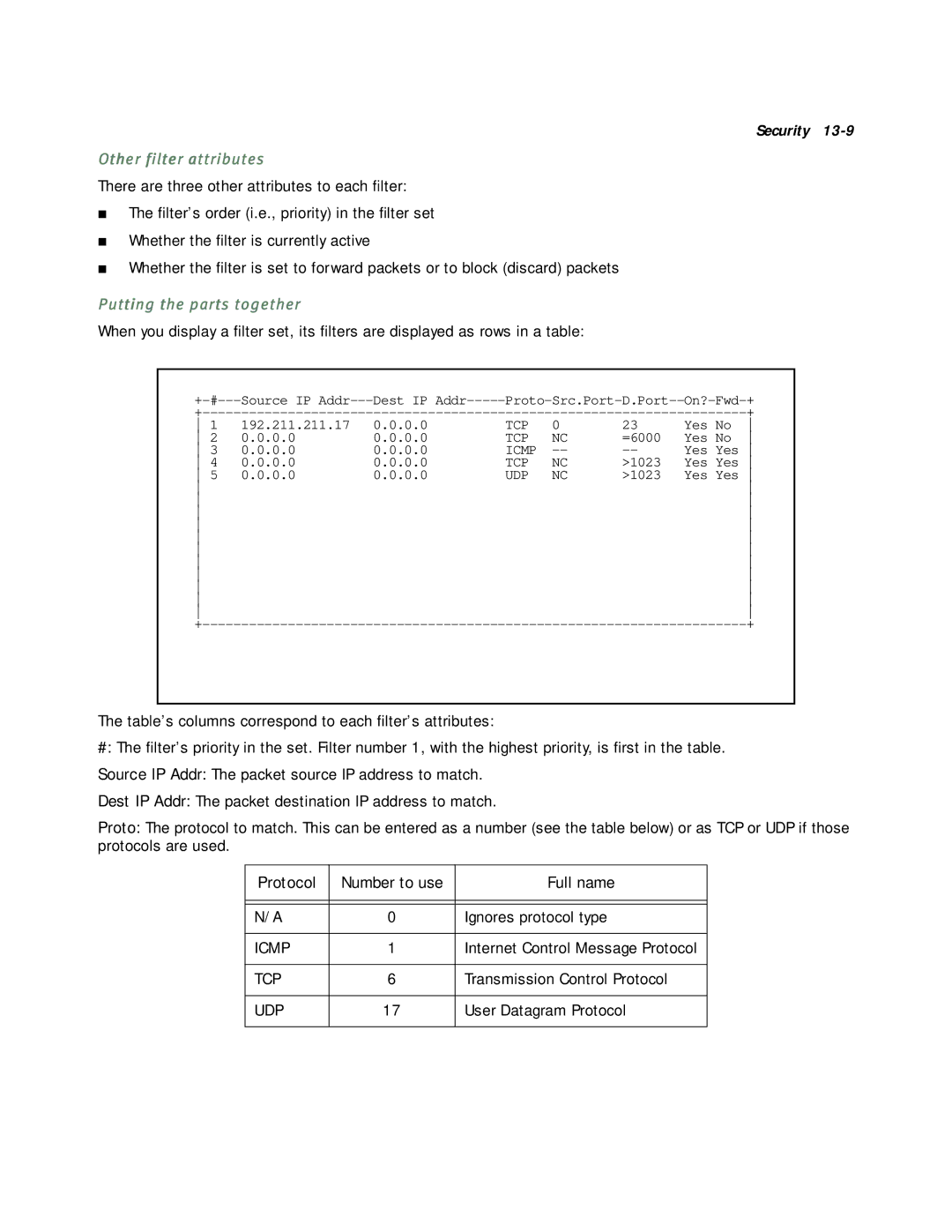
When you display a filter set, its filters are displayed as rows in a table:
Source IP | Dest IP | ||||||
|
|
|
|
| + | ||
1 | 192.211.211.17 | 0.0.0.0 | TCP | 0 | 23 | Yes No | |
2 | 0.0.0.0 | 0.0.0.0 | TCP | NC | =6000 | Yes No | |
3 | 0.0.0.0 | 0.0.0.0 | ICMP | Yes Yes | |||
4 | 0.0.0.0 | 0.0.0.0 | TCP | NC | >1023 | Yes Yes | |
5 | 0.0.0.0 | 0.0.0.0 | UDP | NC | >1023 | Yes Yes | |
|
|
|
|
|
| ||
|
|
|
|
|
| ||
|
|
|
|
|
| ||
|
|
|
|
|
| ||
|
|
|
|
|
| ||
|
|
|
|
|
| ||
|
|
|
|
|
| ||
|
|
|
|
|
| ||
|
|
|
|
|
| ||
|
|
|
|
|
| ||
|
|
|
|
|
| ||
|
|
|
|
| + | ||
The table’s columns correspond to each filter’s attributes:
#: The filter’s priority in the set. Filter number 1, with the highest priority, is first in the table.
Source IP Addr: The packet source IP address to match.
Dest IP Addr: The packet destination IP address to match.
Proto: The protocol to match. This can be entered as a number (see the table below) or as TCP or UDP if those protocols are used.
Protocol | Number to use | Full name |
|
|
|
|
|
|
N/A | 0 | Ignores protocol type |
|
|
|
ICMP | 1 | Internet Control Message Protocol |
|
|
|
TCP | 6 | Transmission Control Protocol |
|
|
|
UDP | 17 | User Datagram Protocol |
|
|
|