Connecting to External Equipment
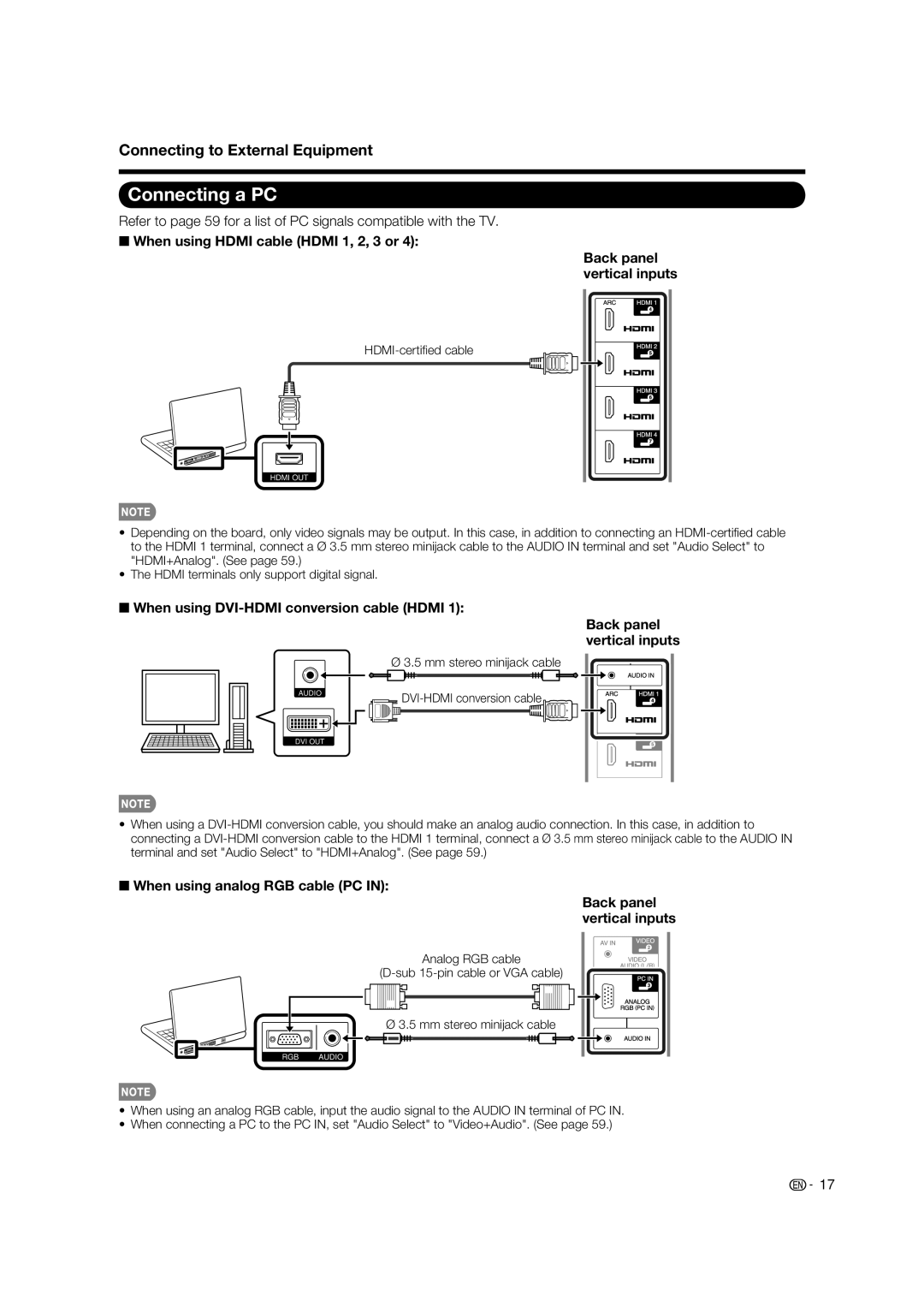
Connecting a PC
Refer to page 59 for a list of PC signals compatible with the TV.
■When using HDMI cable (HDMI 1, 2, 3 or 4):
Back panel vertical inputs
HDMI OUT
•Depending on the board, only video signals may be output. In this case, in addition to connecting an
•The HDMI terminals only support digital signal.
■When using DVI-HDMI conversion cable (HDMI 1):
Ø3.5 mm stereo minijack cable
AUDIO | |
| |
DVI OUT |
|
Back panel vertical inputs
•When using a
■When using analog RGB cable (PC IN):
Back panel vertical inputs
Analog RGB cable
Ø 3.5 mm stereo minijack cable
RGB AUDIO
•When using an analog RGB cable, input the audio signal to the AUDIO IN terminal of PC IN.
•When connecting a PC to the PC IN, set "Audio Select" to "Video+Audio". (See page 59.)
 17
17