(Continued)
■Switching the time display
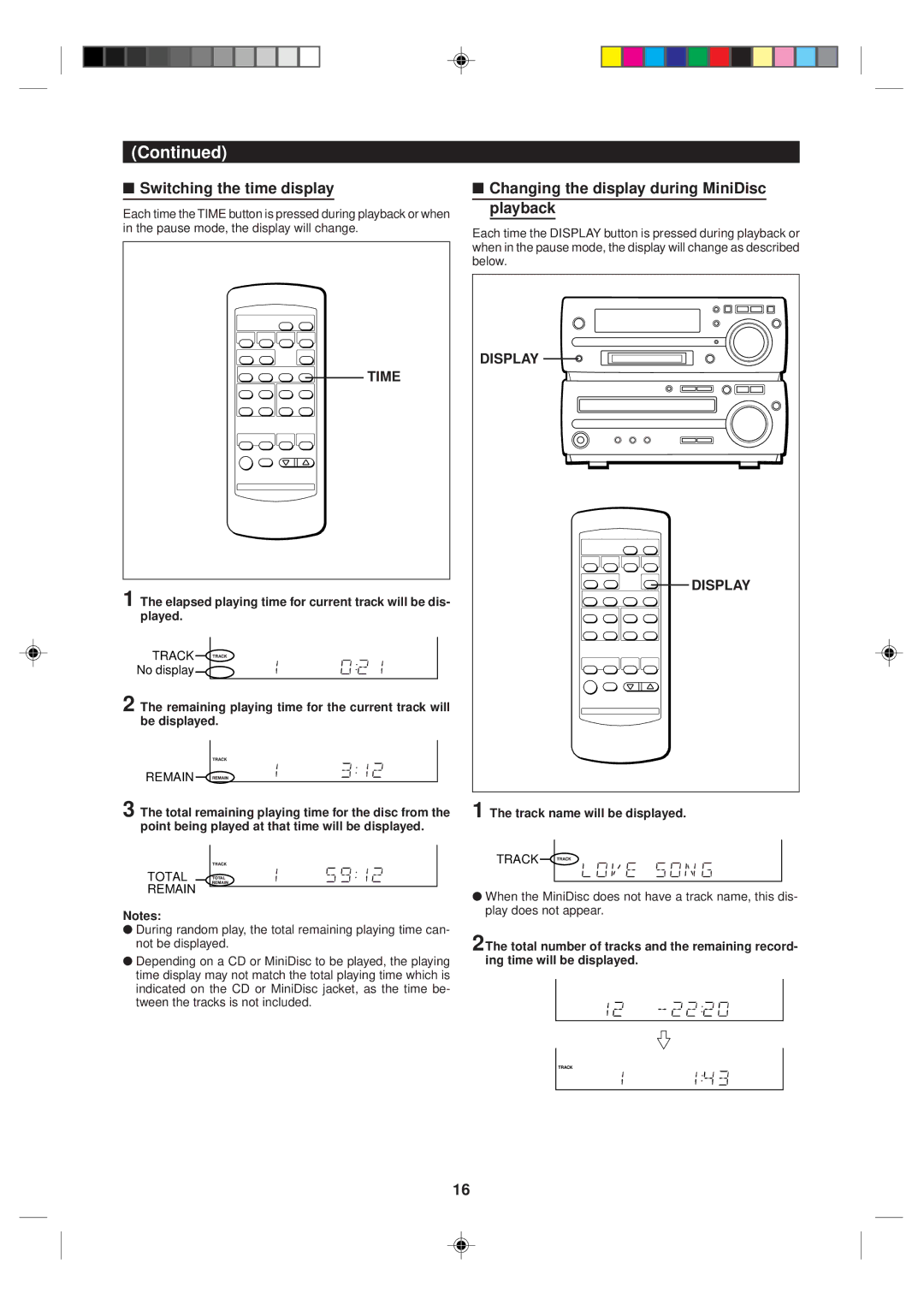
Each time the TIME button is pressed during playback or when in the pause mode, the display will change.
TIME
1 The elapsed playing time for current track will be dis- played.
TRACK
No display
2 The remaining playing time for the current track will be displayed.
REMAIN
3 The total remaining playing time for the disc from the point being played at that time will be displayed.
TOTAL
REMAIN
Notes:
●During random play, the total remaining playing time can- not be displayed.
●Depending on a CD or MiniDisc to be played, the playing time display may not match the total playing time which is indicated on the CD or MiniDisc jacket, as the time be- tween the tracks is not included.
■Changing the display during MiniDisc playback
Each time the DISPLAY button is pressed during playback or when in the pause mode, the display will change as described below.
DISPLAY 
 DISPLAY
1 The track name will be displayed.
TRACK
●When the MiniDisc does not have a track name, this dis- play does not appear.
2The total number of tracks and the remaining record- ing time will be displayed.
16