(Continued)
■Preset tuning
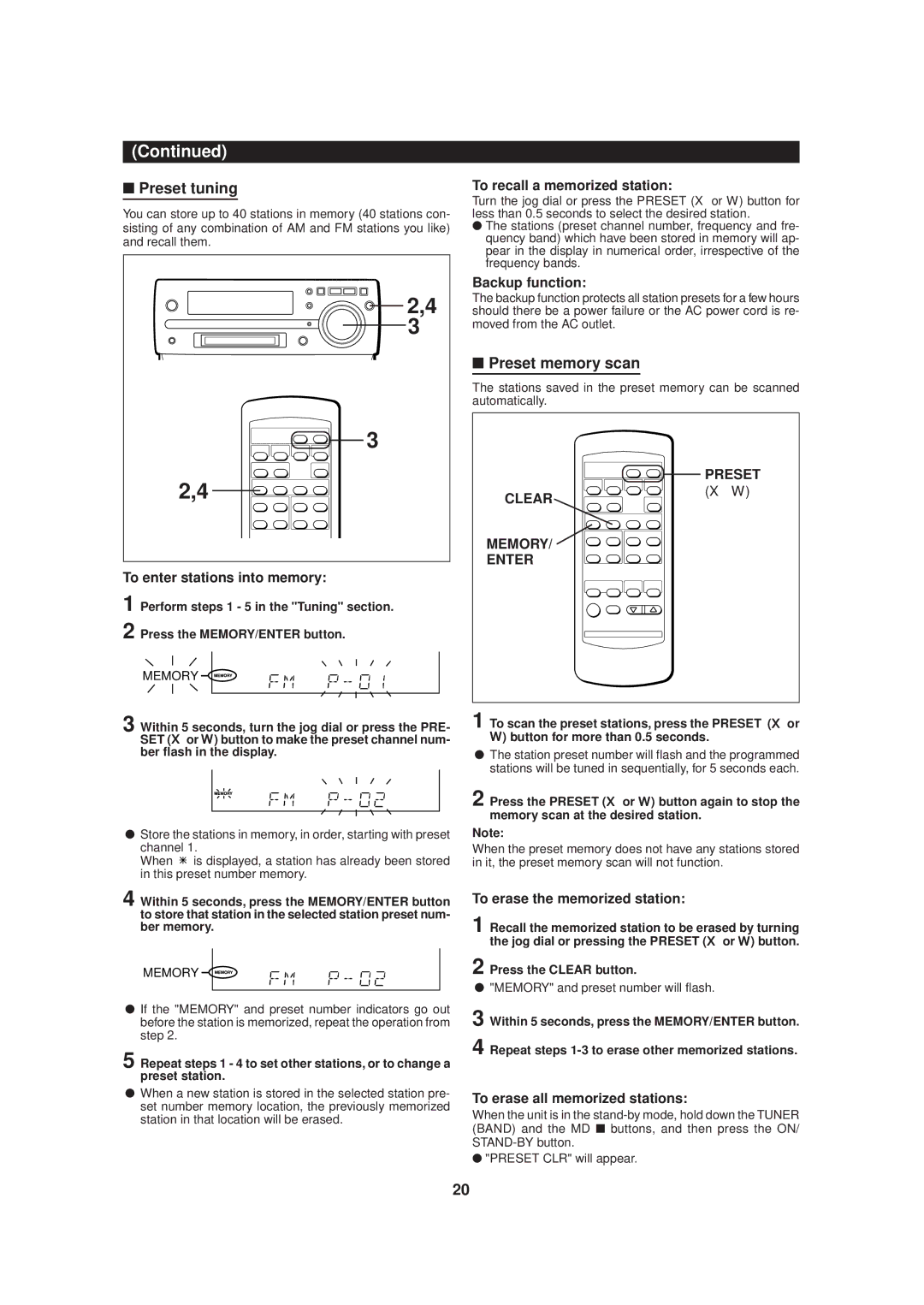
You can store up to 40 stations in memory (40 stations con- sisting of any combination of AM and FM stations you like) and recall them.
 2,4 3
2,4 3
3
2,4
To enter stations into memory:
1 Perform steps 1 - 5 in the "Tuning" section.
2 Press the MEMORY/ENTER button.
MEMORY
3 Within 5 seconds, turn the jog dial or press the PRE- SET (Xor W) button to make the preset channel num- ber flash in the display.
●Store the stations in memory, in order, starting with preset channel 1.
When  is displayed, a station has already been stored in this preset number memory.
4 Within 5 seconds, press the MEMORY/ENTER button to store that station in the selected station preset num- ber memory.
MEMORY
●If the "MEMORY" and preset number indicators go out before the station is memorized, repeat the operation from step 2.
5 Repeat steps 1 - 4 to set other stations, or to change a preset station.
●When a new station is stored in the selected station pre- set number memory location, the previously memorized station in that location will be erased.
To recall a memorized station:
Turn the jog dial or press the PRESET (X or W) button for less than 0.5 seconds to select the desired station.
●The stations (preset channel number, frequency and fre- quency band) which have been stored in memory will ap- pear in the display in numerical order, irrespective of the frequency bands.
Backup function:
The backup function protects all station presets for a few hours should there be a power failure or the AC power cord is re- moved from the AC outlet.
■Preset memory scan
The stations saved in the preset memory can be scanned automatically.
| PRESET |
CLEAR | (X W) |
| |
MEMORY/ |
|
ENTER |
|
1 To scan the preset stations, press the PRESET (X or W) button for more than 0.5 seconds.
●The station preset number will flash and the programmed stations will be tuned in sequentially, for 5 seconds each.
2 Press the PRESET (X or W) button again to stop the memory scan at the desired station.
Note:
When the preset memory does not have any stations stored in it, the preset memory scan will not function.
To erase the memorized station:
1 Recall the memorized station to be erased by turning the jog dial or pressing the PRESET (X or W) button.
2 Press the CLEAR button.
●"MEMORY" and preset number will flash.
3 Within 5 seconds, press the MEMORY/ENTER button.
4 Repeat steps
To erase all memorized stations:
When the unit is in the
●"PRESET CLR" will appear.
20