KIS
Version No. R1.0 Edition Time
Copyright 2012 ZTE Corporation All rights reserved
Contents
Getting Started
Phone Calls
Entering Text
Browsing the Internet
Sorting out Your Phone Settings
Other Applications 110
116
113
114
115
General Safety
For Your Safety
General Statement on RF Energy
Radio Frequency RF Exposure
Specific Absorption Rate SAR
Body Worn Operation
Regulatory Information
Limiting Exposure to Radio Frequency RF Fields
2400.0-2483.5 MHz Country Restrictions Reason/remark
National Restrictions on Wi-Fi Usage
Operating Machinery
Distraction
Product Handling
Driving
Small Children
Electrostatic Discharge ESD
Demagnetization
Antenna
Air Bags
Normal Use Position
Repetitive Strain Injuries
Seizures/Blackouts
Emergency Calls
Electrical Safety
Hearing Aids
Radio Frequency Interference
General Statement on Interference
Pacemakers
Hospitals
Medical Devices
Aircraft
Blasting Caps and Areas
Explosive Environments
Interference in Cars
Petrol Stations and Explosive Atmospheres
Overview
Getting Started
Key Function
Keys Explained
Starting up
Installing the SIM/microSD Card and Battery
Page
Page
Removing the Battery and SIM/microSD Card
Charging the Battery
Setting Up Your Phone for the First Time
Switching Your Phone On/Off
How much charge have you got?
Waking Up Your Phone
Switching to Sleep Mode
Touch Control
Getting Around Your Phone
Home Screen
To add or remove an extended Home Screen
Extended Home Screens
Touch Menu Key Personalization Screen
Choosing Your Wallpaper
To adjust the place of an extended Home Screen
Touch Menu Key Personalization Add to home screen
Removing Items From Your Home Screen
To add a shortcut into a folder
Using Folders on Your Home Screen
To create a folder on the Home Screen
To open or close a folder
To rename a folder
Status and Notification Icons
Page
Applications and Settings Preview
Using the Notification Panel
Applications Preview
Applications Description Browser
Applications Description Messenger
Settings
Settings Preview
Location
Touch Home Key Touch Menu Key Edit
Adjusting the Place of an Application
Hiding or Displaying the Applications
Touch Home Key Touch Menu Key Hide Applications
Opening Recently-Used Applications
Keeping Your System Up-to-date
Calling From Your Contacts
Phone Calls
Making Calls
Calling From the Dialer
Calling From a Text Message
Using Speed Dial
Muting a Call
Receiving Calls
Answering a Call
Rejecting a Call
Turning the Speakerphone On/Off
Call Settings
Ending a Call
Forward Forward when busy Forward when
Touch Menu Key Import/Export from the Contacts Screen
Contacts
Importing and Exporting Contacts
Importing/Exporting Contacts SIM Card
Importing/Exporting Contacts microSD Card
Creating a Contact
Searching for a Contact
Adding a Contact to Favourites
Creating a New Group
Page
Android Keyboard
Entering Text
TouchPal Keyboard
Tick the Swipe to switch layout check box
To switch the keyboard layout
Full Qwerty
Page
CooTek T+
Key PhonePad
To enable and use TouchPal Curve
Touch Input Settings
Message Box
Messaging
Sending a Message
Storage settings
Message Settings
Multimedia message MMS settings
Text message SMS settings
Display settings
Signature settings
Notification settings
Creating an Email Account
Composing and Sending an Email
Receiving Emails
Touch Menu Key Add attachment to add files to the Email
Replying to or Forwarding an Email
Email Settings
Deleting an Email Account
Adding a New GPRS/EDGE/3G Connection
Getting Connected to the Internet
Touch Home Key Settings Wireless & networks
Turning On Wi-Fi
Connecting to a Wi-Fi Network
Checking the Wi-Fi Network Status
Enabling the Phone as a Modem
Using the Phone as a Modem
Disabling the Modem Function
Using the Phone as a Wi-Fi Hotspot
Disabling the Wi-Fi Hotspot
Enabling the Wi-Fi Hotspot
Browsing Options
Browsing the Internet
Touch Home Key Browser
Touch or Menu Key More Bookmarks
Using Bookmarks
Editing a Bookmark
Touch or Menu Key More Bookmarks Touch Add or Add bookmark
Deleting a Bookmark
Browser Settings
Turning Bluetooth On/Off
Bluetooth
Making Your Phone Visible
Changing the Device Name
Pairing With Another Bluetooth Device
Touch Device name
Page
Making the Most of Multimedia
Adjusting Camera Settings
Taking Pictures With Your Camera
Shooting Video With Your Camcorder
Adjusting Camcorder Settings
Listening to Your FM Radio
Touch an item from the list to start playing
Music Player
Adding a Song to a Playlist
Setting a Song as Ringtone
Creating Playlists
Managing Playlists
Opening Your Gallery
Playing Your Videos
Touch Use as phone ringtone
Touch Home Key Sound Recorder
Making Voice Memos
Page
To turn on USB mass storage
Turning On/Off USB Mass Storage
To turn off USB mass storage
Gmail
Using Your Google Applications
Touch Menu Key Send
Google Calendar
Google Talk
Opening Google Talk
Starting a Chat
Places
Adding a New Friend
Changing Your Online Status
Touch Home Key Navigation
Navigation
Latitude
Touch Home Key Latitude to enable Latitude service
To sign in to and use Google+ Touch Home Key Google+
Google+
Touch Menu Key Sign out
To sign out of Google+
Sound Settings
Sorting out Your Phone Settings
Setting Date and Time
Display Settings
Language Settings
Enabling Always-On Data Services
Mobile Network Services
Getting Data Services When Roaming
Disabling Data Services
Switching Networks
Switching Network Modes
Setting Access Point Names
Protecting Your Phone With a Screen Unlock Pattern
Security Settings
Unlocking the Screen With Your Pattern
Protecting Your Phone With a PIN or Password
Cannot recall your screen unlock pattern?
Unlocking the Screen With Your PIN or Password
Disabling Screen Lock Settings
Protecting Your SIM Card With a PIN
Restoring a Locked SIM Card
Setting Up Credential Storage
Changing Your SIM PIN
Touch Change SIM PIN
Managing Your Device Memory
Privacy Reset to Factory Settings
Tick the Use secure credentials box
Managing Applications
Installing an Application
Touch Home Key Settings Applications
Manage applications Manage or remove installed applications
Touch Move to phone or Move to SD card
Touch Home Key Settings Applications Manage applications
Removing an Application
Moving an Application
By touching Home Key Settings Voice input & output
Managing Other Settings
Search Settings
Accessibility
Calculator
Alarms
Touch Home Key Alarm
Other Applications
Task Manager
Software Update
SIM Toolkit
Stopwatch
112
Camera
Specifications
Battery
Back
Declaration of RoHS Compliance
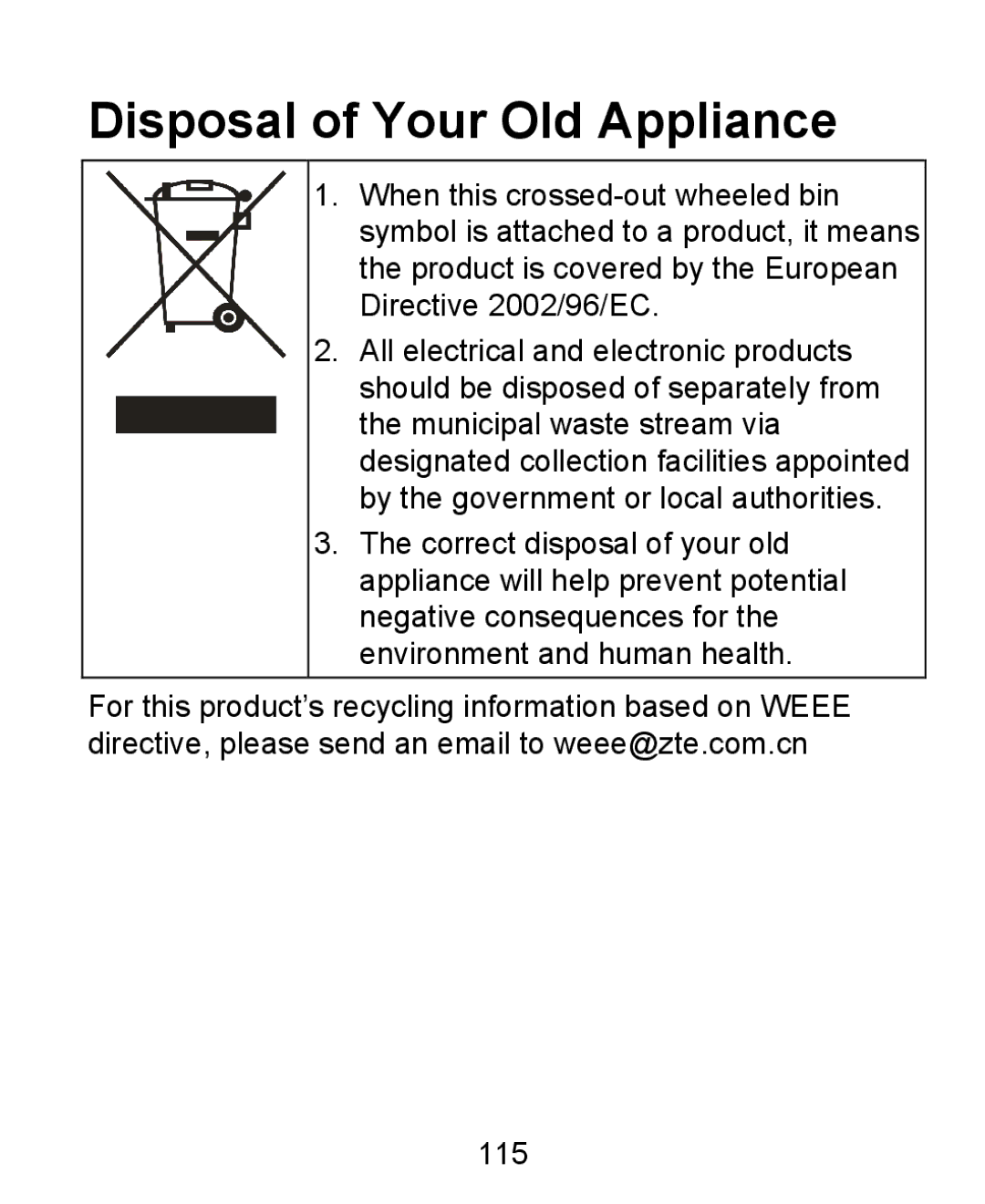
Disposal of Your Old Appliance
EC Declaration Conformity
Name in block letters & position in the company
This equipment may be operated 118