Superstack II Switch Administration Console User Guide
3Com Corporation 5400 Bayfront Plaza Santa Clara, California
Contents
Setting Up an IP Interface for Management
Administration Console Interface Parameters
Remote Access Parameters
Online Help
About Setting Baselines
Setting Passwords
Rebooting the System
Setting Baselines
Setting the Aging Time
Setting tmaxLowerBound
Setting lerAlarm Setting lerCutoff
Starting Port Monitoring
10-8
Setting the Bridge Priority
10-7
10-9
Opcodes A-1
Using Groups in Packet Filters Listing Groups
13-3
Destination Address Filter A-9
World Wide Web Site 3ComForum on CompuServe
Access by Modem
Support from 3Com
Returning Products for Repair
Familiarity with communications protocols that are used on
About this Guide
Introduction
Interconnected LANs
How to Use
Switch 2200. The parts of the guide are described in Table
This Guide
Conventions
This guide
Switch
Documentation
Documents, contact your sales representative for assistance
Comments
Introduction
Administration Overview
About Switch Administration
Configuration Tasks
General System Commands Task Quick Command For Details, See
Adjust the console screen height for your terminal
To the system, or reset nonvolatile data to defaults
Change the factory default baud rate of the Console port
System Management Setup Commands Task Quick Command
Bridging Commands Task Quick Command For Details, See
Configurations, and spanning tree configurations
Display bridge port information
Administer bridge port addresses
12-1 and following
Set the multicast packet firewall threshold
Ethernet Commands Task Quick Command For Details, See
A summarized or detailed format
9-2 to
Fddi Commands Task Quick Command
8-3
Access
HOW to USE
Initial User Access
Levels of User
Select access level read, write, administer Password
Using Menus to Perform Tasks
System-level Functions Menu Hierarchy for Administer Access
Fddi Menu
Bridge Menu
Bridging Menu Hierarchy for Administer Access
IP Menu
Snmp Menu
Analyzer Menu
Most abbreviated version of the same command string is
Menu options are not case sensitive
Entering Values
Adjusting
Console Interface
Parameters
Disabling Reboot Abort Keys
System consoleLock
Running Scripts Administration Console Tasks
Setting Timeout Interval for Remote Sessions
Enter the telnet timeout interval 30 minutes to 60 minutes
HOW to USE the Administration Console
Running Scripts of Administration Console Tasks
Getting
Help
Console
Exiting
Exiting returns you to the password prompt
To exit from the Administration Console
There, by pressing the ESC key
SYSTEM-LEVEL Functions
Page
Access to the System
About
Management
Setting Up Console Serial Port
Setting Up an
IP Interface for
Broadcast Address
Directed all 1s in the host field
Cost Ports All
Broadcast address
Ip interface modify
Removing an Interface
Gateway IP Address
Timing out
Timed out
Defining a Static Route
Default route is immediately removed from the routing table
Administering the ARP Cache
Setting the RIP Mode
Enter the IP address of the station you want to ping
You could receive one of the following responses
Displaying IP Statistics
IP statistics you can view are described in Table
Statistics are displayed, as shown in this example
Setting Up Snmp on Your System
Displaying Snmp Settings
Community string settings are displayed as shown here
Administering Snmp Trap Reporting
Community string length
Configuring Trap Reporting
Enter an IP address of the Snmp manager destination address
This example shows a trap configuration
Trap address invalid or unreachable
Remote SMT events. On all other Switch 2200s in your network
You receive the following prompt
Snmp trap smtProxyTraps
Example of a Switch 2200 system configuration display
Environment
Displaying System Configuration
Setting Passwords
Initial passwords
Setting the System Name
Changing the Date and Time
You are prompted for the name of the system
Rebooting
Baselines
About Setting
You must disable the baseline
Displaying the Current Baseline
Enabling or Disabling Baselines
Setting Baselines
Baselining is automatically enabled when a baseline is set
Message similar to the following appears
SAVING, RESTORING, and Resetting Nonvolatile Data
Working with
Nonvolatile Data
Saving NV Data
Saving the NV data
Restoring
NV Data
Restoration rules described here
System nvData restore
Examining a Saved NV Data File
You are returned to the NV data menu options
Resetting NV Data to Defaults
You see the following prompt
III
Ethernet and Fddi Parameters
Page
Ethernet Port
Ports
Displaying
Information
RxDiscards
Describes the information provided about an Ethernet port
Long and are not configurable
Default is enabled
Layer to receive them or because the port was disabled
Disabled
Transmitted successfully
Second long and are not configurable
Successfully
TxPeakByteRate
There is no buffer space available Frame is in error
TxDiscards TxQOverflows
TxFrames Frames delivered to this port
Setting the Port State
Labeling a Port
Administering
Resources
Fddi Stations
ConnectPolicy
Describes these statistics
Can be Thru, Isolated, WrapA, and WrapB
This value can be user-defined
Frames NIF. This value can be user-defined
Defaults for connecting to a Port M
Description of Fields for Fddi Station Attributes TNotify
TraceMaxExp
Topology
With defaults for connecting to a Port M
Normal tree connection
Node may not go to Thru state in CFM
Setting Neighbor Notification Timer
Enabling Disabling Status Reporting
Fddi Paths
TmaxLowBound
Description of Fields for Fddi Path Attributes MaxTReq
RingLatency
TraceStatus Current Trace status of the path TvxLowBound
To set tvxLowerBound
Station, which appears in brackets
Fddi MACs
Displaying MAC Information
Administering Fddi MACs
Describes the information provided for the Fddi MAC
Neighbor
Error during reception
Description of Fields for Fddi MAC Attributes OldDownstream
OldUpstream
There is no buffer space available Frame is in error
Receive Frame Network
Setting the Frame Error Threshold
Shows the order in which the discard tests are made
Setting the Not Copied Threshold
Enter the new threshold value. See the following example
Enabling Disabling LLC Service
Setting MAC Paths
Administering Fddi Ports
Displaying Port Information
Describes the type of information provided for an Fddi port
Setting lerCutoff
Setting Port Labels
Fddi port path
Roving Analysis
About Roving
Analysis
Roving Analysis
On a specific system
Receive
Adding an Analyzer Port
Removing an Analyzer Port
You can start monitoring port activity
Starting Port
Monitoring
See the example below for starting port monitoring
Stopping Port Monitoring
Bridging Parameters
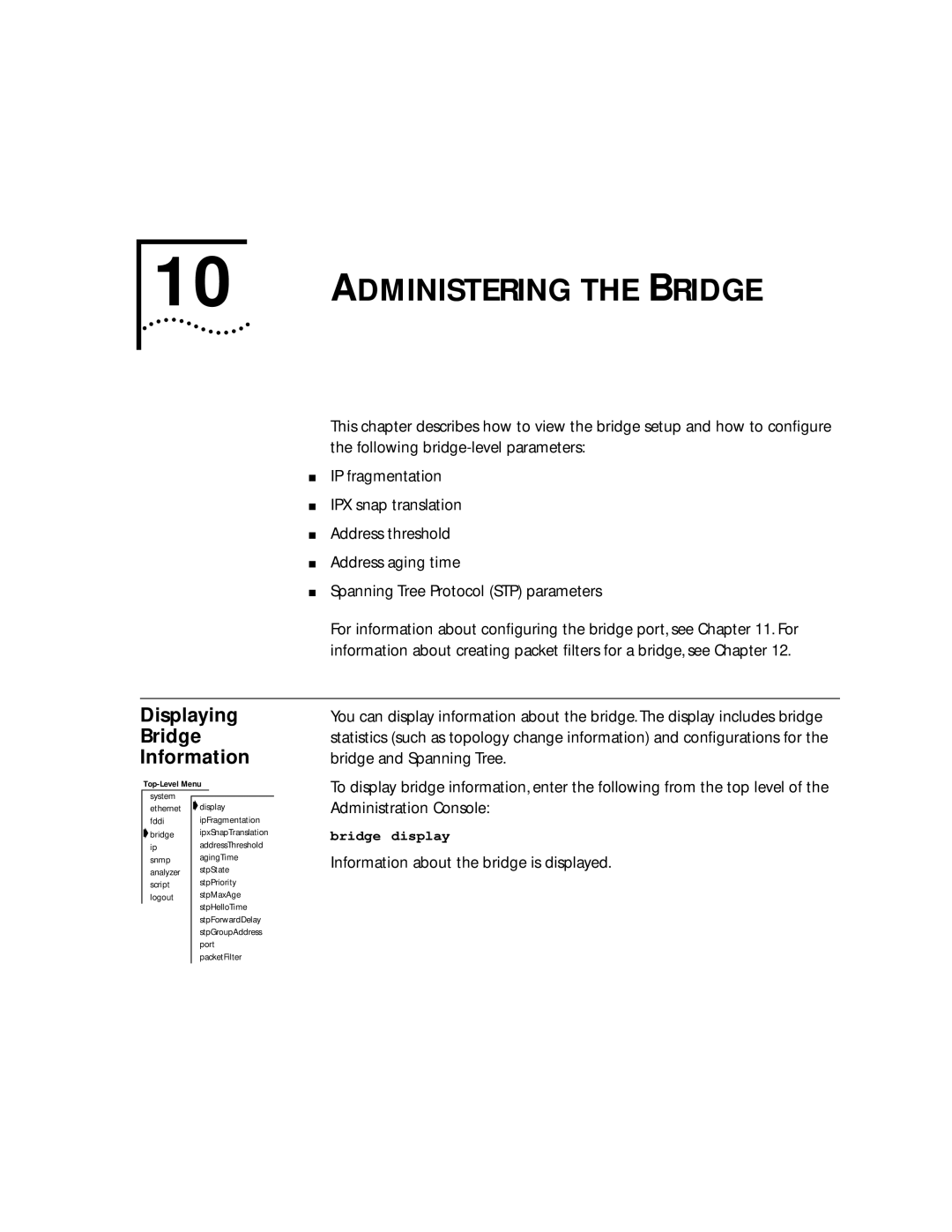
Displaying Bridge Information
Information about the bridge is displayed
Following example shows a display of bridge information
Each item in the bridge parameter list is described in Table
Root. The default value is 2 seconds
BridgeFwdDelay
Learning states. The default value is 15 seconds
ForwardDelay
Is determined by the root bridge
Default value is disabled
Bridge Attributes Parameter Description MaxAge
Mode
Fragmentation
Enabling
Disabling IP
Disabling IPX
Threshold
Setting
Address
Aging Time
Enter enabled or disabled at the prompt
STP Bridge
Enabling and Disabling STP on a Bridge
Setting the Bridge Maximum Age
To configure the STP bridge priority
Forward delay The recommended value is 15 seconds
To configure the forward delay value
Setting the STP Group Address
Bridge Port
Following example shows a bridge port summary display
Following example shows a bridge port detail display
DesignatedCost
RxErrorDiscs
Port is attached
BPDUs from the designated bridge for that LAN
RxMcastExcDiscs
Bridge Port Attributes Parameter Description RxFrames
Management frames
Exceeded
Bridge Port Attributes Parameter Description State
Disabled in which the port is currently operating
Disabled The port has been disabled by management
Blocking The bridge continues to run the Spanning Tree
Shows the order in which the discard decisions are made
Multicast Limit
You are prompted for port type
Multicast packet firewall, see Bridging Extensions
Disabling STP
STP Bridge Port
Enabling
On a Port
Bridge port stpCost
Bridge port stpPriority
Administering Port Addresses
Listing Addresses
Enter the number of the port
From the top level of the Administration Console, enter
You are prompted for the port number
You are prompted for one or more addresses to add
Flushing All Addresses
You are prompted for the port numbers
Packet Filters
Packet Filtering
Listing Packet Filters
Displaying Packet Filters
Creating and Using Packet Filters
Describes the instructions and stacks of a packet filter
Basic Elements of a Packet Filter
Ethernet and Fddi Packet Fields
Size of the field can be 1, 2, 4, or 6 bytes
Packet Filter Operands Description Opcode Packet field
PushField
Want the filter to examine a 48-bit address Constant
Accept and Reject Instructions
Preprocessed and Run-time Storage
Creating Packet Filters 12-9
Opcode.size operand... # comment
12-11
Creating and Using Packet Filters
Pseudocode translates into the following packet filter
# XNS Filtering Section
Enter executable instruction #1
Enter executable instruction #2
Enter executable instruction #5
Enter executable instruction #3
Enter executable instruction #4
Enter executable instruction #6
This combination looks like this
Only IP pkts w/in socket range
Add a not statement to discard any matching packets
Maximum length of a packet filter definition is 4096 bytes
Delete Previous Ctrl+h
Command are discarded
Being edited
Character One position Delete Current Ctrl+d
Saving
Deleting Packet Filters
Editing, Checking
Packet Filters
At the Replace existing filter? prompt
Loading Packet Filters
Bridge packetFilter load
Fddi
Unassigning Packet Filters from Ports
User-defined Packet Filtering in the SuperStack II Switch
Configuring Address Port Groups to USE Packet Filters
Using Groups
Address and port groups in packet filters
OR, for port groups, enter the following command
To list the currently defined groups, enter this command
Enter this command
Displaying Groups
Creating New Groups
Enter the ports in this syntax
Address 08-32-45-e3-32-21
Port Ethernet
Adding
Addresses
Ports to Groups
Address 08-37-21-65-78-c4
OR, to remove a port from a group, enter
Removing Addresses or Ports from a Group
To remove an address from a group, enter
Enter the ports in the syntax
Address 08-42-21-84-78-f1
Loading Groups 13-11
Configuring Address and Port Groups to USE in Packet Filters
Appendixes
Opcodes are described in this section
Packet Filter Opcodes
Opcodes
Name name
PushField.size offset
Bytes PushLiteral.size value
Byte PushDAGM
PushTop
Byte PushSAGM
Byte
PushSPGM
Byte PushDPGM
Byte Eq equal
Ne not equal
Byte Lt less than
Byte Le less than or equal to
Gt greater than
Byte Ge greater than or equal to
Byte Bit-wise
Byte Not
Or bit-wise or
Byte Xor bit-wise exclusive-OR
Byte Accept
Reject
Byte Shiftl shift left
Byte Shiftr shift right
Packet Filter
Examples
Packet filter concepts
Address
To make a copy of the type field
XNS
Page
Errors
Common Syntax
Hexadecimal
Characters of the number
Number with a leading 0x or 0X is treated as
Number with a leading 0 is treated as octal
Online Technical
Services
Variety of services. This appendix describes these services
Through the following online systems
Access by Isdn
Press Return to see the 3ComForum main menu
Your Network
Maintenance, application training, and support services
Support from
Supplier
3Com
U.S. and Canada, call 800 876-3266 for customer service
To find your authorized service provider
Support contracts are available from 3Com
3ComFacts B-3 3ComForum B-2 Abort
Address Resolution Protocol. See ARP address threshold
Index
ARP cache flushing 3-12 removing entry
Multicast limit, setting 11-7 Spanning Tree Enabling
Statistics, displaying 10-1bridge port
Cost
Fddi path defined
SRFs 8-2 Connection policies, setting
PortState Station MAC addresses 11-11Ethernet address
Fddi port
Removing from -9, 3-10 status
Enabling Le opcode A-5
Password configuring
Name opcode A-1 Naming the Switch 2200 4-3ne opcode A-5
On-line technical services B-1opcode
Multicast frames Packet filters 12-1multicast limit
Broadcast address 3-4default mode 3-12displaying state
Rlogin
Fddi ports 8-19ping IP station
Sniffing. See roving analysis and analyzer
Snmp agent Accessing through IP 3-1defined Snmp trap
SMT event
Port LER Condition Port Path Change
TOpr Technical support B-1telnet
Switch
Defined 8-7 setting
Packet filter 12-12, 12-14, A-11 xor opcode A-7