4.1.2.2Front Access Connection
To connect the input supply to the MX06 40A Shelf proceed as follows:
•Ensure that the AC supply intended for connection is isolated, locked off and under single operator control.
•The main circuit board should have been configured for an AB Feed by removing LK3 and LK4. This is normally factory configured.
•Strip the ends of the AC Input cables to be connected to the input terminal block.
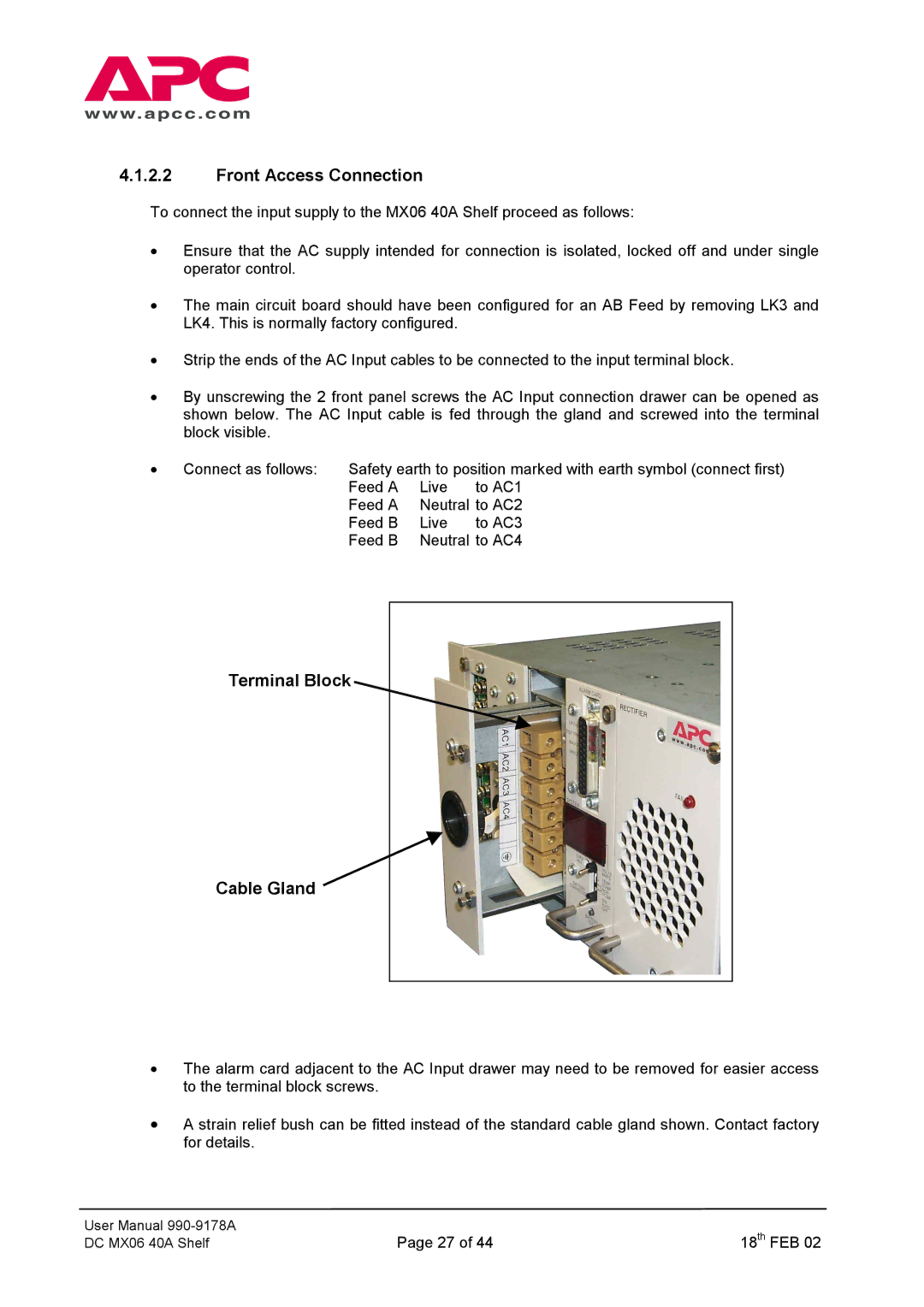
•By unscrewing the 2 front panel screws the AC Input connection drawer can be opened as shown below. The AC Input cable is fed through the gland and screwed into the terminal block visible.
• Connect as follows: | Safety earth to position marked with earth symbol (connect first) | ||
| Feed A | Live | to AC1 |
| Feed A Neutral to AC2 | ||
| Feed B | Live | to AC3 |
| Feed B | Neutral to AC4 | |
Terminal Block
Cable Gland 
•The alarm card adjacent to the AC Input drawer may need to be removed for easier access to the terminal block screws.
•A strain relief bush can be fitted instead of the standard cable gland shown. Contact factory for details.
User Manual | Page 27 of 44 | 18th FEB 02 |
DC MX06 40A Shelf |