7 | power light |
| The power light illuminates and blinks or remains solid to indicate different | ||
|
|
| operating states: |
|
|
|
|
| • No light — The computer is turned off. |
|
|
|
|
| • Steady green — The computer is in a normal operating state. |
| |
|
|
| • Blinking green — The computer is in a |
| |
|
|
| • Blinking or solid amber — See your online User’s Guide. |
| |
|
|
| To exit from a | ||
|
|
| the mouse if it is configured as a wake device in the Windows Device Manager. For | ||
|
|
| more information about sleep modes and exiting from a | ||
|
|
| your online User’s Guide. |
|
|
|
|
| See "System Lights" on page 49 for a description of light codes that can help you | ||
|
|
| troubleshoot problems with your computer. |
|
|
8 | headphone connector |
| Use the headphone connector to attach headphones and most kinds of speakers. | ||
9 | microphone connector |
| Use the microphone connector to attach a microphone. |
| |
10 |
| Can contain an optional floppy drive or optional media card reader. | |||
11 |
| Can contain an optical drive. Insert a CD or DVD (if supported) into this drive. | |||
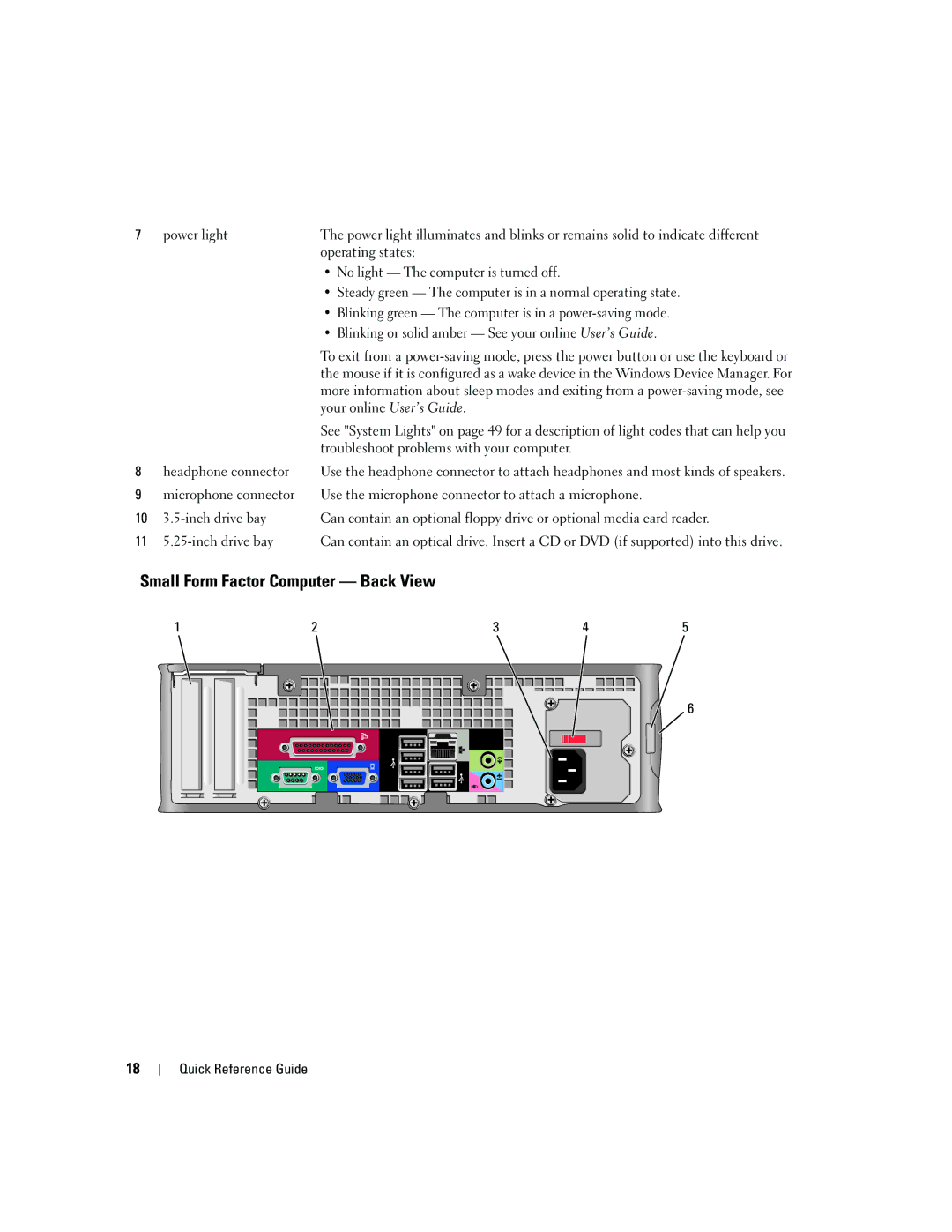
Small Form Factor Computer — Back View |
|
| |||
| 1 | 2 | 3 | 4 | 5 |
 6
18
Quick Reference Guide