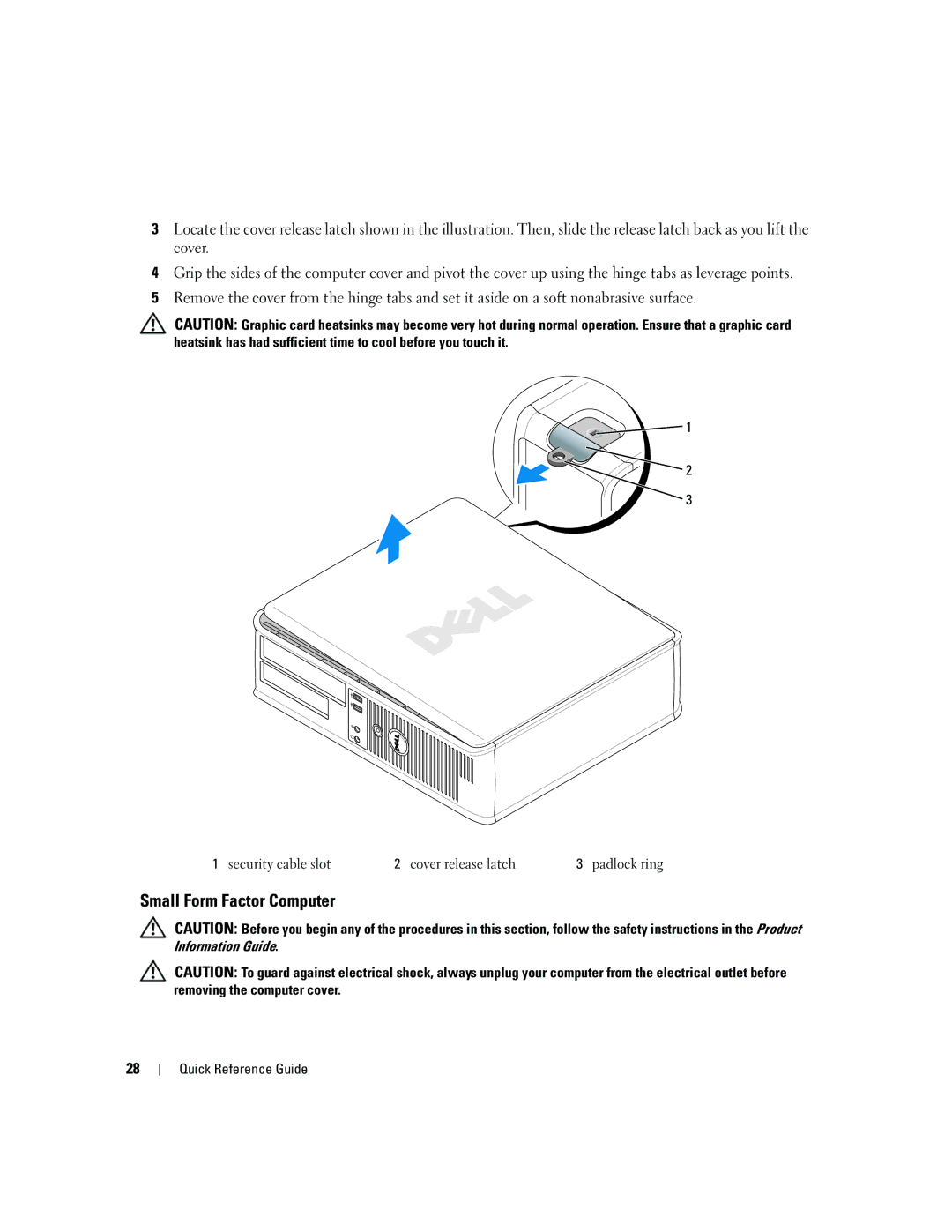
3Locate the cover release latch shown in the illustration. Then, slide the release latch back as you lift the cover.
4Grip the sides of the computer cover and pivot the cover up using the hinge tabs as leverage points.
5Remove the cover from the hinge tabs and set it aside on a soft nonabrasive surface.
CAUTION: Graphic card heatsinks may become very hot during normal operation. Ensure that a graphic card heatsink has had sufficient time to cool before you touch it.

 1
2
3
1 security cable slot | 2 cover release latch | 3 padlock ring |
Small Form Factor Computer
CAUTION: Before you begin any of the procedures in this section, follow the safety instructions in the Product Information Guide.
CAUTION: To guard against electrical shock, always unplug your computer from the electrical outlet before removing the computer cover.
28
Quick Reference Guide