Dell™ Latitude™ E6400 XFR Service Manual
36.1 Removing the Handle
CAUTION: Before you begin any of the procedures in this section, follow the safety instructions that shipped with your computer.
1.Follow the procedures in Before Working on Your Computer.
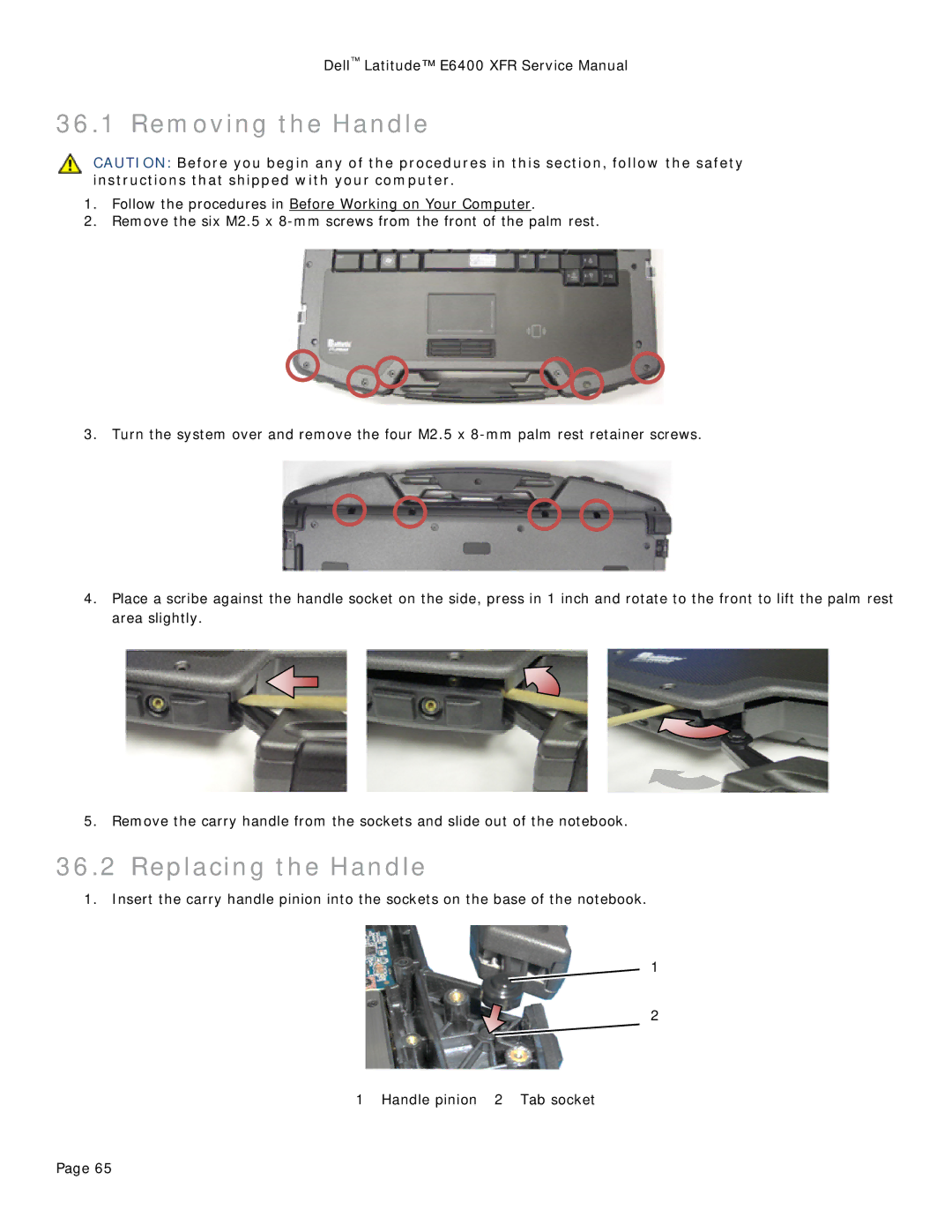
2.Remove the six M2.5 x
3.Turn the system over and remove the four M2.5 x
4.Place a scribe against the handle socket on the side, press in 1 inch and rotate to the front to lift the palm rest area slightly.
5.Remove the carry handle from the sockets and slide out of the notebook.
36.2 Replacing the Handle
1.Insert the carry handle pinion into the sockets on the base of the notebook.
1
2
1 Handle pinion 2 Tab socket
Page 65