Dell™ Latitude™ E6400 XFR Service Manual
37.5 Removing the AV Panel Cover
1.Follow the procedures in Before Working on Your Computer.
2.Open the AV door.
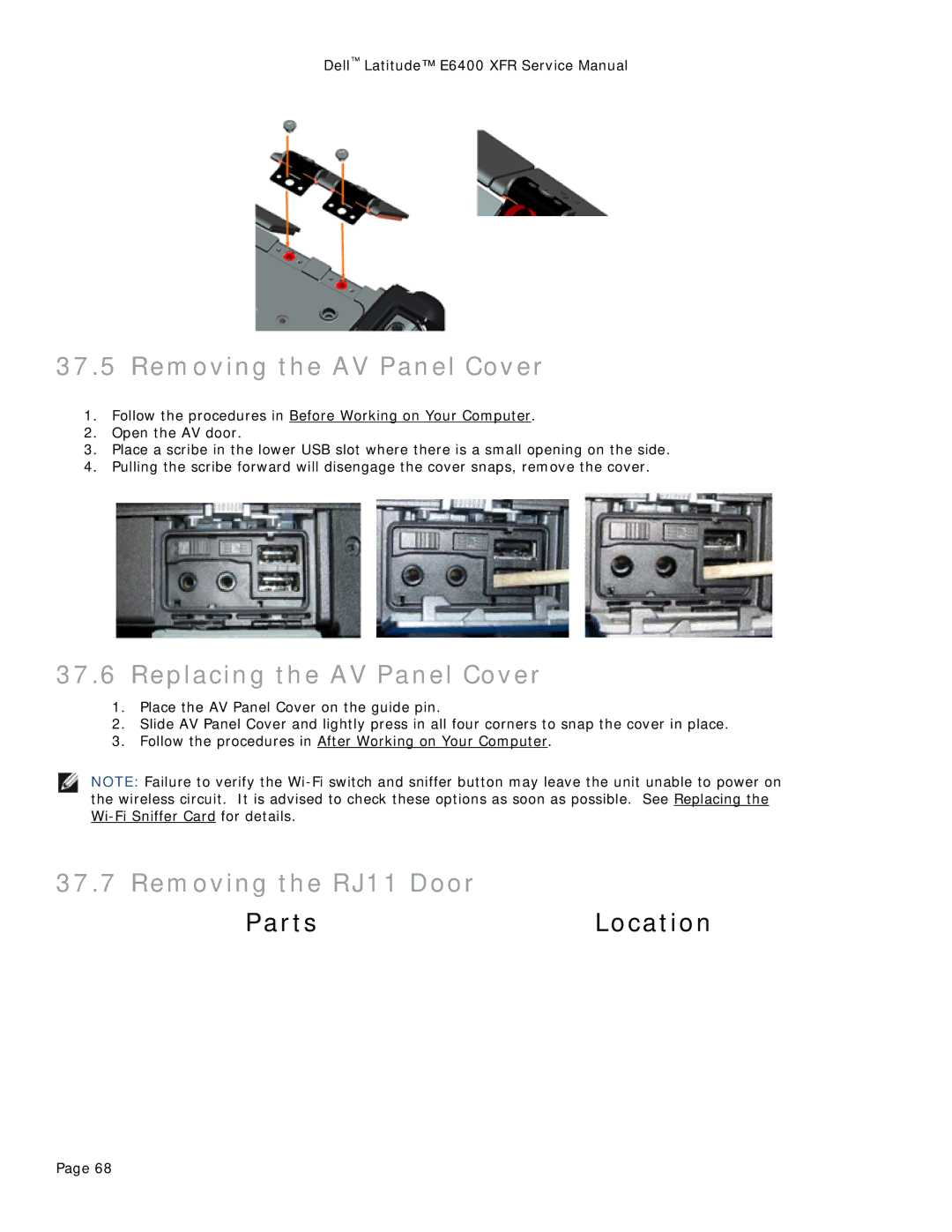
3.Place a scribe in the lower USB slot where there is a small opening on the side.
4.Pulling the scribe forward will disengage the cover snaps, remove the cover.
37.6Replacing the AV Panel Cover
1.Place the AV Panel Cover on the guide pin.
2.Slide AV Panel Cover and lightly press in all four corners to snap the cover in place.
3.Follow the procedures in After Working on Your Computer.
NOTE: Failure to verify the
37.7 Removing the RJ11 Door
PartsLocation
Page 68