Chapter 2 |
|
Memory card | How to insert the memory card |
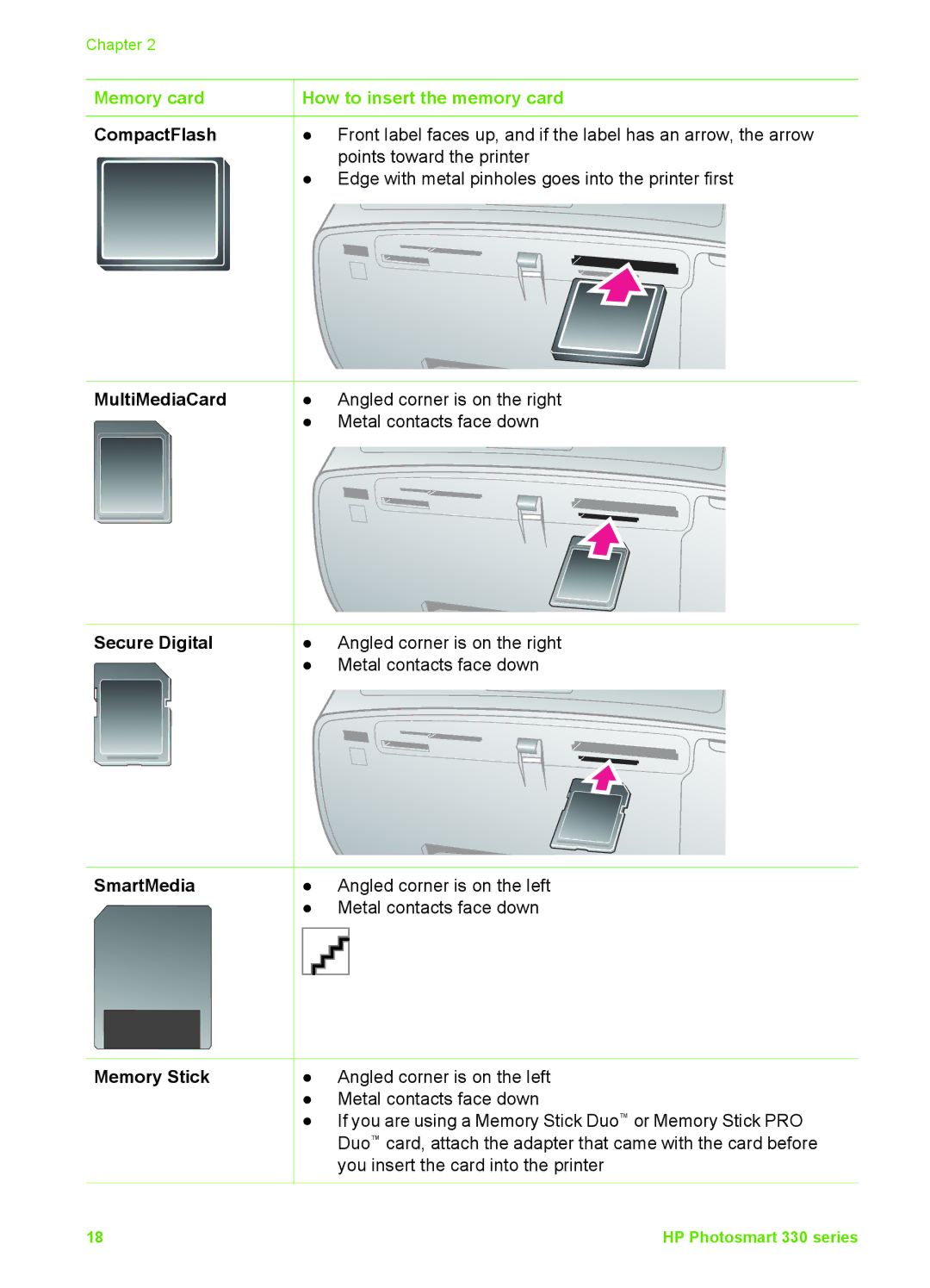
CompactFlash | ● Front label faces up, and if the label has an arrow, the arrow |
| points toward the printer |
●Edge with metal pinholes goes into the printer first
MultiMediaCard | ● | Angled corner is on the right |
| ● | Metal contacts face down |
Secure Digital | ● | Angled corner is on the right |
| ● | Metal contacts face down |
SmartMedia | ● | Angled corner is on the left |
| ● | Metal contacts face down |
Memory Stick | ● | Angled corner is on the left |
| ● Metal contacts face down | |
| ● | If you are using a Memory Stick Duo™ or Memory Stick PRO |
|
| Duo™ card, attach the adapter that came with the card before |
|
| you insert the card into the printer |
18 | HP Photosmart 330 series |