Aluminum Composite Materials (Alumacorr®, Allumalite®, Dibond®, and other brand names)
Considerations
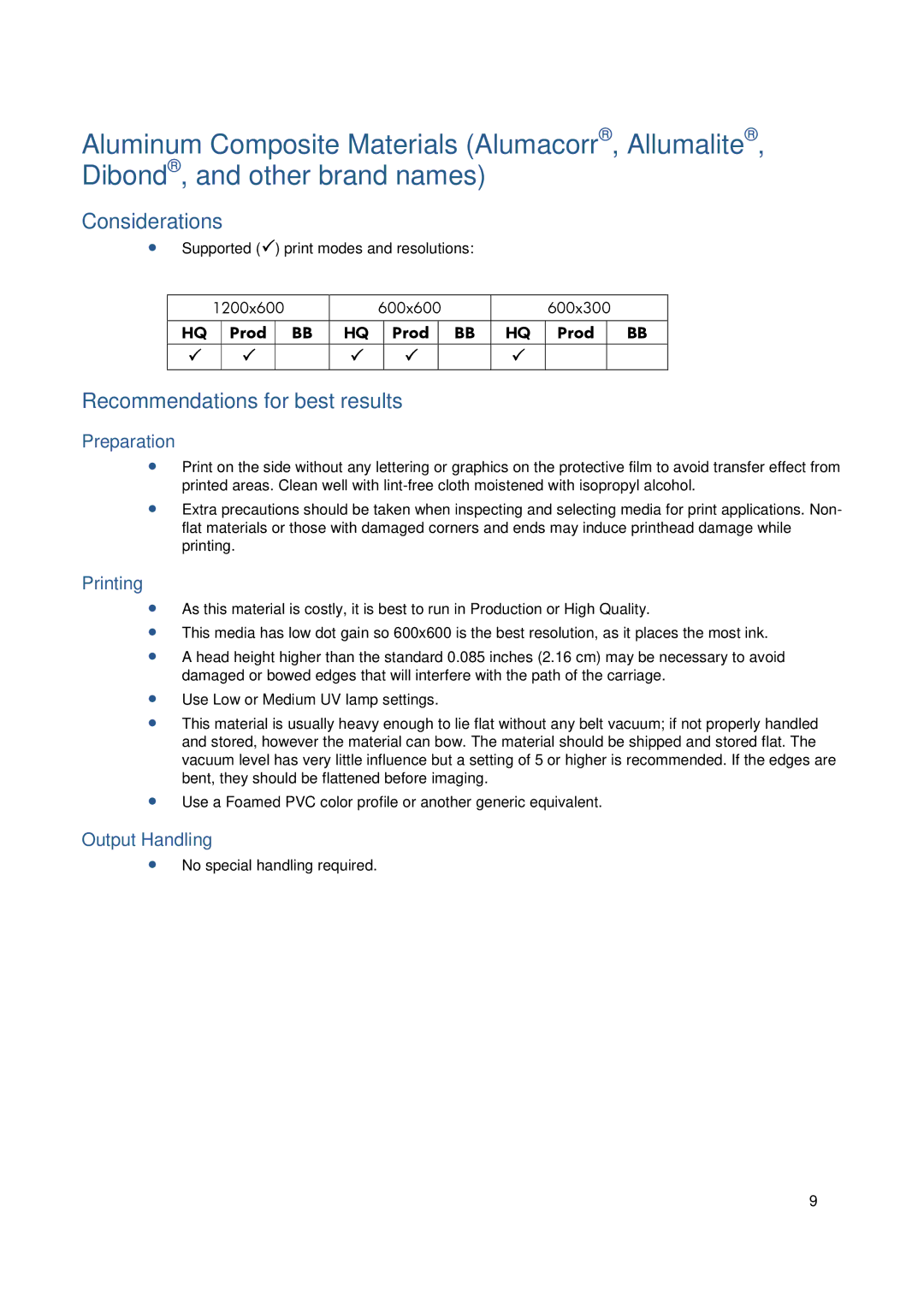
∙ Supported ( | ) print modes and resolutions: |
|
|
|
| |||||
|
|
|
|
|
|
|
|
|
|
|
| 1200x600 | 600x600 |
| 600x300 |
| |||||
|
|
|
|
|
|
|
|
|
|
|
| HQ | Prod | BB | HQ | Prod | BB | HQ | Prod |
| BB |
|
|
|
|
|
|
|
|
|
|
|
|
|
|
|
|
|
|
|
|
|
|
Recommendations for best results
Preparation
∙Print on the side without any lettering or graphics on the protective film to avoid transfer effect from printed areas. Clean well with
∙Extra precautions should be taken when inspecting and selecting media for print applications. Non- flat materials or those with damaged corners and ends may induce printhead damage while printing.
Printing
∙As this material is costly, it is best to run in Production or High Quality.
∙This media has low dot gain so 600x600 is the best resolution, as it places the most ink.
∙A head height higher than the standard 0.085 inches (2.16 cm) may be necessary to avoid damaged or bowed edges that will interfere with the path of the carriage.
∙Use Low or Medium UV lamp settings.
∙This material is usually heavy enough to lie flat without any belt vacuum; if not properly handled and stored, however the material can bow. The material should be shipped and stored flat. The vacuum level has very little influence but a setting of 5 or higher is recommended. If the edges are bent, they should be flattened before imaging.
∙Use a Foamed PVC color profile or another generic equivalent.
Output Handling
∙No special handling required.
9