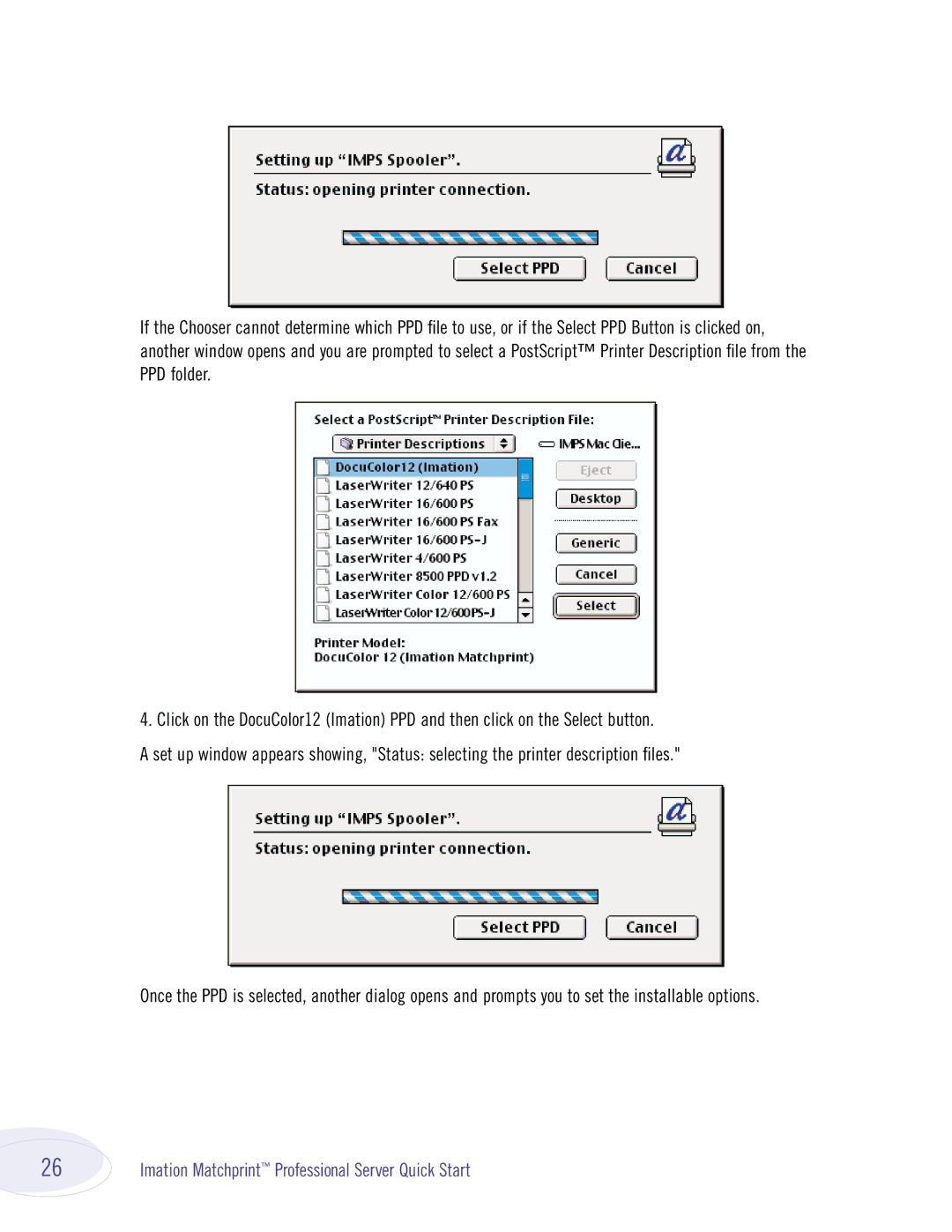
If the Chooser cannot determine which PPD file to use, or if the Select PPD Button is clicked on, another window opens and you are prompted to select a PostScript™ Printer Description file from the PPD folder.
4. Click on the DocuColor12 (Imation) PPD and then click on the Select button.
A set up window appears showing, "Status: selecting the printer description files."
Once the PPD is selected, another dialog opens and prompts you to set the installable options.
26 | Imation Matchprint™ Professional Server Quick Start |