NAVIGATION ON HDD/DVD DECK EN 43
Playback With MP3/WMA/JPEG Navigation
Locating The Desired Folders And Tracks
1Load a disc.
2Press NAVIGATION.
3Press selection keys to select AORIGINALB, then press
ENTER.
This unit can play back discs that MP3/WMA sound files and JPEG
4 Press selection keys to select |
the desired folder, then press |
NAVIGATION > ORIGINAL (INSERTED DISC)
image files taken with digital still cameras or other devices are recorded.
The MP3/WMA/JPEG Navigation enables you to search and select the desired files recorded on
● Turn on the TV and select the AV mode. |
● Slide the TV/DVD switch to DVD. |
ENTER. |
● A list of files in the selected |
folder appears. |
5 Press selection keys to select |
TRACK: ---/000
01 Whose Side Are You On
SELECT WITH @ THEN PRESS [ENTER]
PRESS [NAVIGATION] TO EXIT
NAVIGATION  ENTER
ENTER
EXIT  SELECT
> ROOT
01Whose Side Are You On
02Matt Bianco
03Indigo
04Samba In Your Casa
05Another Time Another Place
06Gran Via+5
07World Go Round
● Press DVD to select the DVD deck. |
NAVIGATION > ORIGINAL (INSERTED DISC)
TRACK: 001/010 |
> 01 Whose Side Are You On |
the desired item, then press |
ENTER. The unit starts |
playback from the selected |
item. |
● The unit stops when all items |
in the selected folder are |
played back. |
NOTES:
NAVIGATION > ORIGINAL (INSERTED DISC)
TRACK: 001/010
|
|
| > 01 Whose Side Are You On | |
SELECT WITH @ |
| |||
THEN PRESS [ENTER] |
| 01 | ||
|
|
| ||
PRESS [NAVIGATION] |
| 02 | ||
TO EXIT |
|
| 03 | |
|
|
| ||
|
|
| 04 | |
NAVIGATION | ENTER |
| 05 | |
EXIT | SELECT |
| 06 | |
|
|
|
|
|
SELECT WITH @ | |||
THEN PRESS [ENTER] | 01 | ||
|
| ||
PRESS [NAVIGATION] | 02 | ||
TO EXIT |
| 03 | |
|
| 04 | |
NAVIGATION | ENTER | 05 | |
EXIT | SELECT | 06 | |
|
| ||
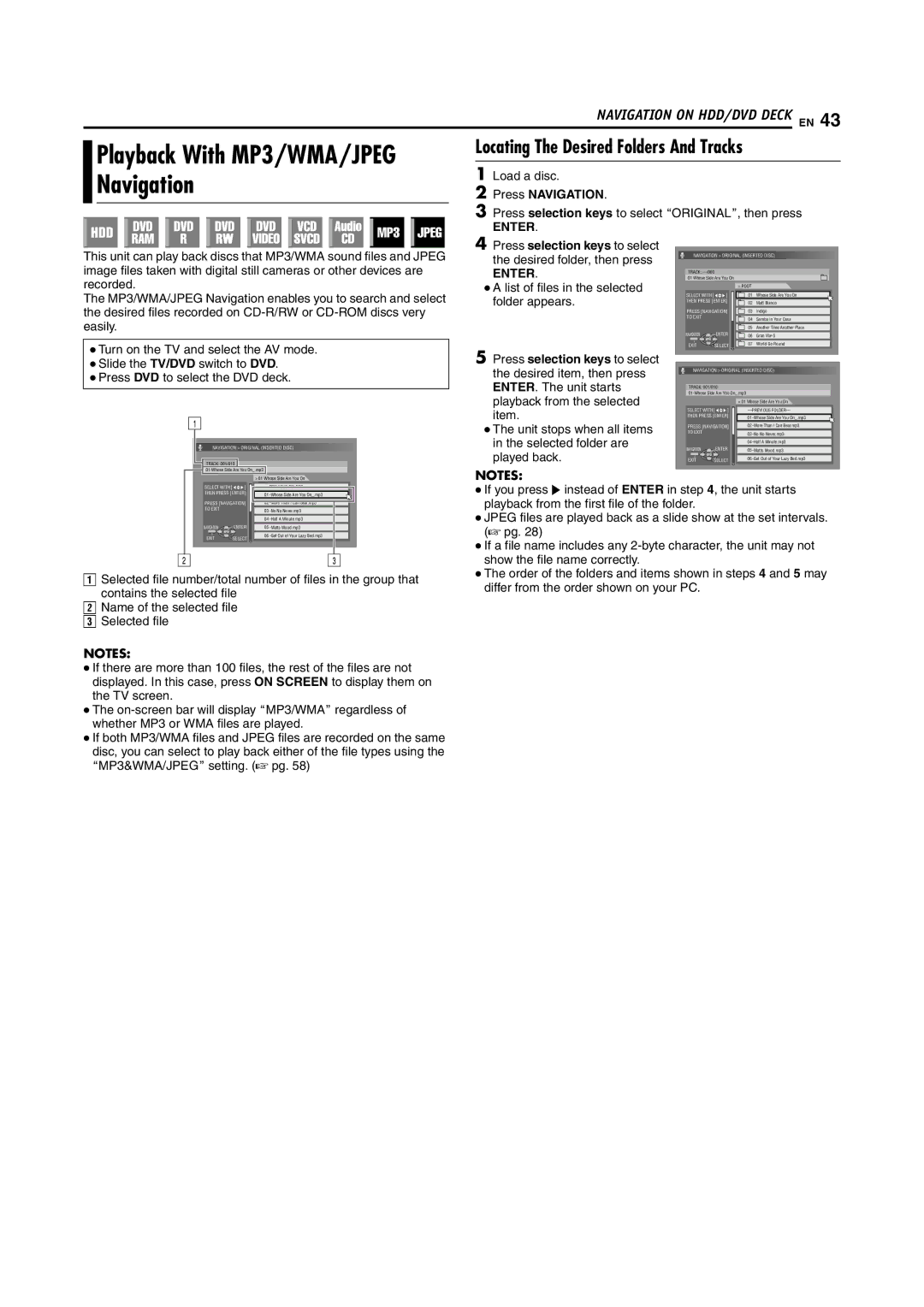
ASelected file number/total number of files in the group that contains the selected file
BName of the selected file
CSelected file
●If you press I instead of ENTER in step 4, the unit starts playback from the first file of the folder.
●JPEG files are played back as a slide show at the set intervals. (A pg. 28)
●If a file name includes any
●The order of the folders and items shown in steps 4 and 5 may differ from the order shown on your PC.
NOTES:
●If there are more than 100 files, the rest of the files are not displayed. In this case, press ON SCREEN to display them on the TV screen.
●The
●If both MP3/WMA files and JPEG files are recorded on the same disc, you can select to play back either of the file types using the AMP3&WMA/JPEGB setting. (A pg. 58)