1-Getting Started
The RAIDBank4 interface components
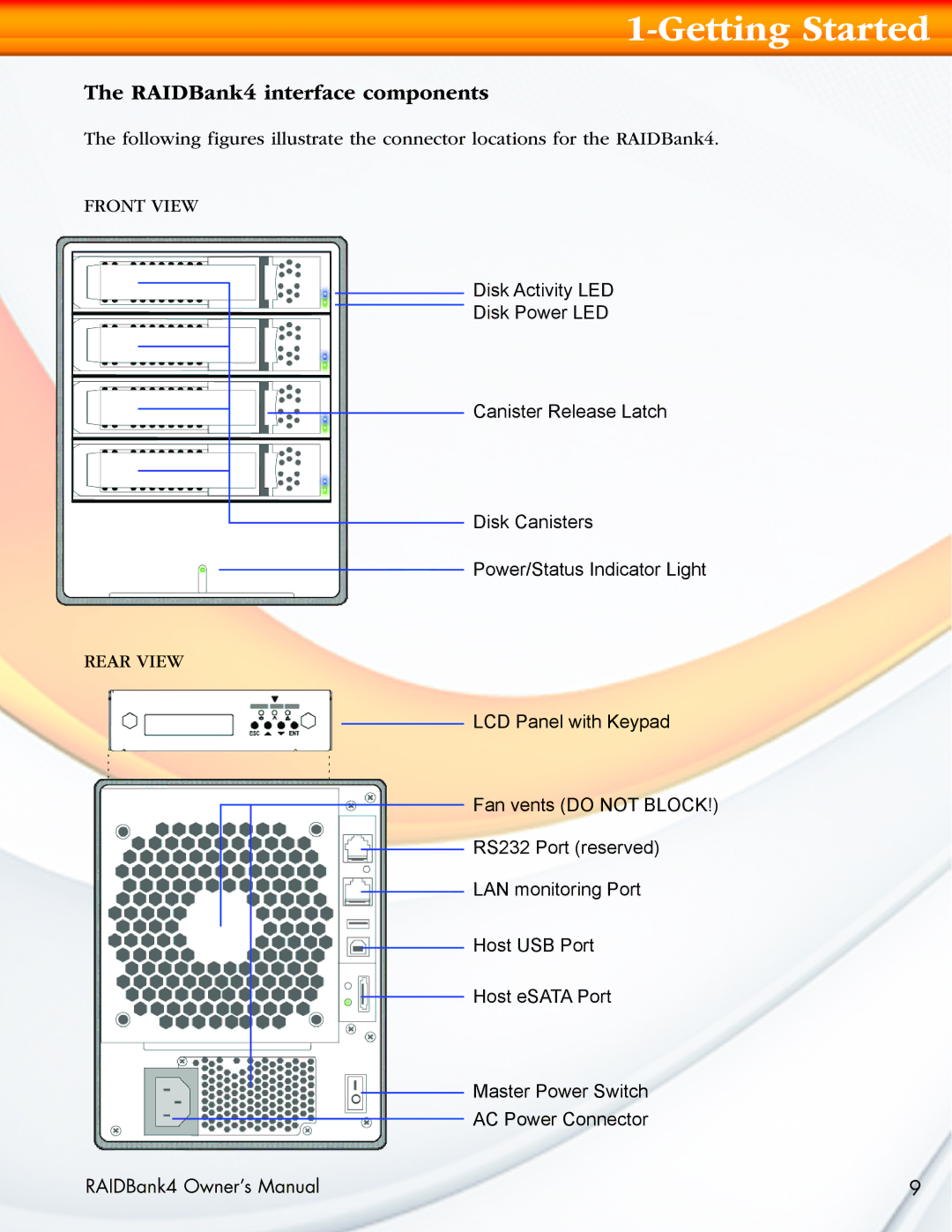
The following figures illustrate the connector locations for the RAIDBank4.
FRONT VIEW
Disk Activity LED
Disk Power LED
Canister Release Latch
Disk Canisters
Power/Status Indicator Light
REAR VIEW
LCD Panel with Keypad
Fan vents (DO NOT BLOCK!)
RS232 Port (reserved)
LAN monitoring Port
Host USB Port

 Host eSATA Port
Master Power Switch
AC Power Connector
RAIDBank4 Owner’s Manual | 9 |