Selecting brightness, language and set time functions
•
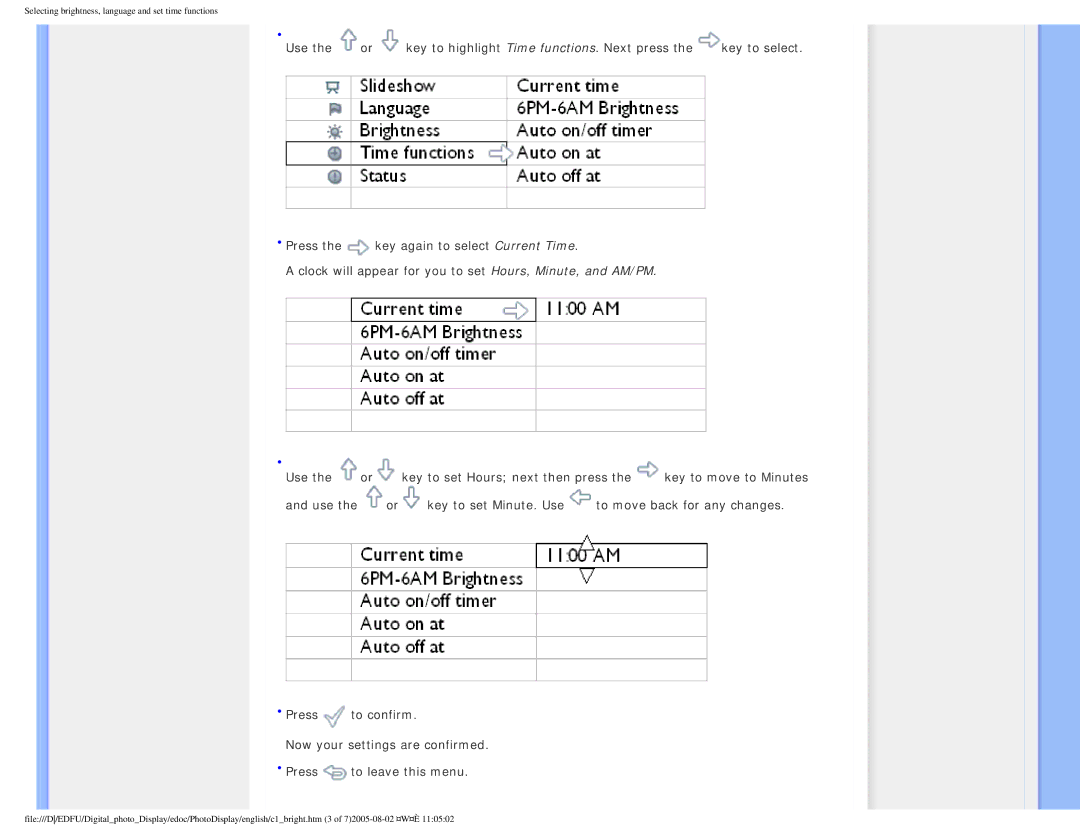
Use the | or | key to highlight Time functions. Next press the | key to select. |
•Press the  key again to select Current Time.
A clock will appear for you to set Hours, Minute, and AM/PM.
•
Use the  or
or key to set Hours; next then press the
  key to move to Minutes
and use the  or
or key to set Minute. Use
  to move back for any changes.
•Press  to confirm.
Now your settings are confirmed.
•Press  to leave this menu.
file:///D/EDFU/Digital_photo_Display/edoc/PhotoDisplay/english/c1_bright.htm (3 of