4SpeedTouch™ for Mac OS
4.1.2.Installation for Mac OS X (Mac OS10.1)
Mac OS • The following OS must be readily installed on your computer:
•Mac OS X (Mac OS10.1)
Note: Mac OS10.0 user are strongly recommended to download the free upgrade to Mac OS10.1.
•100 Mega Byte (MB) of free disk space
•A Web browser, e.g. Netscape Navigator, Internet Explorer, ... for surfing the Internet.
SpeedTouch™ software installation
Step |
| Action |
|
|
| ||
1 | Insert the SpeedTouch™ Installation | ||
| drive. |
|
|
|
|
| |
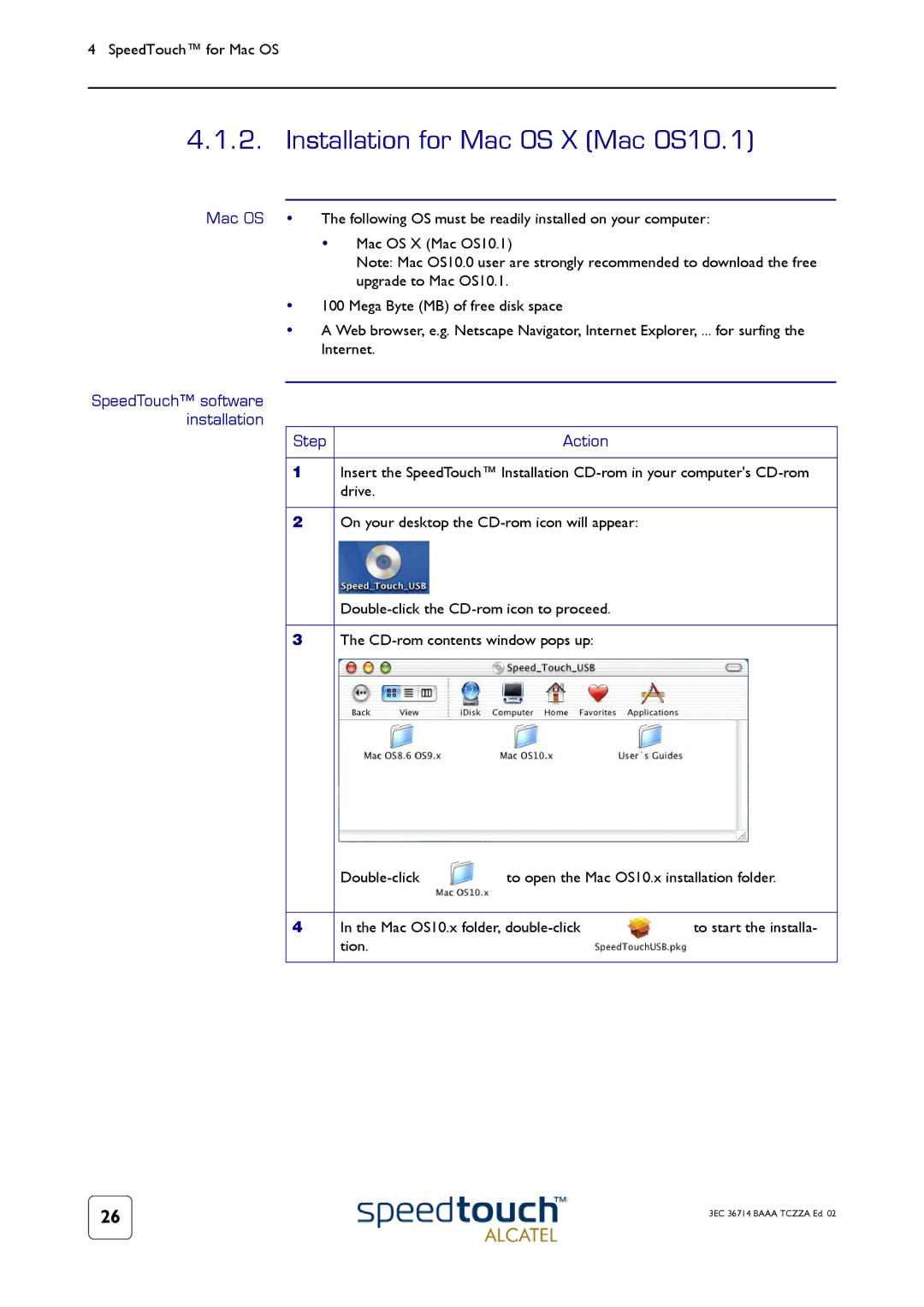
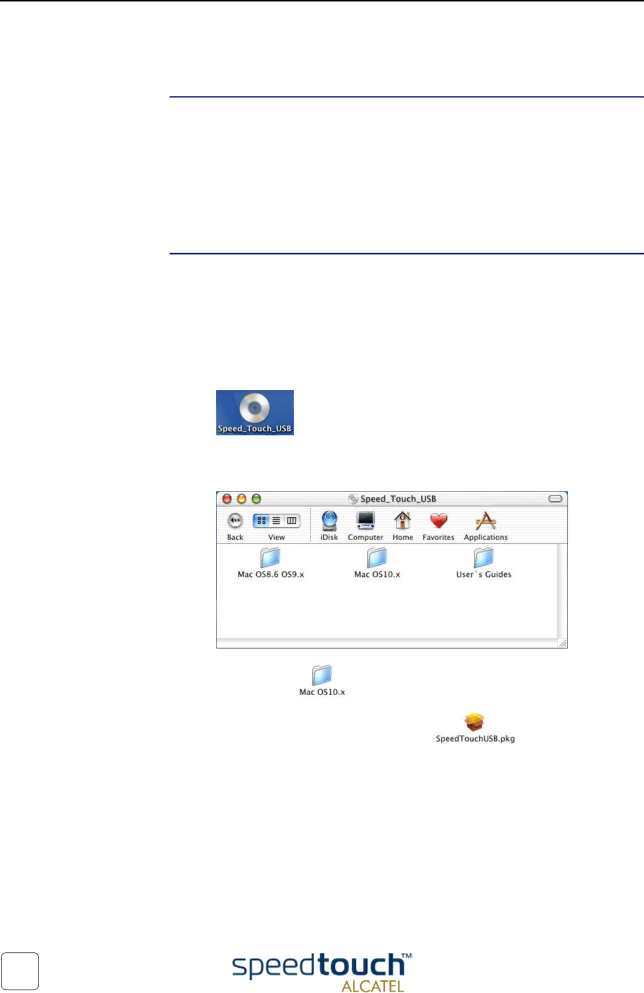
2 | On your desktop the |
| |
|
| ||
|
|
| |
3 | The |
| |
| to open the Mac OS10.x installation folder. | ||
|
|
| |
4 | In the Mac OS10.x folder, | to start the installa- | |
| tion. |
|
|
|
|
|
|
26 | 3EC 36714 BAAA TCZZA Ed. 02 |
|