Direct Play |
| Repeat or Random Play |
CD/MD Playback | Repeat or Random Play - |
Advanced | - Direct Play / |
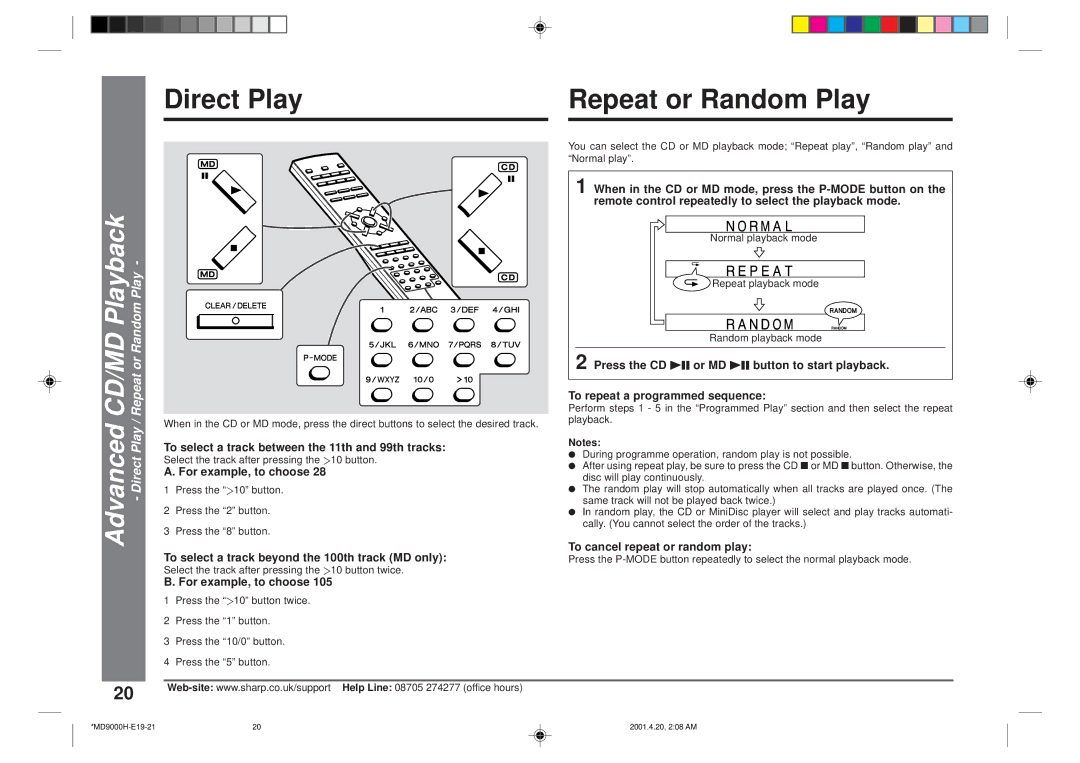
When in the CD or MD mode, press the direct buttons to select the desired track.
To select a track between the 11th and 99th tracks: Select the track after pressing the Y10 button.
A. For example, to choose 28
1Press the “Y10” button.
2Press the “2” button.
3Press the “8” button.
To select a track beyond the 100th track (MD only):
Select the track after pressing the Y10 button twice.
B. For example, to choose 105
1Press the “Y10” button twice.
2Press the “1” button.
3Press the “10/0” button.
4Press the “5” button.
You can select the CD or MD playback mode; “Repeat play”, “Random play” and “Normal play”.
1 When in the CD or MD mode, press the
Normal playback mode
Repeat playback mode
Random playback mode
2 Press the CD 06 or MD 06 button to start playback.
To repeat a programmed sequence:
Perform steps 1 - 5 in the “Programmed Play” section and then select the repeat playback.
Notes:
●During programme operation, random play is not possible.
●After using repeat play, be sure to press the CD ■ or MD ■ button. Otherwise, the disc will play continuously.
●The random play will stop automatically when all tracks are played once. (The same track will not be played back twice.)
●In random play, the CD or MiniDisc player will select and play tracks automati- cally. (You cannot select the order of the tracks.)
To cancel repeat or random play:
Press the
20
20 | 2001.4.20, 2:08 AM |