■Types of discs
There are two types of discs:
● | ● Recordable MiniDisc: |
This type of MiniDisc usually contains | This is a “raw disc” on which recording |
commercially available | can be performed. This is a magneto- |
music. This is the same kind of optical | optical disc. |
disc as CDs. Playback is performed | Recordings are made using a laser and |
using an optical pickup. | a modulated magnetic field. Repeated |
(Recording and editing are not pos- | recording is possible. |
sible.) |
|
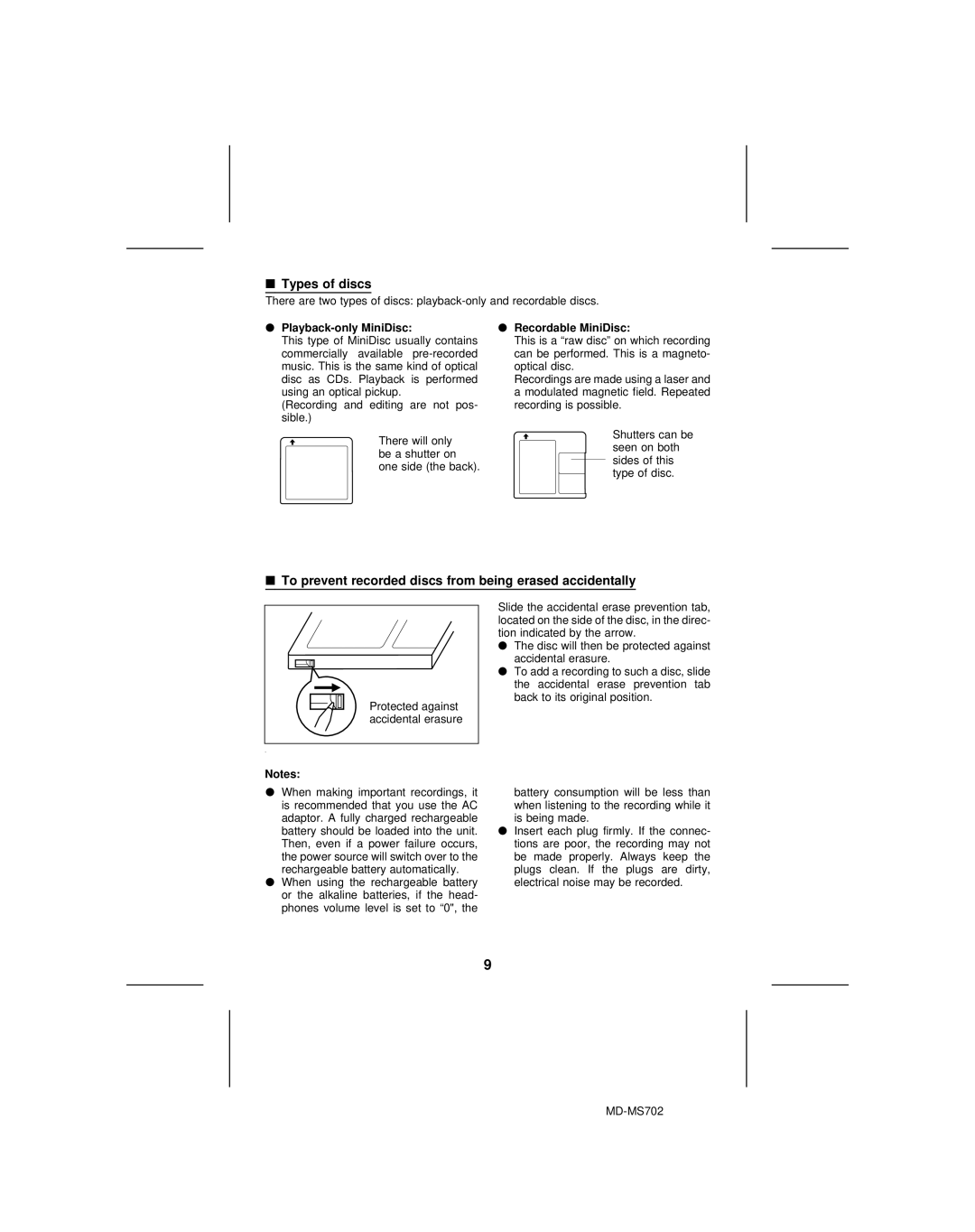
There will only be a shutter on one side (the back).
Shutters can be seen on both sides of this type of disc.
■ To prevent recorded discs from being erased accidentally |
Slide the accidental erase prevention tab, |
located on the side of the disc, in the direc- |
tion indicated by the arrow. |
● The disc will then be protected against |
accidental erasure. |
● To add a recording to such a disc, slide |
the accidental erase prevention tab |
back to its original position. |
Protected against |
accidental erasure |
Notes: |
●When making important recordings, it is recommended that you use the AC adaptor. A fully charged rechargeable battery should be loaded into the unit. Then, even if a power failure occurs, the power source will switch over to the rechargeable battery automatically.
●When using the rechargeable battery or the alkaline batteries, if the head- phones volume level is set to “0", the
battery consumption will be less than when listening to the recording while it is being made.
●Insert each plug firmly. If the connec- tions are poor, the recording may not be made properly. Always keep the plugs clean. If the plugs are dirty, electrical noise may be recorded.
9