Enlarging a Specific Portion of an Image
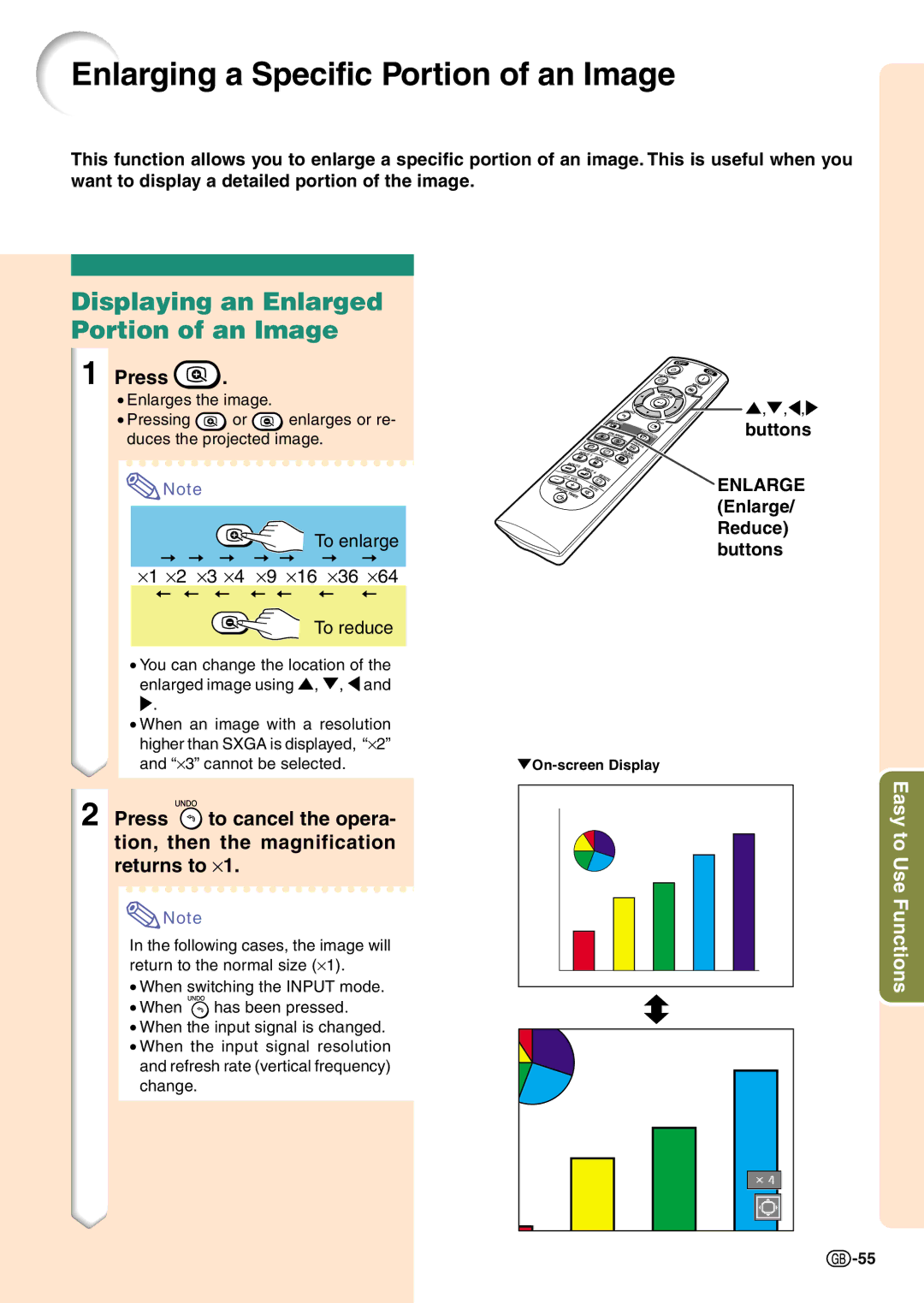
This function allows you to enlarge a specific portion of an image. This is useful when you want to display a detailed portion of the image.
Displaying an Enlarged Portion of an Image
1 Press | . |
|
• Enlarges the image. |
| |
• Pressing | or | enlarges or re- |
duces the projected image.
 Note
Note

 To enlarge ⋅1 ⋅2 ⋅3 ⋅4 ⋅9 ⋅16 ⋅36 ⋅64
To reduce
•You can change the location of the enlarged image using ', ", \ and
.
•When an image with a resolution higher than SXGA is displayed, “⋅2” and “⋅3” cannot be selected.
2 Press  to cancel the opera- tion, then the magnification returns to ⋅1.
 Note
Note
In the following cases, the image will return to the normal size (⋅1).
•When switching the INPUT mode.
•When  has been pressed.
•When the input signal is changed.
•When the input signal resolution and refresh rate (vertical frequency) change.
',",\,
buttons
ENLARGE (Enlarge/ Reduce) buttons
Easy to Use Functions
 -55
-55