E6581429
3.2 Setting/monitor modes
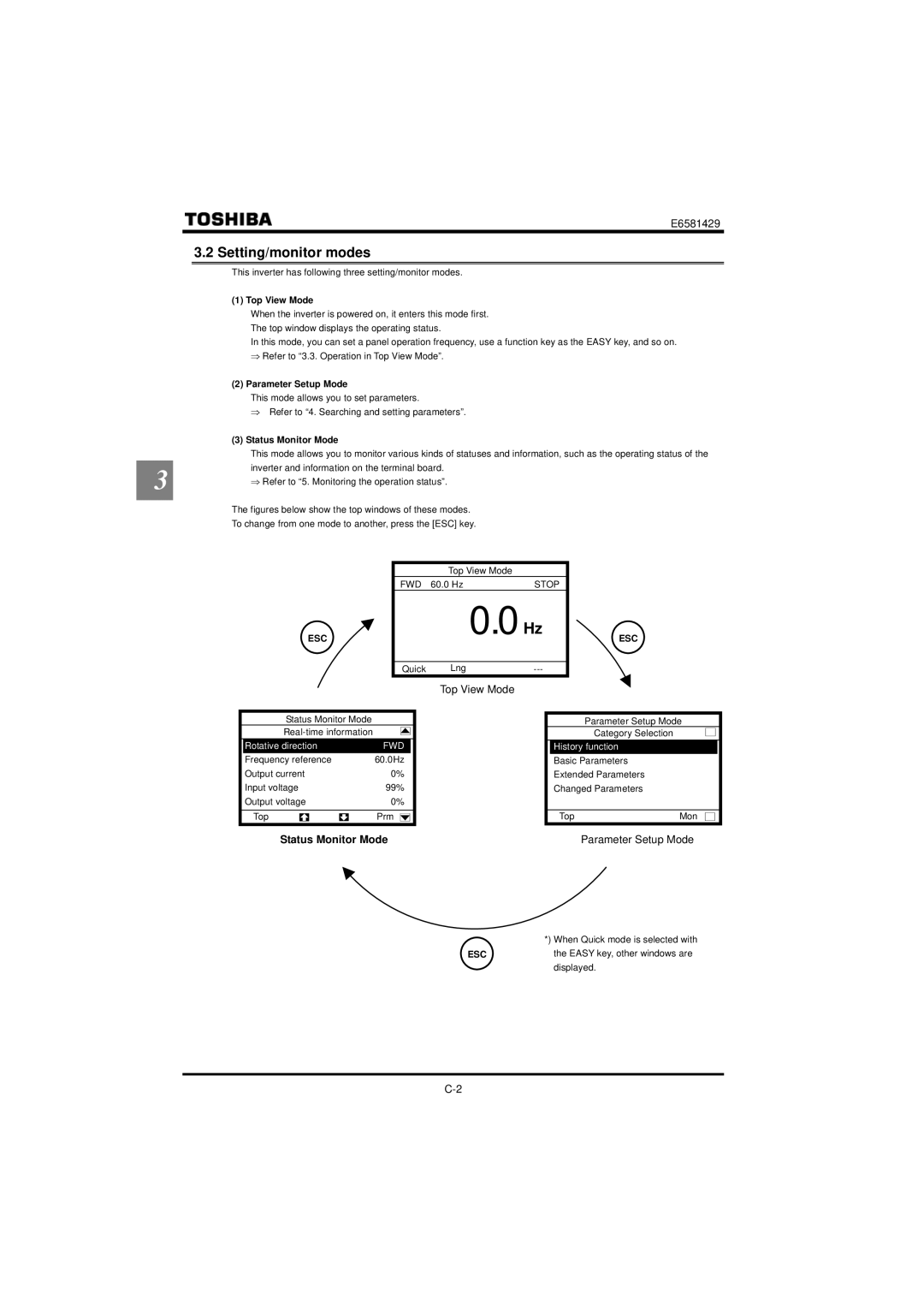
This inverter has following three setting/monitor modes.
(1) Top View Mode
When the inverter is powered on, it enters this mode first. The top window displays the operating status.
In this mode, you can set a panel operation frequency, use a function key as the EASY key, and so on. ⇒ Refer to “3.3. Operation in Top View Mode”.
(2) Parameter Setup Mode
This mode allows you to set parameters.
⇒ Refer to “4. Searching and setting parameters”.
(3) Status Monitor Mode
| This mode allows you to monitor various kinds of statuses and information, such as the operating status of the | |
3 | inverter and information on the terminal board. | |
⇒ Refer to “5. Monitoring the operation status”. | ||
|
The figures below show the top windows of these modes.
To change from one mode to another, press the [ESC] key.
Top View Mode
FWD 60.0 Hz | STOP |
ESC
0.0 Hz
ESC
Quick | Lng |
Top View Mode
Status Monitor Mode
| Rotative direction |
| FWD |
| |||
| Frequency reference |
| 60.0Hz | ||||
| Output current | 0% |
| ||||
| Input voltage | 99% |
| ||||
| Output voltage | 0% |
| ||||
|
|
|
|
|
|
|
|
| Top |
|
|
| Prm |
|
|
|
|
| |||||
Parameter Setup Mode
Category Selection
History function
Basic Parameters
Extended Parameters
Changed Parameters
TopMon
Status Monitor Mode | Parameter Setup Mode |
*) When Quick mode is selected with
ESCthe EASY key, other windows are displayed.