EDITING SOUND FIELD PARAMETERS

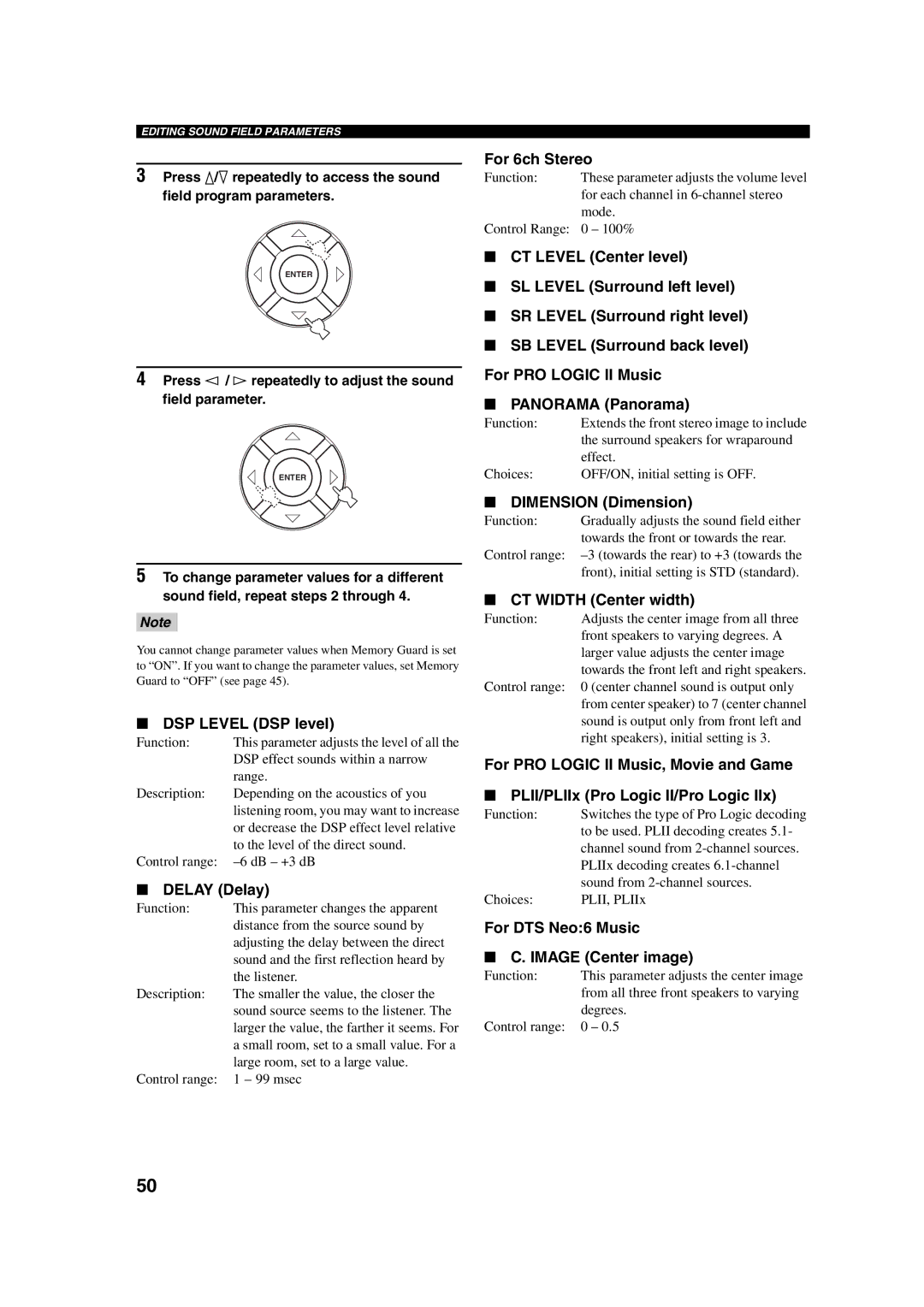
3Press k/n repeatedly to access the sound field program parameters.

ENTER

4Press l / h repeatedly to adjust the sound field parameter.

ENTER

5To change parameter values for a different sound field, repeat steps 2 through 4.

Note

You cannot change parameter values when Memory Guard is set to “ON”. If you want to change the parameter values, set Memory Guard to “OFF” (see page 45).

DSP LEVEL (DSP level)

Function:

This parameter adjusts the level of all the


DSP effect sounds within a narrow


range.

Description:

Depending on the acoustics of you


listening room, you may want to increase


or decrease the DSP effect level relative


to the level of the direct sound.

Control range:

–6 dB – +3 dB

DELAY (Delay)

Function:

This parameter changes the apparent


distance from the source sound by


adjusting the delay between the direct


sound and the first reflection heard by


the listener.

Description:

The smaller the value, the closer the


sound source seems to the listener. The


larger the value, the farther it seems. For


a small room, set to a small value. For a


large room, set to a large value.

Control range:

1 – 99 msec

For 6ch Stereo

Function:

These parameter adjusts the volume level


for each channel in 6-channel stereo


mode.

Control Range:

0 – 100%

CT LEVEL (Center level)

SL LEVEL (Surround left level)

SR LEVEL (Surround right level)

SB LEVEL (Surround back level) For PRO LOGIC II Music

PANORAMA (Panorama)

Function:

Extends the front stereo image to include


the surround speakers for wraparound


effect.

Choices:

OFF/ON, initial setting is OFF.

DIMENSION (Dimension)

Function:

Gradually adjusts the sound field either


towards the front or towards the rear.

Control range:

–3 (towards the rear) to +3 (towards the


front), initial setting is STD (standard).

CT WIDTH (Center width)

Function:

Adjusts the center image from all three


front speakers to varying degrees. A


larger value adjusts the center image


towards the front left and right speakers.

Control range:

0 (center channel sound is output only


from center speaker) to 7 (center channel


sound is output only from front left and


right speakers), initial setting is 3.

For PRO LOGIC II Music, Movie and Game

PLII/PLIIx (Pro Logic II/Pro Logic IIx)

Function:

Switches the type of Pro Logic decoding


to be used. PLII decoding creates 5.1-


channel sound from 2-channel sources.


PLIIx decoding creates 6.1-channel


sound from 2-channel sources.

Choices:

PLII, PLIIx

For DTS Neo:6 Music

C. IMAGE (Center image)

Function:

This parameter adjusts the center image


from all three front speakers to varying


degrees.

Control range:

0 – 0.5

50

Page 52
Image 52
Yamaha RX-SL100RDS DSP Level DSP level, Delay Delay, For 6ch Stereo, Dimension Dimension, CT Width Center width

RX-SL100RDS specifications

The Yamaha RX-SL100RDS is a versatile and compact stereo receiver that caters to both casual listeners and audiophiles alike. Its sleek design and advanced technologies provide an enjoyable audio experience, making it a great addition to any home entertainment setup.

One of the standout features of the RX-SL100RDS is its ability to deliver high-quality sound. Powered by Yamaha’s proprietary technology, the receiver boasts a dynamic power output that allows it to drive speakers with clarity and precision. The high-fidelity audio performance is complemented by the advanced digital signal processing, which enhances the overall listening experience across various music genres.

In terms of connectivity, the RX-SL100RDS supports a range of input options, including multiple analog and digital inputs, allowing users to connect various audio sources seamlessly. The inclusion of Bluetooth technology enables wireless streaming from smartphones, tablets, and other compatible devices, affording users enhanced flexibility and convenience.

The built-in RDS (Radio Data System) tuner is another noteworthy feature, enabling users to access a wide array of FM stations along with useful information, such as station names and song titles. The tuner’s automatic memory function makes it easy to store preferred stations for quick access.

Yamaha's YPAO (Yamaha Parametric room Acoustic Optimizer) technology is integrated into the RX-SL100RDS, allowing for automatic audio calibration. This innovative feature analyzes the room's acoustics and adjusts the output for optimal sound quality, providing an enhanced auditory experience in any environment.

The design of the RX-SL100RDS is both stylish and functional. Its compact size makes it suitable for smaller spaces, without compromising on performance. The user-friendly interface, complete with an easy-to-read display, ensures that navigating through settings and options is hassle-free.

Additionally, the receiver is equipped with advanced thermal management systems that provide reliable performance during extended listening sessions. With its durable build quality and classic Yamaha aesthetics, the RX-SL100RDS is not only reliable in performance but also visually appealing.

Overall, the Yamaha RX-SL100RDS is a feature-packed stereo receiver that combines advanced audio technology, user-friendly connectivity options, and elegant design, making it an excellent choice for anyone looking to enhance their home audio experience.