ACL Overview
Configuring ACLs
page 25-4
OmniSwitch 6600 Family Network Configuration Guide
April 2006
ACL Overview
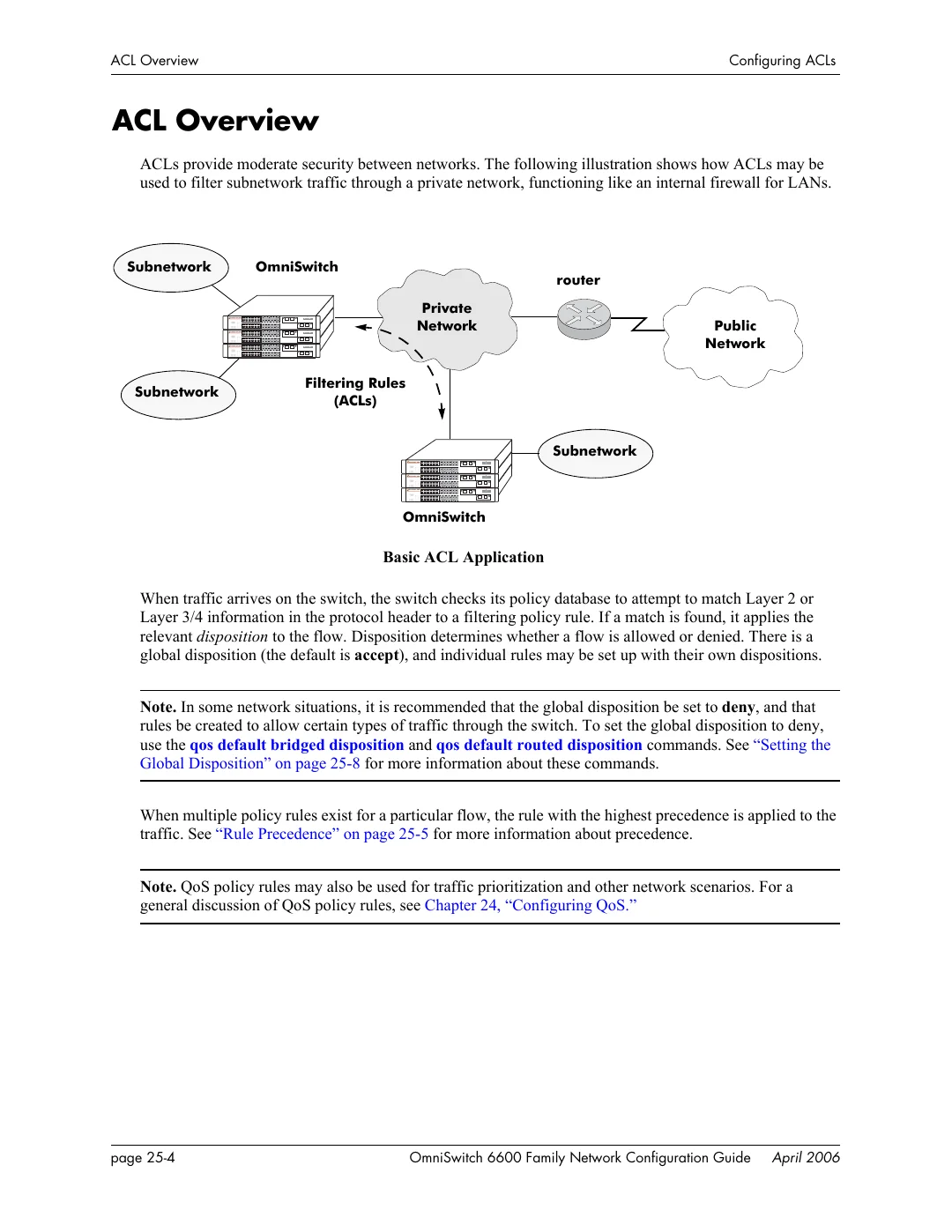
ACLs provide moderate security between networks. The following illustration shows how ACLs may be
used to filter subnetwork traffic through a private network, functioning like an internal firewall for LANs.
When traffic arrives on the switch, the switch checks its policy database to attempt to match Layer 2 or
Layer 3/4 information in the protocol header to a filtering policy rule. If a match is found, it applies the
relevant
disposition
to the flow. Disposition determines whether a flow is allowed or denied. There is a
global disposition (the default is
accept
), and individual rules may be set up with their own dispositions.
Note.
In some network situations, it is recommended that the global disposition be set to
deny
, and that
rules be created to allow certain types of traffic through the switch. To set the global disposition to deny,
use the
qos default bridged disposition
and
qos default routed disposition
commands. See
Global Disposition” on page 25-8
for more information about these commands.
When multiple policy rules exist for a particular flow, the rule with the highest precedence is applied to the
traffic. See
“Rule Precedence” on page 25-5
for more information about precedence.
Note.
QoS policy rules may also be used for traffic prioritization and other network scenarios. For a
general discussion of QoS policy rules, see
Chapter 24, “Configuring QoS.”
OmniSwitch
Subnetwork
Subnetwork
Subnetwork
Private
Network
Public
Network
router
OmniSwitch
Filtering Rules
(ACLs)
Basic ACL Application
OmniSwitch 6648
OmniSwitch 6648
OmniSwitch 6648
OmniSwitch 6648
OmniSwitch 6648
OmniSwitch 6648