Application Example
Configuring Static Link Aggregation
page 12-16
OmniSwitch 6600 Family Network Configuration Guide
April 2006
Application Example
Static link aggregation groups are treated by the switch’s software the same way it treats individual physi-
cal ports. This section demonstrates this by providing a sample network configuration that uses static link
aggregation along with other software features. In addition, a tutorial is provided that shows how to
configure this sample network using Command Line Interface (CLI) commands.
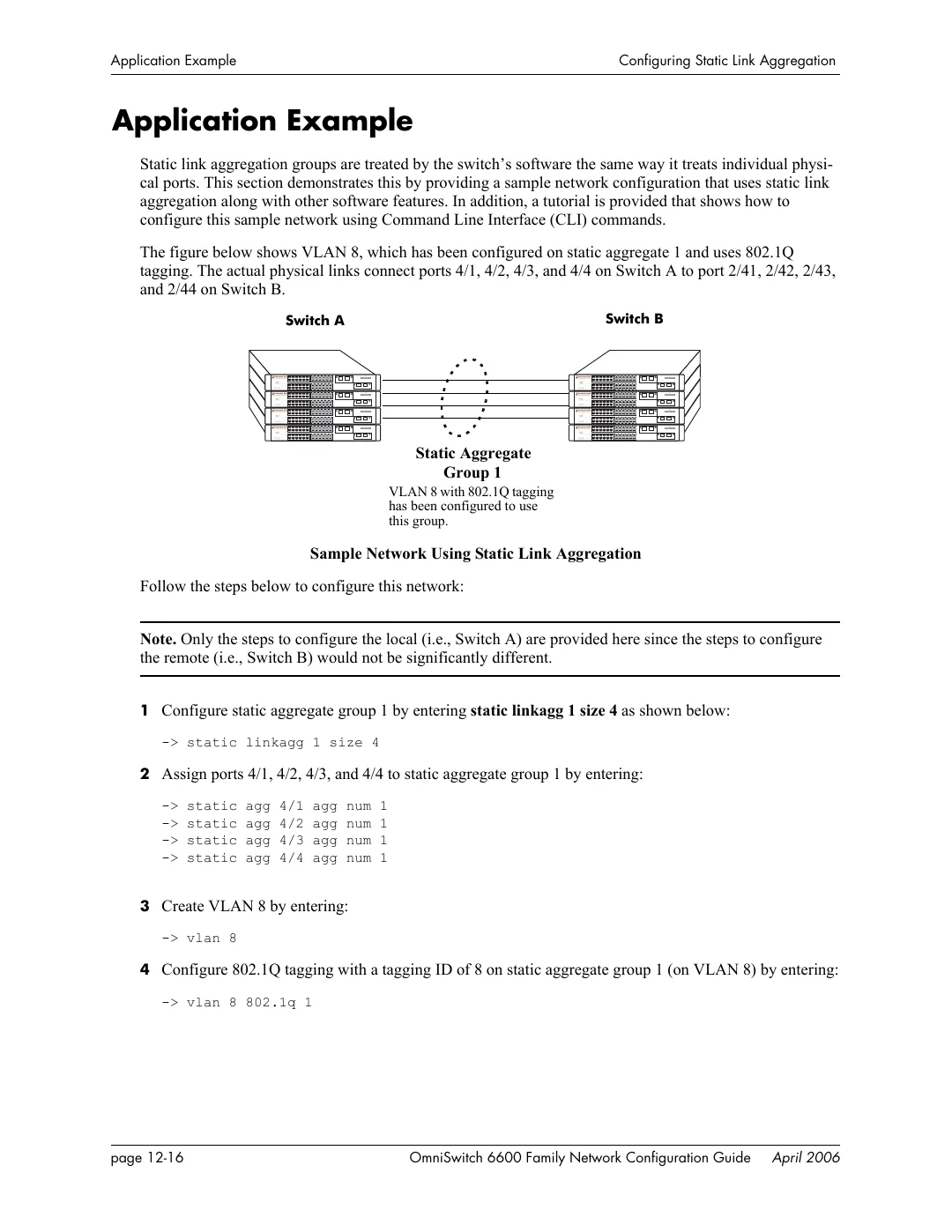
The figure below shows VLAN 8, which has been configured on static aggregate 1 and uses 802.1Q
tagging. The actual physical links connect ports 4/1, 4/2, 4/3, and 4/4 on Switch A to port 2/41, 2/42, 2/43,
and 2/44 on Switch B.
Sample Network Using Static Link Aggregation
Follow the steps below to configure this network:
Note.
Only the steps to configure the local (i.e., Switch A) are provided here since the steps to configure
the remote (i.e., Switch B) would not be significantly different.
1
Configure static aggregate group 1 by entering
static linkagg 1 size 4
as shown below:
-> static linkagg 1 size 4
2
Assign ports 4/1, 4/2, 4/3, and 4/4 to static aggregate group 1 by entering:
-> static agg 4/1 agg num 1
-> static agg 4/2 agg num 1
-> static agg 4/3 agg num 1
-> static agg 4/4 agg num 1
3
Create VLAN 8 by entering:
-> vlan 8
4
Configure 802.1Q tagging with a tagging ID of 8 on static aggregate group 1 (on VLAN 8) by entering:
-> vlan 8 802.1q 1
Static Aggregate
Group 1
VLAN 8 with 802.1Q tagging
has been configured to use
this group.
Switch B
Switch A
OmniSwitch 6648
OmniSwitch 6648
OmniSwitch 6648
OmniSwitch 6648
OmniSwitch 6648
OmniSwitch 6648
OmniSwitch 6648
OmniSwitch 6648