Understanding Mobile Port Properties
Assigning Ports to VLANs
page 7-16
OmniSwitch 6600 Family Network Configuration Guide
April 2006
Configuring Mobile Port Properties
Mobile port properties indicate mobile port status and affect port behavior when the port is dynamically
assigned to one or more VLANs. For example, mobile port properties determine the following:
•
Should the configured default VLAN forward or discard port traffic that does not match any VLAN
rule criteria.
•
Should the port retain or drop a dynamic VPA when traffic that triggered the assignment stops and the
source MAC address learned on the port for that VLAN is aged out. (See
for more information about the aging of MAC addresses.)
•
Will the mobile port participate in Layer 2 authentication that provides a login process at the VLAN
and/or port level. (See
Chapter 21, “Configuring Authenticated VLANs,”
and
for more information.).
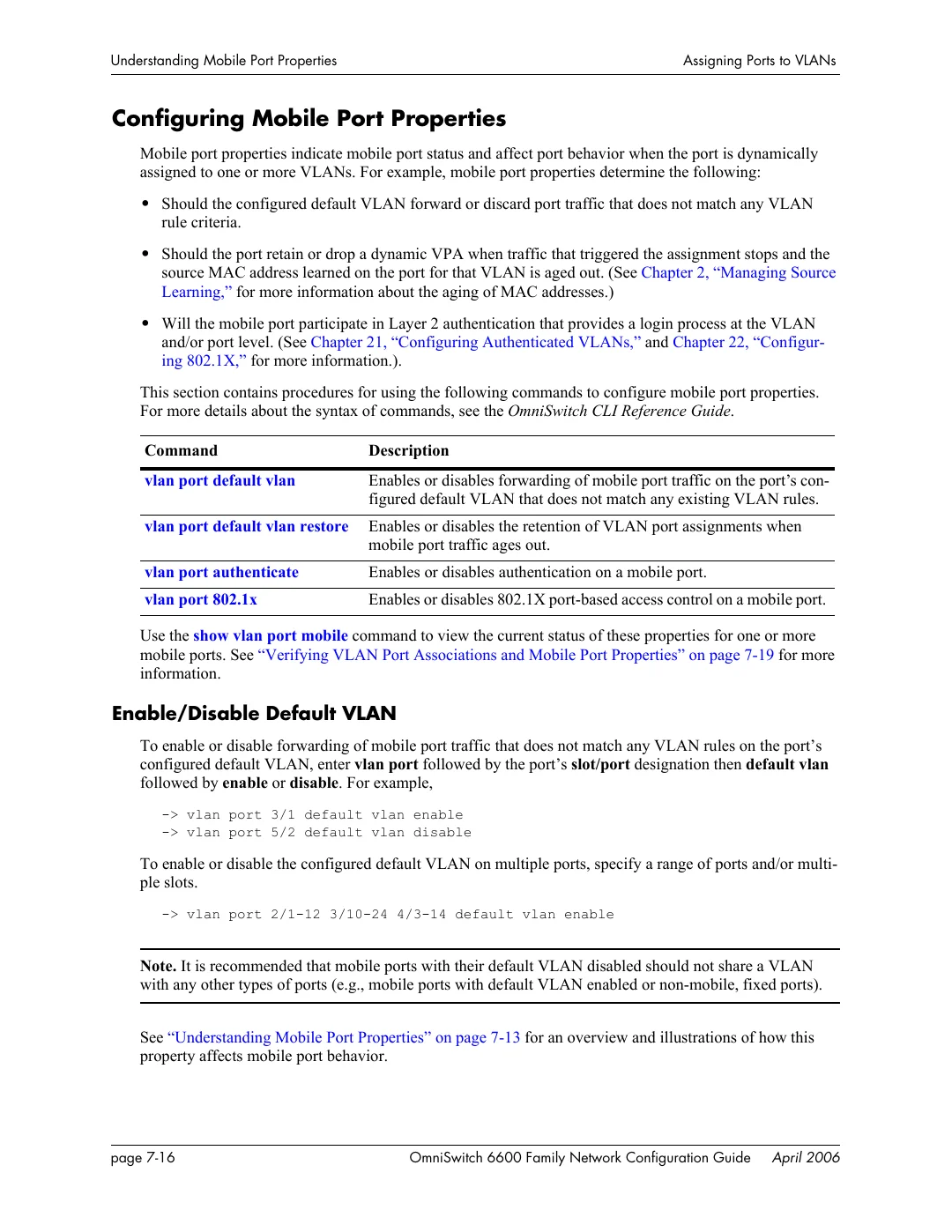
This section contains procedures for using the following commands to configure mobile port properties.
For more details about the syntax of commands, see the
OmniSwitch
CLI Reference Guide
.
Use the
command to view the current status of these properties for one or more
mobile ports. See
“Verifying VLAN Port Associations and Mobile Port Properties” on page 7-19
for more
information.
Enable/Disable Default VLAN
To enable or disable forwarding of mobile port traffic that does not match any VLAN rules on the port’s
configured default VLAN, enter
vlan port
followed by the port’s
slot/port
designation then
default vlan
followed by
enable
or
disable
. For example,
-> vlan port 3/1 default vlan enable
-> vlan port 5/2 default vlan disable
To enable or disable the configured default VLAN on multiple ports, specify a range of ports and/or multi-
ple slots.
-> vlan port 2/1-12 3/10-24 4/3-14 default vlan enable
Note.
It is recommended that mobile ports with their default VLAN disabled should not share a VLAN
with any other types of ports (e.g., mobile ports with default VLAN enabled or non-mobile, fixed ports).
See
“Understanding Mobile Port Properties” on page 7-13
for an overview and illustrations of how this
property affects mobile port behavior.
Command
Description
Enables or disables forwarding of mobile port traffic on the port’s con-
figured default VLAN that does not match any existing VLAN rules.
vlan port default vlan restore
Enables or disables the retention of VLAN port assignments when
mobile port traffic ages out.
Enables or disables authentication on a mobile port.
Enables or disables 802.1X port-based access control on a mobile port.