Configuring VRRP
VRRP Application Example
OmniSwitch 6600 Family Network Configuration Guide
April 2006
page 19-15
VRRP Application Example
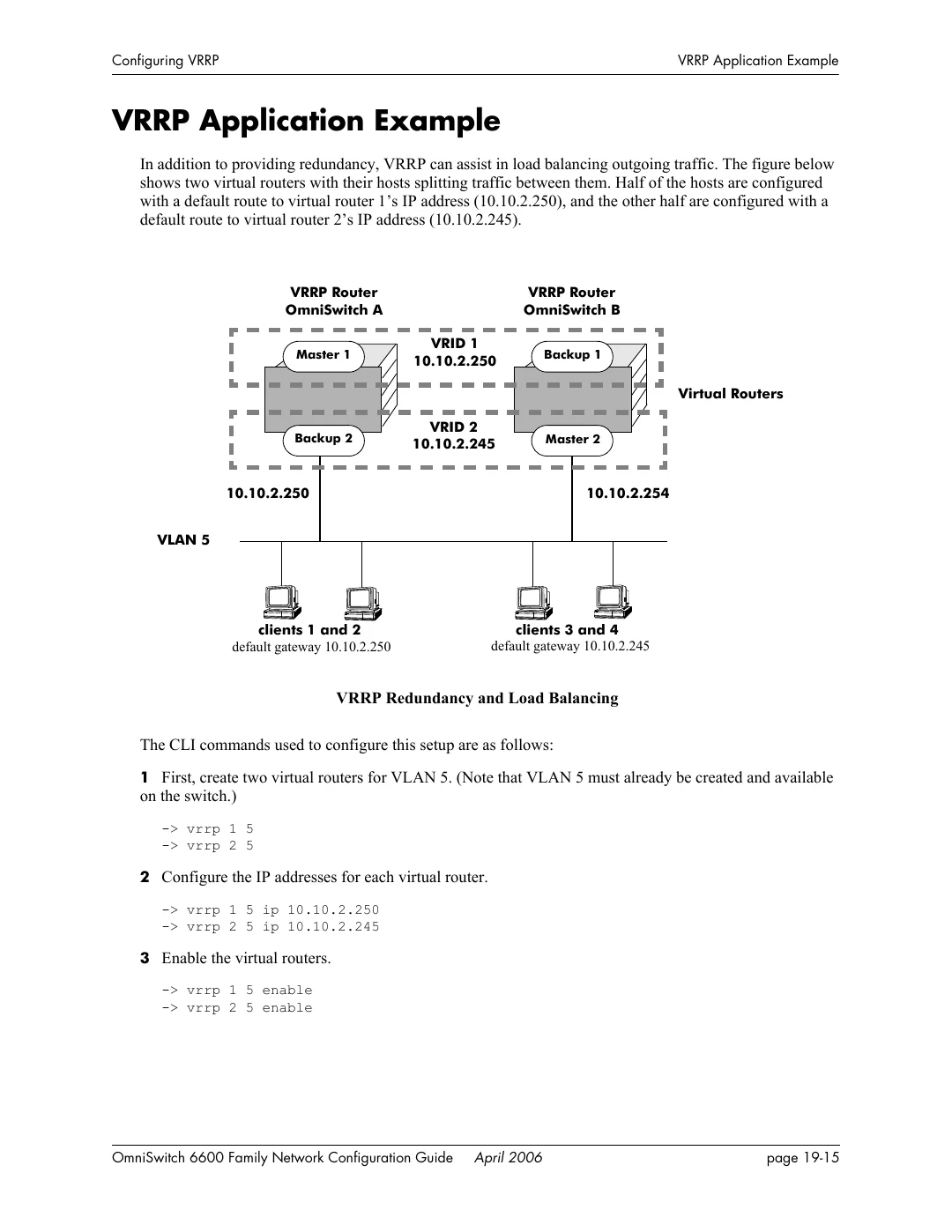
In addition to providing redundancy, VRRP can assist in load balancing outgoing traffic. The figure below
shows two virtual routers with their hosts splitting traffic between them. Half of the hosts are configured
with a default route to virtual router 1’s IP address (10.10.2.250), and the other half are configured with a
default route to virtual router 2’s IP address (10.10.2.245).
The CLI commands used to configure this setup are as follows:
1
First, create two virtual routers for VLAN 5. (Note that VLAN 5 must already be created and available
on the switch.)
-> vrrp 1 5
-> vrrp 2 5
2
Configure the IP addresses for each virtual router.
-> vrrp 1 5 ip 10.10.2.250
-> vrrp 2 5 ip 10.10.2.245
3
Enable the virtual routers.
-> vrrp 1 5 enable
-> vrrp 2 5 enable
VRRP Router
OmniSwitch A
VRRP Router
OmniSwitch B
Virtual Routers
VRID 1
10.10.2.250
VRID 2
10.10.2.245
VRRP Redundancy and Load Balancing
Master 1
10.10.2.254
10.10.2.250
default gateway 10.10.2.250
default gateway 10.10.2.245
clients 3 and 4
clients 1 and 2
Backup 2
Backup 1
Master 2
VLAN 5