Configuring Ethernet Ports
Ethernet Ports Overview
OmniSwitch 6600 Family Network Configuration Guide
April 2006
page 1-9
OmniSwitch 6602-48
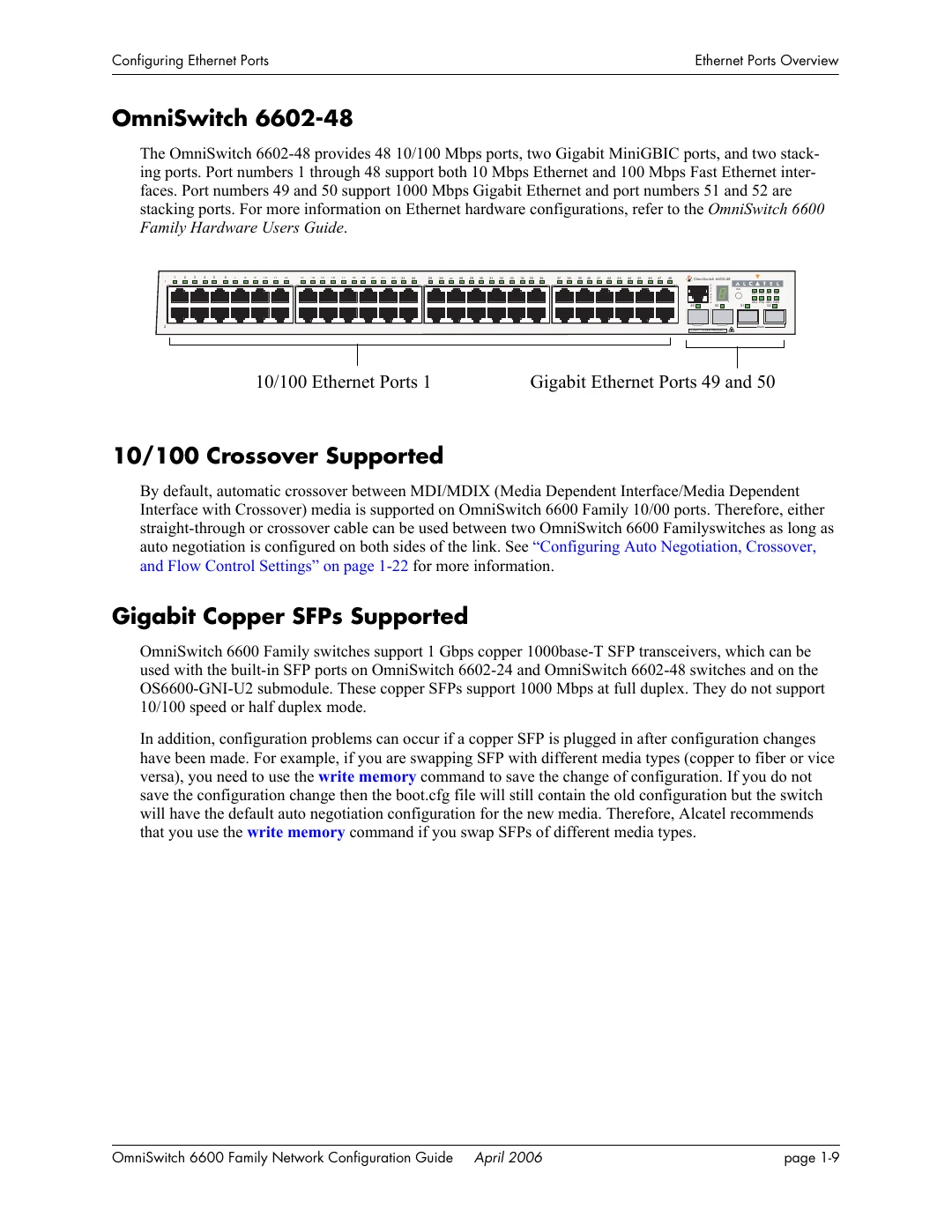
The OmniSwitch 6602-48 provides 48 10/100 Mbps ports, two Gigabit MiniGBIC ports, and two stack-
ing ports. Port numbers 1 through 48 support both 10 Mbps Ethernet and 100 Mbps Fast Ethernet inter-
faces. Port numbers 49 and 50 support 1000 Mbps Gigabit Ethernet and port numbers 51 and 52 are
stacking ports. For more information on Ethernet hardware configurations, refer to the
OmniSwitch 6600
Family Hardware Users Guide
.
10/100 Crossover Supported
By default, automatic crossover between MDI/MDIX (Media Dependent Interface/Media Dependent
Interface with Crossover) media is supported on OmniSwitch 6600 Family 10/00 ports. Therefore, either
straight-through or crossover cable can be used between two OmniSwitch 6600 Familyswitches as long as
auto negotiation is configured on both sides of the link. See
“Configuring Auto Negotiation, Crossover,
and Flow Control Settings” on page 1-22
Gigabit Copper SFPs Supported
OmniSwitch 6600 Family switches support 1 Gbps copper 1000base-T SFP transceivers, which can be
used with the built-in SFP ports on OmniSwitch 6602-24 and OmniSwitch 6602-48 switches and on the
OS6600-GNI-U2 submodule. These copper SFPs support 1000 Mbps at full duplex. They do not support
10/100 speed or half duplex mode.
In addition, configuration problems can occur if a copper SFP is plugged in after configuration changes
have been made. For example, if you are swapping SFP with different media types (copper to fiber or vice
versa), you need to use the
write memory
command to save the change of configuration. If you do not
save the configuration change then the boot.cfg file will still contain the old configuration but the switch
will have the default auto negotiation configuration for the new media. Therefore, Alcatel recommends
that you use the
command if you swap SFPs of different media types.
3
1
2
4
5
6
7
9
8
10
12
11
13
1
2
17
16
15
14
21
19
18
20
22
23
24
SEC
PR1
52
CLASS 1 LASER PRODUCT
49
50
Stack
51
C
o
n
s
o
l
e
PS1
OK1
PS2
Sel
OK2
TMP
FAN
26
28
29
30
31
33
32
34
36
35
37
41
40
39
38
45
43
42
44
46
47
48
TM
OmniSwitch 6602-48
25
10/100 Ethernet Ports 1
Gigabit Ethernet Ports 49 and 50