Ethernet Ports Overview
Configuring Ethernet Ports
page 1-10
OmniSwitch 6600 Family Network Configuration Guide
April 2006
Valid Port Settings
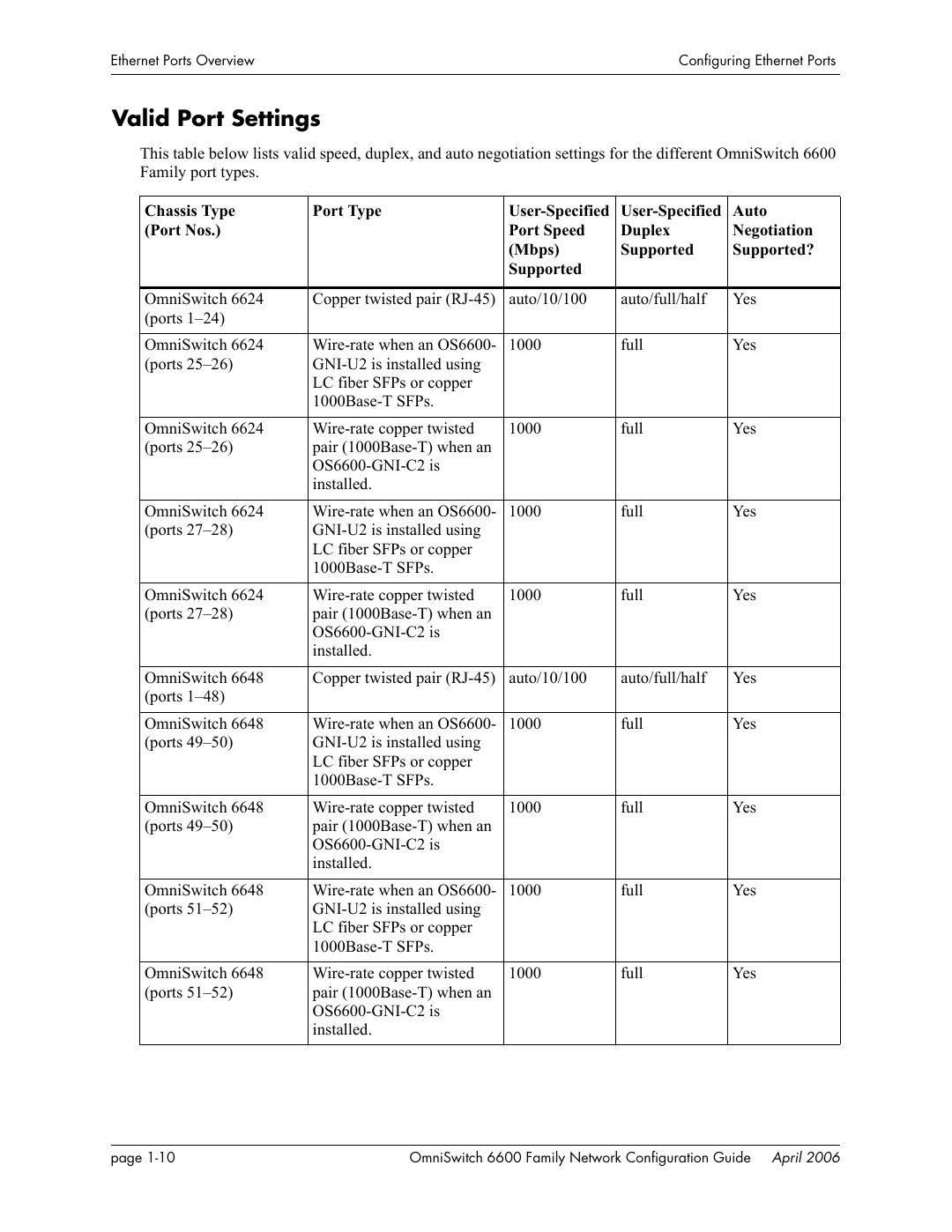
This table below lists valid speed, duplex, and auto negotiation settings for the different OmniSwitch 6600
Family port types.
Chassis Type
(Port Nos.)
Port Type
User-Specified
Port Speed
(Mbps)
Supported
User-Specified
Duplex
Supported
Auto
Negotiation
Supported?
OmniSwitch 6624
(ports 1–24)
Copper twisted pair (RJ-45) auto/10/100
auto/full/half
Yes
OmniSwitch 6624
(ports 25–26)
Wire-rate when an OS6600-
GNI-U2 is installed using
LC fiber SFPs or copper
1000Base-T SFPs.
1000
full
Yes
OmniSwitch 6624
(ports 25–26)
Wire-rate copper twisted
pair (1000Base-T) when an
OS6600-GNI-C2 is
installed.
1000
full
Yes
OmniSwitch 6624
(ports 27–28)
Wire-rate when an OS6600-
GNI-U2 is installed using
LC fiber SFPs or copper
1000Base-T SFPs.
1000
full
Yes
OmniSwitch 6624
(ports 27–28)
Wire-rate copper twisted
pair (1000Base-T) when an
OS6600-GNI-C2 is
installed.
1000
full
Yes
OmniSwitch 6648
(ports 1–48)
Copper twisted pair (RJ-45) auto/10/100
auto/full/half
Yes
OmniSwitch 6648
(ports 49–50)
Wire-rate when an OS6600-
GNI-U2 is installed using
LC fiber SFPs or copper
1000Base-T SFPs.
1000
full
Yes
OmniSwitch 6648
(ports 49–50)
Wire-rate copper twisted
pair (1000Base-T) when an
OS6600-GNI-C2 is
installed.
1000
full
Yes
OmniSwitch 6648
(ports 51–52)
Wire-rate when an OS6600-
GNI-U2 is installed using
LC fiber SFPs or copper
1000Base-T SFPs.
1000
full
Yes
OmniSwitch 6648
(ports 51–52)
Wire-rate copper twisted
pair (1000Base-T) when an
OS6600-GNI-C2 is
installed.
1000
full
Yes