LDAP Servers
Managing Authentication Servers
page 20-18
OmniSwitch 6600 Family Network Configuration Guide
April 2006
Directory Searches
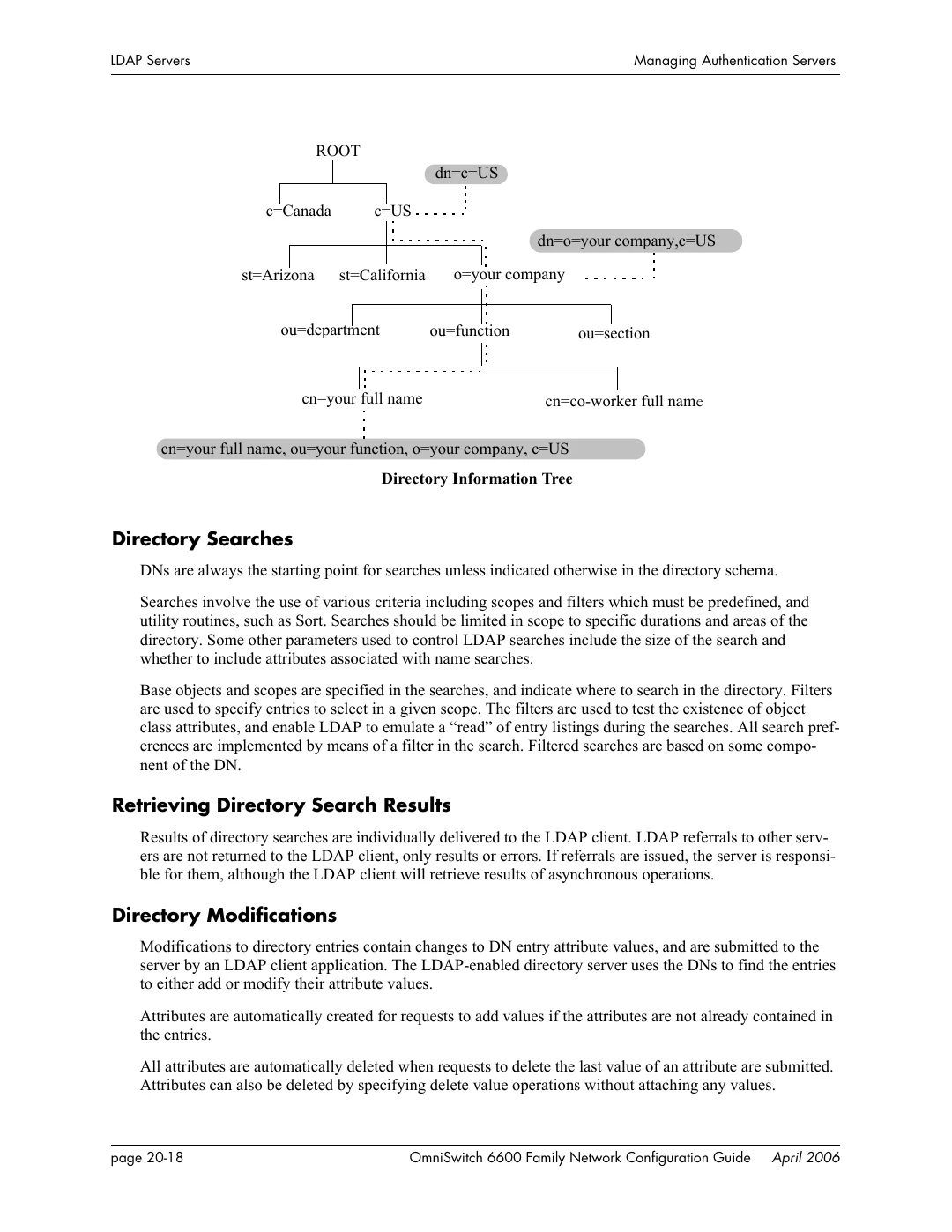
DNs are always the starting point for searches unless indicated otherwise in the directory schema.
Searches involve the use of various criteria including scopes and filters which must be predefined, and
utility routines, such as Sort. Searches should be limited in scope to specific durations and areas of the
directory. Some other parameters used to control LDAP searches include the size of the search and
whether to include attributes associated with name searches.
Base objects and scopes are specified in the searches, and indicate where to search in the directory. Filters
are used to specify entries to select in a given scope. The filters are used to test the existence of object
class attributes, and enable LDAP to emulate a “read” of entry listings during the searches. All search pref-
erences are implemented by means of a filter in the search. Filtered searches are based on some compo-
nent of the DN.
Retrieving Directory Search Results
Results of directory searches are individually delivered to the LDAP client. LDAP referrals to other serv-
ers are not returned to the LDAP client, only results or errors. If referrals are issued, the server is responsi-
ble for them, although the LDAP client will retrieve results of asynchronous operations.
Directory Modifications
Modifications to directory entries contain changes to DN entry attribute values, and are submitted to the
server by an LDAP client application. The LDAP-enabled directory server uses the DNs to find the entries
to either add or modify their attribute values.
Attributes are automatically created for requests to add values if the attributes are not already contained in
the entries.
All attributes are automatically deleted when requests to delete the last value of an attribute are submitted.
Attributes can also be deleted by specifying delete value operations without attaching any values.
ROOT
c=Canada
c=US
st=Arizona
st=California
o=your company
ou=function
ou=section
ou=department
cn=your full name
cn=co-worker full nam
e
dn=c=US
dn=o=your company,c=US
cn=your full name, ou=your function, o=your company, c=US