Configuring RDP
RDP Overview
OmniSwitch 6600 Family Network Configuration Guide
April 2006
page 17-5
RDP Overview
End hosts (clients) sending traffic to other networks need to forward their traffic to a router. In order to do
this, hosts need to find out if one or more routers exist on their LAN and learn their IP addresses. One way
to discover neighboring routers is to manually configure a list of router IP addresses that the host reads at
startup. Another method available involves listening to routing protocol traffic to gather a list of router IP
addresses.
RDP provides an alternative method for hosts to discover routers on their network that involves the use of
ICMP advertisement and solicitation messages. Using RDP, hosts attached to multicast or broadcast
networks send solicitation messages when they start up. Routers respond to solicitation messages with an
advertisement message that contains the router IP addresses. In addition, routers send advertisement
messages when their RDP interface becomes active and then subsequently at random intervals.
When a host receives a router advertisement message, it adds the IP addresses contained in the message to
its list of default router gateways in the order of preference. As a result, the list of router IP addresses is
dynamically created and maintained, eliminating the need for manual configuration of such a list. In addi-
tion, hosts do not have to recognize many different routing protocols to discover router IP addresses.
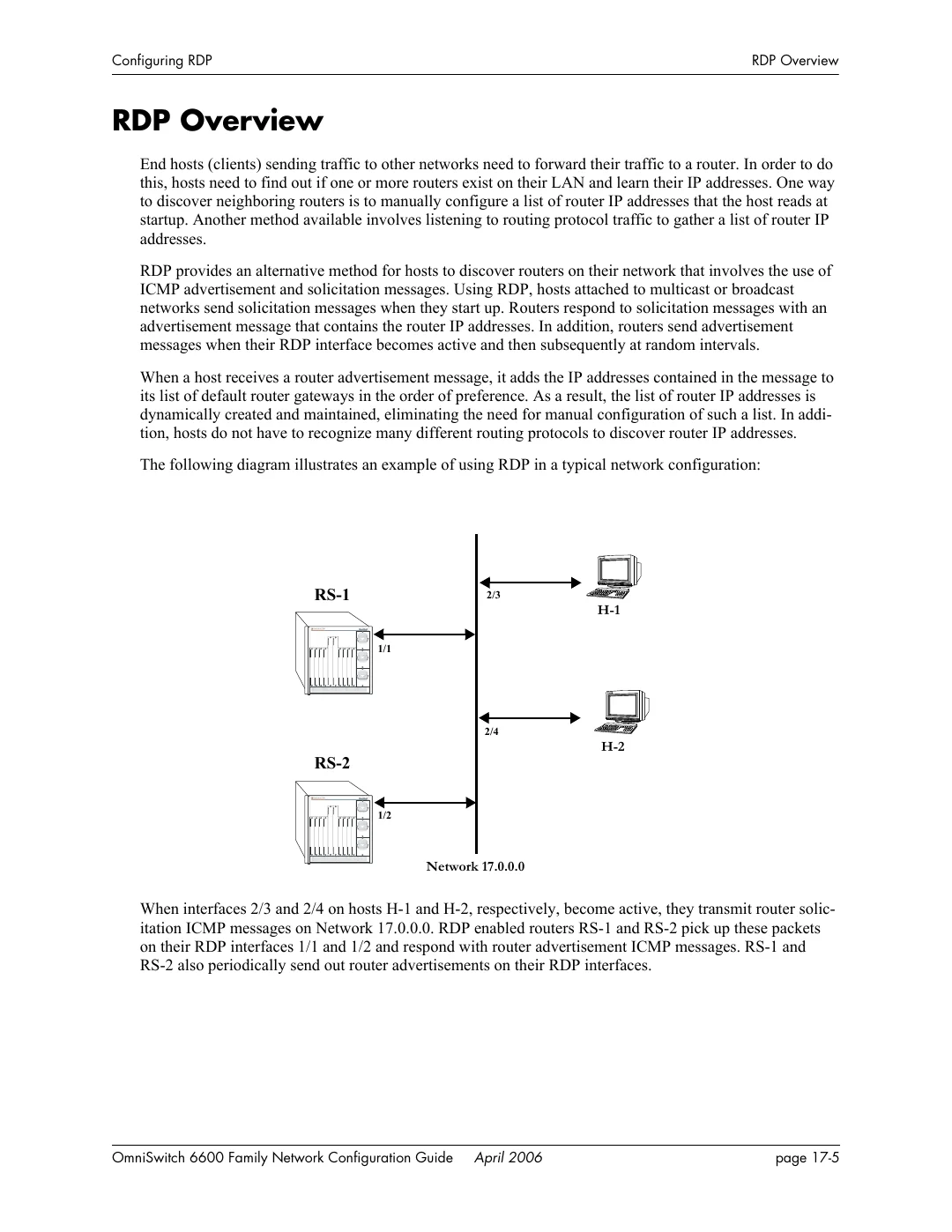
The following diagram illustrates an example of using RDP in a typical network configuration:
When interfaces 2/3 and 2/4 on hosts H-1 and H-2, respectively, become active, they transmit router solic-
itation ICMP messages on Network 17.0.0.0. RDP enabled routers RS-1 and RS-2 pick up these packets
on their RDP interfaces 1/1 and 1/2 and respond with router advertisement ICMP messages. RS-1 and
RS-2 also periodically send out router advertisements on their RDP interfaces.
RS-2
H-2
H-1
1/1
1/2
RS-1
2/3
2/4
Network 17.0.0.0
OmniSwitch 7700
TM
OmniSwitch 7700
TM